Web Platform: SaaS Admin & Workspace
Install OmniGenix AI, configure providers, payments and services, and learn every admin and workspace screen.
Start Here: Who Does What
OmniGenix AI splits work into two kinds. Running the platform happens in the browser, in the SaaS admin panel (sign in at https://your-domain.com/login as the Super Admin): no code and no server access. A few one-time or technical tasks need a server administrator or a developer (SSH or a hosting panel, cron, Flutter). If you are not technical, have someone do the server tasks once; after that you can run the business from the admin panel.
| Task | Who | Where |
|---|---|---|
| Platform name, light and dark logo, favicon, contact e-mail, currency, date/time format, default and fallback language, invoice seller details | Admin panel | Settings → General Settings (Branding) |
| Landing page colours, hero texts, button text, which home-page sections are shown, admin panel colour | Admin panel | Landing page & white-label (Branding) |
| Blog posts, CMS pages (Terms, Privacy, About), help center, announcements, changelog for your customers | Admin panel | Content Management (CMS, Blog & Landing Page) |
| AI provider API keys, models, credit prices, fallback models | Admin panel | AI Management (AI Providers & Models) |
| Stripe, PayPal, Razorpay, Mollie and manual-payment credentials, tax/VAT rate, approving manual payments, refunds | Admin panel | Billing & Payments (Payment Gateways) |
| Plans, prices, trials, credit grants, credit top-up packages, referrals | Admin panel | AI Management → Plans, Billing & Payments → Credit Packages |
| Mail (SMTP) with a test e-mail, S3-compatible storage, push (paste the Firebase JSON), SEO, social links, extensions on/off | Admin panel | Settings (Settings Pages) |
| Social network app credentials, Twilio/Plivo voice calling | Admin panel | Social publishing, Voice calling |
| Languages and translations (add a language, import/export JSON or CSV) | Admin panel | Language (Multi-language) |
| Companies, users, roles, failed jobs, system status | Admin panel | Management, Settings → System Status |
| Create the API keys, webhooks and developer apps at Stripe/PayPal/Razorpay/Mollie, OpenAI and other AI providers, Firebase, Twilio/Plivo and the social networks | Browser: provider console | Each provider’s own dashboard; links and steps in the sections above |
| Upload the files, create the database, domain and SSL certificate, folder permissions | Server / developer | Hosting panel / SSH (Common Setup) |
| Cron entry and queue worker (Supervisor) | Server / developer | Server (Cron, Queue & Scheduler) |
.env changes: APP_URL, APP_TIMEZONE, queue mode, SESSION_SECURE_COOKIE, TRUSTED_PROXIES, MOBILE_* | Server / developer | .env (.env Essentials) |
| Optional realtime live chat: enable Reverb and set its public host/port | Admin panel | Settings → Realtime Settings |
Keep php artisan reverb:start running under Supervisor and proxy its websocket (only if realtime is on) | Server / developer | Common Setup → Reverb |
Installing updates: upload the release ZIP on System Update, or copy the files and click Finish update / run php artisan omnigenix:update | Server / developer | Updating & Upgrades |
Changing layouts or texts beyond the admin options (Blade templates), rebuilding CSS/JS with npm run build | Server / developer | Source code (Branding) |
| Build, sign and publish the Android/iOS app; rename and re-icon it | Server / developer | Mobile App |
Before launch, read Ready to Go Live? (what is required and what is optional) and Third-Party Services & Costs (which accounts you need and who pays).
What You Get
OmniGenix AI is a multi-company AI SaaS platform. One Laravel 12 application holds three things: a public landing page and blog, a SaaS admin panel where you (the platform owner) manage companies, plans, payments, AI providers and settings, and a company workspace where each customer team uses the AI tools. A native Flutter app for Android and iOS (no WebView) talks to the same platform through the REST API (/api/v1, Sanctum tokens). This page covers the web platform; the phone app has its own page: Mobile App.
SaaS admin
79 admin screens: companies, users, plans, gateways, AI providers and models, analytics, CMS, settings.
Open →Company workspace
101 workspace screens: chat, content, image, video, avatar, voice, code, documents, agents, social and more.
Open →Credits & billing
One wallet per company, an immutable ledger, plans, top-ups, invoices and five payment options.
Open →Flutter app
Native Android and iOS app on REST API v1 with push, deep links, biometric lock and offline outbox.
Open →| Fact | Value |
|---|---|
| Version | 1.2.0 (web config/omnigenix.php, app pubspec.yaml 1.2.0+2) |
| Routes | 650+ in total, including 150+ REST API v1 endpoints under /api/v1 |
| Built-in extensions | 16, each can be switched off: AI Chat, Content Studio, Code Studio, Image Studio, Product Photoshoot, Video Studio, AI Avatar, UGC Ads, Voice Studio, Document AI, AI Agents, Website Chatbot, Marketing & Business tools, Social Publishing, Voice Calling, White label |
| Languages | English, Bangla and Arabic (RTL) on the web and in the app; a partial French translation is included but switched off (see Multi-language); add more from the admin language manager |
| Tenancy | Single database, every company record scoped by company_id; users can belong to several companies and switch between them |
| Tests | Web: 650+ test methods in 85+ feature test files. Flutter: flutter analyze clean, 50+ tests |
Workspaces in plain words
Each customer of your platform is a company (also called a workspace or tenant). A person signs up, gets their own workspace, invites team members and pays for a plan; the credits, files, chats, projects, brand kit and invoices they create belong to that workspace only. All workspaces live in one database, and every record carries the workspace it belongs to (company_id); the server scopes every workspace query to the active workspace, so one customer can never see or change another customer’s data, on the web or through the app API. A person can be a member of several workspaces and switch between them. You, the platform owner, manage all workspaces from the SaaS admin panel; there is nothing to set up per customer.
Short on time? Follow the Quick Start. Server details (cron, queue worker, Reverb, HTTPS, storage link, permissions) are in Common Setup.
Screenshots in this guide were captured on a freshly seeded demo database (the “Acme Studio” sample workspace). Names, numbers and generations are sample data. For the AI studio screens the scratch database had OpenAI, Runway and Replicate provider rows (without keys) so that model pickers appear; your install shows the same screens after you add a provider.
Server Requirements
The installer checks the PHP version, the extensions and the writable folders before it lets you continue (app/Support/SystemHealth.php).
| Item | Minimum |
|---|---|
| PHP | 8.2 or newer (composer.json requires ^8.2); 8.3 recommended and used in development |
| PHP extensions (checked) | bcmath, ctype, curl, fileinfo, gd, json, mbstring, openssl, pdo, tokenizer, xml, zip — plus pdo_mysql for MySQL, and dom and intl as listed in docs/installation.md |
| Database | MySQL 8.0+ or MariaDB 10.6+, charset utf8mb4 / utf8mb4_unicode_ci |
| Writable folders (checked) | storage, storage/app, storage/framework, storage/logs, bootstrap/cache, public/uploads |
| Web server | Apache 2.4 with mod_rewrite (AllowOverride All) or Nginx; document root = the public/ folder |
| HTTPS | Required in production: payment webhooks, Sanctum mobile tokens, push and voice-call callbacks expect public HTTPS |
| Cron | Required, one entry every minute (see Cron, Queue & Scheduler) |
| Background process | Recommended: Supervisor or systemd for the queue worker. Shared hosting can use QUEUE_VIA_SCHEDULER=true |
| PHP settings | memory_limit ≥ 256M, upload_max_filesize/post_max_size ≥ 20M, max_execution_time ≥ 120 |
| Composer 2 / Node.js | Composer 2 is required: the download does not include vendor/, so run composer install --no-dev --optimize-autoloader once (on your computer if the host has no SSH, then upload vendor/). The compiled assets ship in public/assets-compiled; Node.js 20+ is only needed to rebuild them with npm ci && npm run build (Vite 6, Tailwind CSS 4) |
Point the domain at public/, never at the project root. Serving the project root would expose .env.
Web Installer
Upload the files, make the folders writable, create an empty database and open your domain. Until the app is installed every request redirects to /install (routes/install.php, App\Http\Middleware\InstallerGate). The wizard has four steps:
Requirements
PHP version, each extension and each writable folder with pass/fail.
Database and site
Envato purchase code, site name, site URL and database details. The purchase code is checked once, online, for the site URL’s domain before anything is written (find it under CodeCanyon → Downloads → OmniGenix AI → License certificate & purchase code; the server needs outbound HTTPS). Local development addresses (
localhost,127.0.0.1,*.test,*.local) skip the check. The code is saved encrypted and shown masked on Settings → System Update; a command-line install saves it withphp artisan omnigenix:license YOUR-CODE. The installer then tests the connection and writes.envwithAPP_ENV=production,APP_DEBUG=falseand a newAPP_KEY.Install
Runs
migrate --force, seeds the base data withCoreSeeder(roles, permissions, plans, languages, the manual payment gateway, content templates and the prompt library) and runsstorage:link.Super Admin
Creates your administrator account. With
APP_DEMO=truea Sample company option also appears here; it adds the Acme Studio demo workspace and the demo accounts.
When the last step finishes, the installer writes APP_INSTALLED=true to .env and the marker file storage/app/installed; if the marker cannot be written the step stops with a clear error instead of leaving the installer open.
How the lock works. The installer counts as finished when any one of these is true: the marker storage/app/installed exists, the configured database already has a Super Admin (then the marker is written again), or APP_INSTALLED=true is set and the database is not empty. Every installer step then answers 404. Losing the .env flag, losing the marker or a database outage never reopens /install, and on an installed site the installer never rewrites the DB_* values, never re-runs seeders, never resets a password and never runs migrate:fresh.
Deliberate reinstall: back up, delete storage/app/installed, remove APP_INSTALLED from .env, run php artisan config:clear and point DB_* at an empty database (a database that already has a Super Admin keeps the installer locked).
cPanel Install (No SSH)
Step by step for shared hosting with cPanel. omnigenix is the folder you choose; menu names can differ slightly between hosts and cPanel themes.
⚠ Placeholder used in this section: YOUR_CPANEL_USERNAME. Wherever it appears (paths such as /home/YOUR_CPANEL_USERNAME/omnigenix, the database prefix and the cron commands) type your own cPanel user name instead. You find it in cPanel → General Information → Current User. Each group of commands below repeats this reminder.
The download has no vendor/ folder and no .env file. vendor/ (the PHP libraries) is created once with Composer in step 3. .env is created for you: the web installer copies .env.example to .env, generates APP_KEY and writes your database and site details. You never create .env by hand.
Set PHP
MultiPHP Manager: set your domain to PHP 8.3 (8.2 is the minimum). In Select PHP Version (CloudLinux) or MultiPHP INI Editor enable bcmath, ctype, curl, dom, fileinfo, gd, intl, mbstring, openssl, pdo_mysql, tokenizer, xml and zip, and set
memory_limit256M,upload_max_filesizeandpost_max_size20M,max_execution_time300.Upload outside
public_htmlZip the contents of
WebSourceCodeon your computer (include the hidden files.env.exampleandpublic/.htaccess). File Manager → your home folder (/home/YOUR_CPANEL_USERNAME) → createomnigenix→ open it → Upload the zip → Extract.artisan,composer.jsonandpublic/must sit directly in/home/YOUR_CPANEL_USERNAME/omnigenix. Turn on Settings → Show Hidden Files and check thatpublic/.htaccessexists. Do not extract the project intopublic_html.Create
vendor/with ComposerUse whichever of these your hosting allows. Until
vendor/exists, the site shows a “One step before the installer” page instead of the installer.⚠ Replace
YOUR_CPANEL_USERNAMEbefore you run anything below. It stands for your cPanel user name (cPanel → General Information → Current User; it is also the folder name after/home/). A command copied unchanged will fail with “No such file or directory”.A. cPanel Terminal (Advanced → Terminal, the easiest way):
cd ~/omnigenix
composer install --no-dev --optimize-autoloader
If the Terminal's
phpis older than 8.2 orcomposeris not found, call both with full paths (cPanel's EasyApache layout; your host can confirm the paths):/opt/cpanel/ea-php83/root/usr/bin/php /opt/cpanel/composer/bin/composer install --no-dev --optimize-autoloader
No Composer on the server at all? Download it into the project folder first, then use
composer.phar:cd ~/omnigenix php -r "copy('https://getcomposer.org/installer', 'composer-setup.php');" php composer-setup.php && rm composer-setup.php php composer.phar install --no-dev --optimize-autoloader rm composer.pharB. One-time cron job (no Terminal): Cron Jobs → Once Per Minute → command:
cd /home/YOUR_CPANEL_USERNAME/omnigenix && HOME=/home/YOUR_CPANEL_USERNAME /opt/cpanel/ea-php83/root/usr/bin/php /opt/cpanel/composer/bin/composer install --no-dev --optimize-autoloader --no-interaction >> storage/logs/composer.log 2>&1
Wait two or three minutes until
vendor/autoload.phpexists andstorage/logs/composer.logends with “Generating optimized autoload files”, then delete this cron job.C. On your computer (the host has neither Terminal nor Composer): install PHP 8.2+ and Composer 2, run
composer install --no-dev --optimize-autoloaderinsideWebSourceCode, zip only the newvendorfolder, upload it to/home/YOUR_CPANEL_USERNAME/omnigenixand extract it there.Point the domain at
public/Domains → your domain → Manage → set the document root to
omnigenix/public(full path/home/YOUR_CPANEL_USERNAME/omnigenix/public). If cPanel does not let you change the document root of your primary domain, use an addon domain or subdomain, or ask your host to change it. Do not move the files ofpublic/intopublic_html.Create the database
MySQL Database Wizard: create a database and a user with a strong password and give the user ALL PRIVILEGES. cPanel adds your user name as a prefix (for example
YOUR_CPANEL_USERNAME_omnigenix); use the full names in the installer. The database host islocalhost.Folder permissions
In File Manager set
storage,bootstrap/cacheandpublic/uploadsto755(Change Permissions, recurse into subfolders). Use775only if the installer still reports them as not writable; never777.Turn on HTTPS
SSL/TLS Status → Run AutoSSL (or install your certificate) and wait until the domain shows a valid certificate.
Run the web installer
Open
https://your-domain; it redirects to/install. Follow the four steps of the Web Installer with the database details from step 5 and yourhttps://site URL.Queue without a worker
File Manager →
omnigenix/.env→ Edit: setQUEUE_VIA_SCHEDULER=trueand save. Shared hosting has no long-running queue worker; the cron entry below then works through the queue every minute.Add the cron job
Cron Jobs → Common Settings Once Per Minute → command:
⚠ Replace
YOUR_CPANEL_USERNAMEbefore you run anything below. It stands for your cPanel user name (cPanel → General Information → Current User; it is also the folder name after/home/). A command copied unchanged will fail with “No such file or directory”.cd /home/YOUR_CPANEL_USERNAME/omnigenix && /usr/local/bin/php artisan schedule:run >> /dev/null 2>&1
If your domain runs a different PHP version than the server default, use that version's binary, for example
/opt/cpanel/ea-php83/root/usr/bin/php(ask your host if unsure). After two or three minutes Settings → System Status shows the scheduler as running.
Host disables symlink()? No action needed. The installer and omnigenix:update try to create the public/storage link and simply skip it when the host does not allow symlinks; uploads are stored in public/uploads, which needs no link.
Running an artisan command without SSH. Many cPanel accounts have Terminal (under Advanced); use it for commands such as php artisan omnigenix:update when you update. Without Terminal, add a temporary cron job that runs once, for example cd /home/YOUR_CPANEL_USERNAME/omnigenix && /usr/local/bin/php artisan omnigenix:update >> storage/logs/update.log 2>&1 (replace YOUR_CPANEL_USERNAME with your cPanel user name), wait a minute, check storage/logs/update.log and delete the cron job again.
Command-Line Install
If you prefer SSH, the same result without the first three wizard steps (from docs/installation.md):
cp .env.example .env              # then edit the DB_* values and APP_URL
composer install --no-dev --optimize-autoloader
php artisan key:generate
php artisan migrate --force
php artisan db:seed --class=CoreSeeder --force
php artisan storage:link
Then open /install: because the tables already exist, the wizard jumps straight to the Super Admin step, creates your administrator and writes the lock. (If you created a Super Admin from the shell yourself, the installer is already locked; set APP_INSTALLED=true and sign in.)
Never run plain php artisan db:seed on a live site. The default DatabaseSeeder adds the demo company and demo users with a known password. Use --class=CoreSeeder.
.env.example ships with production defaults (APP_ENV=production, APP_DEBUG=false, QUEUE_CONNECTION=database, APP_TIMEZONE=UTC). For local development only, switch to local and true.
After Installing
Sign in
Open
/loginwith the Super Admin you created. The SaaS admin dashboard is/dashboard; company workspaces live under/company/….Check System Status
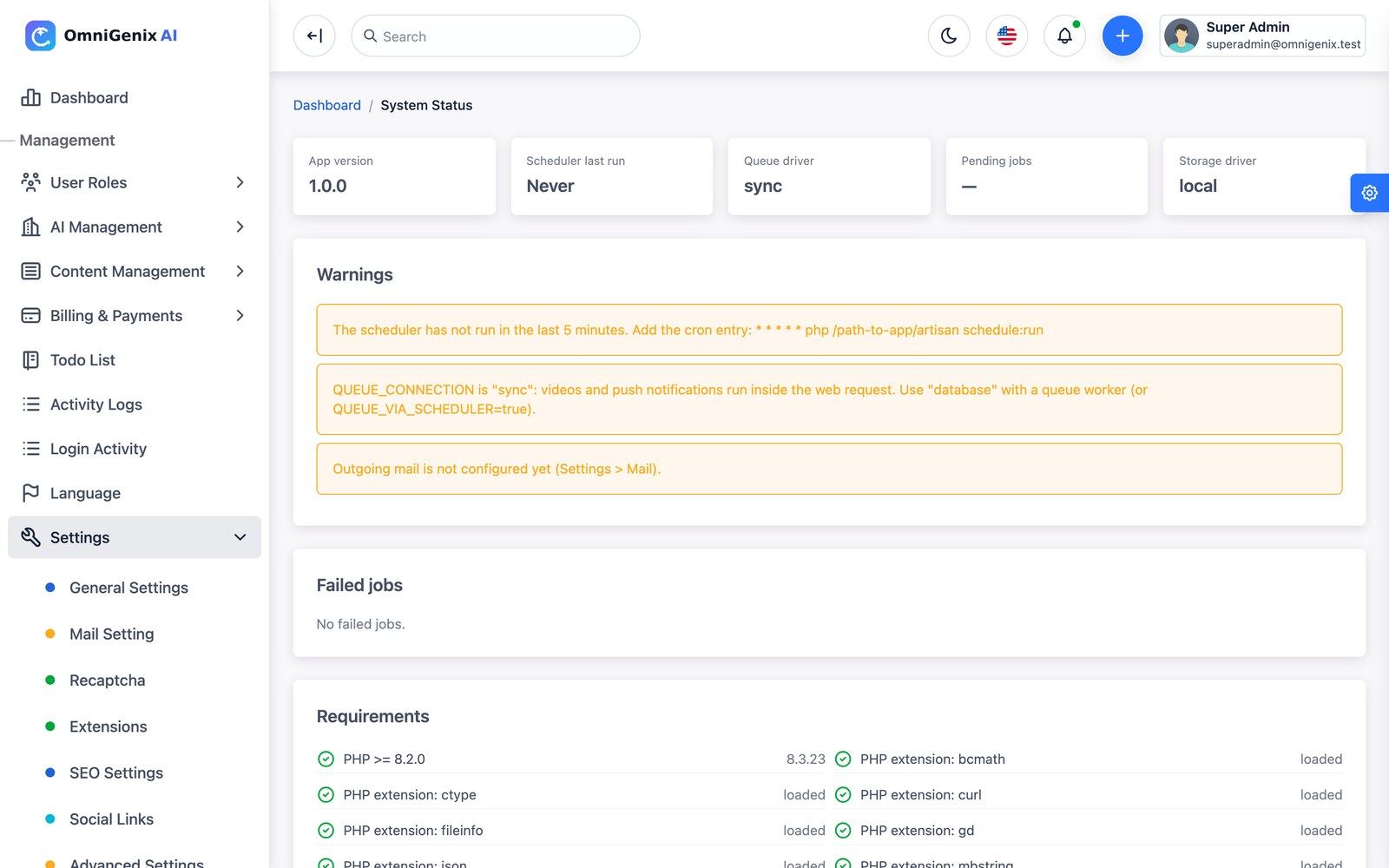
Settings → System Status (
/admin/settings/system) shows the app version, cron heartbeat, queue driver, failed jobs, storage and mail warnings and the requirement checks.Add the cron entry and a queue worker
Without them trials never end, scheduled posts never publish and videos stay “Processing”. See Cron, Queue & Scheduler.
Configure mail
Settings → Mail Setting, then Send test mail.
Add an AI provider and models
A fresh install has no working AI provider. Add OpenAI (or another driver) in AI Management → AI Providers, test it, then add models with credit rates. See AI Providers & Models.
Set up a payment gateway
Billing & Payments → Payment Gateways; register the webhook URL for your domain at the gateway (list in Payment Gateways).
Review the plans
AI Management → Plans: prices, trial days, credit grant, limits and features. Keep exactly one active plan marked Default.
Brand the site
Settings → General Settings (name, light and dark logo, favicon, currency, date/time format, default and fallback language) and Landing page & white-label (colours and hero text).
Branding Without Code
Everything below is done in the admin panel, without code. Changes are live as soon as you press Save Change.
1. Name, logos and favicon
Open Settings → General Settings (/admin/settings/general-settings). Logos and the favicon accept PNG, JPG/JPEG or WebP (SVG is not accepted for security reasons; an SVG logo saved by an earlier build still displays in a sandbox, but re-upload it as PNG or WebP). Use a transparent PNG about 360×80 px for the logos and a 64×64 px PNG for the favicon.
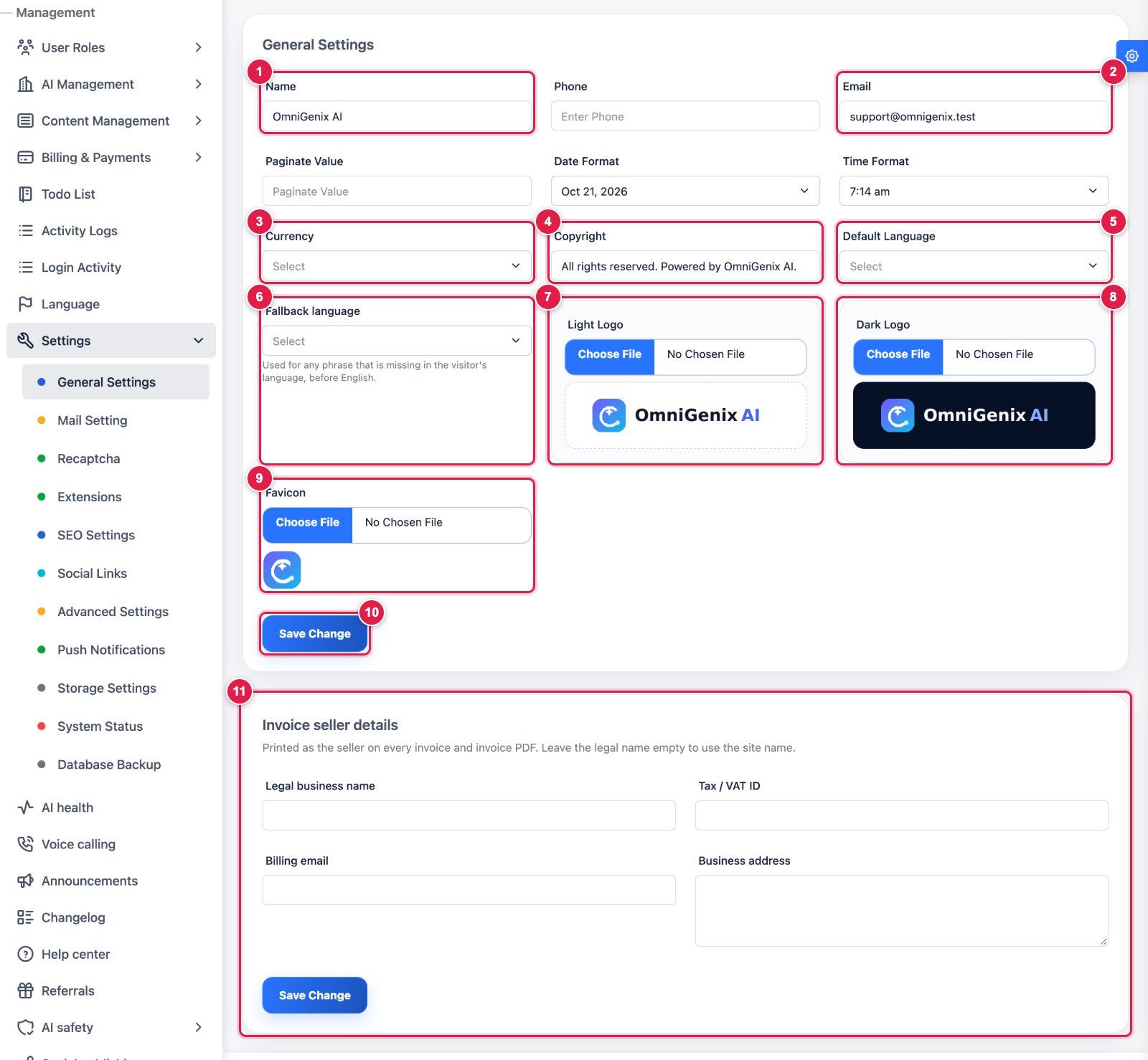
- Name: your platform name (browser titles, e-mails, footer).
- Email: the public contact address.
- Currency: display currency of the platform.
- Copyright: footer text.
- Default Language: language for new visitors and users.
- Fallback language: used for any phrase missing in a visitor’s language, before English.
- Light Logo: logo for light backgrounds (PNG, JPG or WebP).
- Dark Logo: logo for dark backgrounds and dark mode.
- Favicon: browser tab icon (square PNG).
- Save Change.
- Invoice seller details: legal business name, Tax / VAT ID, billing e-mail and business address printed on every invoice and its PDF (separate Save Change button).
2. Colours, home-page texts and sections
Open Landing page & white-label in the admin menu (/admin/white-label).
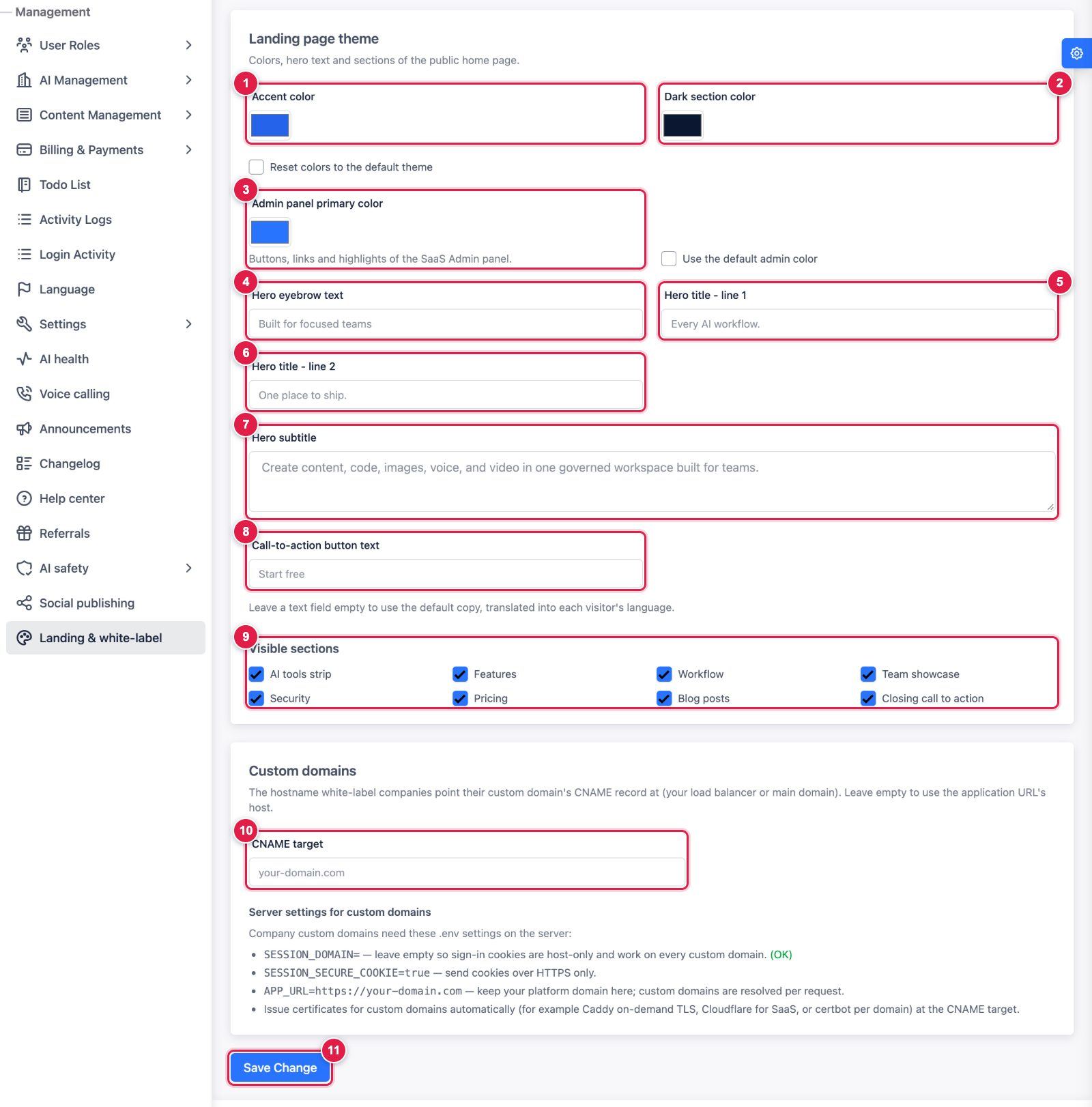
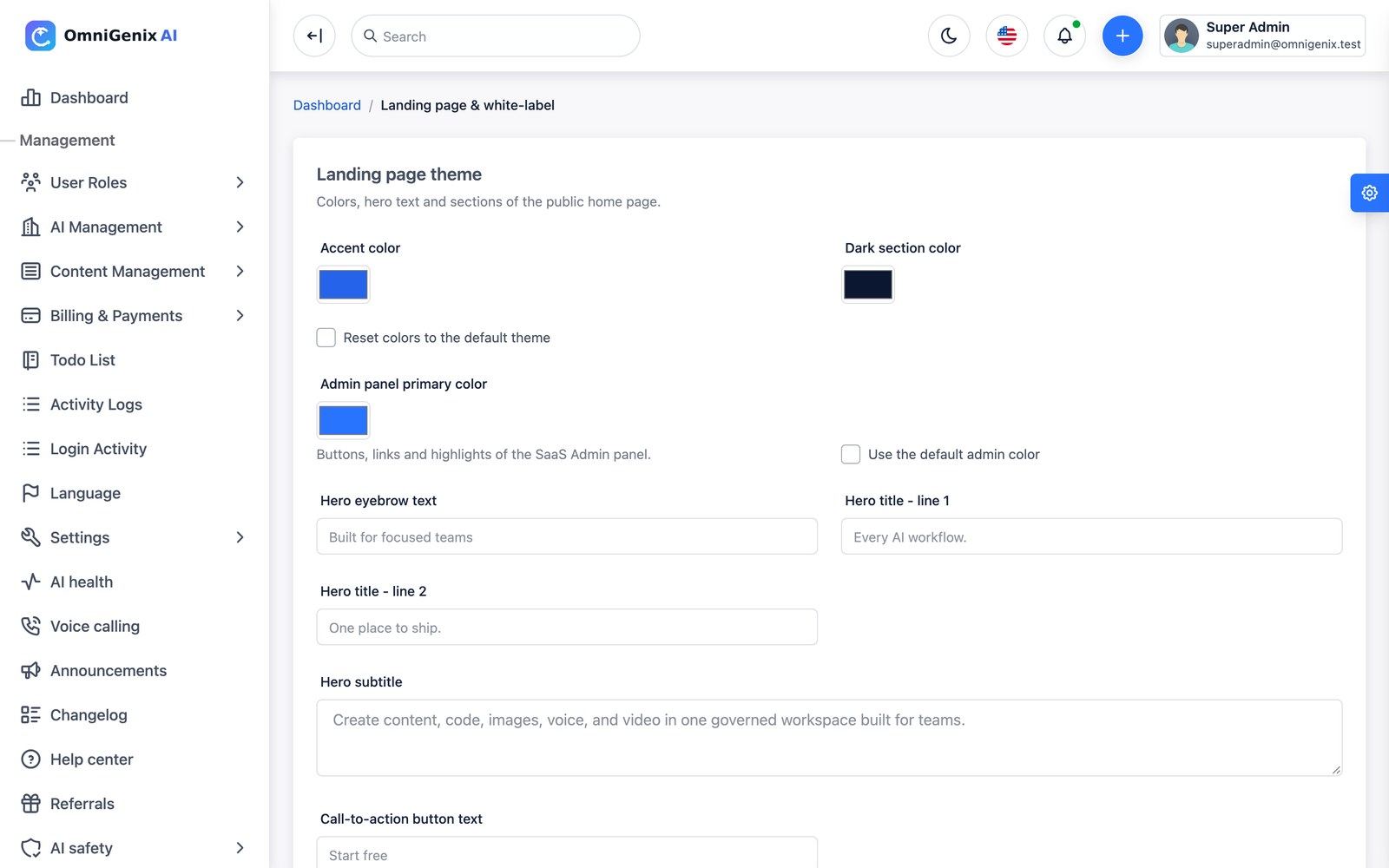
- Accent color: buttons and highlights of the public home page (tick Reset colors to the default theme to undo).
- Dark section color: background of the dark sections.
- Admin panel primary color: buttons, links and highlights of the SaaS admin (or tick Use the default admin color).
- Hero eyebrow text: small line above the headline.
- Hero title - line 1.
- Hero title - line 2.
- Hero subtitle: the paragraph under the headline.
- Call-to-action button text. Empty text fields use the default copy, translated into each visitor’s language.
- Visible sections: switch home-page sections on or off (AI tools strip, Features, Workflow, Team showcase, Security, Pricing, Blog posts, Closing call to action).
- CNAME target: the hostname white-label companies point their custom domain at (empty = your
APP_URLhost). The card below it lists the.envsettings custom domains need. - Save Change.
3. Pages, blog and footer
- Terms, Privacy Policy, About and other pages: Content Management → Pages. Edit the seeded Terms and Privacy pages for your business before launch.
- Blog: Content Management → Posts; the latest posts appear on the home page when the “Blog posts” section is visible.
- Footer social icons: Settings → Social Links. Search-engine titles and descriptions: Settings → SEO Settings.
- Any visible text (buttons, menus, e-mails) in any language: Language → edit phrases; no code needed.
4. White label for your customers
With the White label extension in their plan, each company can set its own logo, colours, sender name and a custom domain, and hide the “powered by” line, in Workspace → Branding (/company/branding). See White Label.
Needs a developer: changing the page layout or design beyond the colours and sections above means editing the Blade templates in resources/views and running npm ci && npm run build. Renaming or re-iconing the phone app is a build step: Mobile App → Rebrand the App.
Demo Accounts
A normal installation creates only the Super Admin you enter in the installer. Demo accounts exist only when the full DatabaseSeeder ran (php artisan migrate:fresh --seed on a throwaway database, or the 6-hourly omnigenix:demo-reset with APP_DEMO=true), or when you ticked Sample company in the installer, which is offered only with APP_DEMO=true and adds the *@acme.test accounts only. The password of every demo account is 12345678.
| Role | |
|---|---|
[email protected] | SaaS Super Admin |
[email protected] | SaaS Admin |
[email protected] | Owner of the “Acme Studio” workspace |
[email protected] | Acme Studio member (Manager) |
[email protected] | Acme Studio member (Creator) |
[email protected] | Acme Studio member (Developer) |
The sample data also adds the Acme members [email protected], [email protected] and [email protected], and the full seeder adds a [email protected] test user. The demo workspace comes with credits, generations of every type, chats, projects, a brand kit, two products, the “Acme Support Bot” chatbot, four social posts, invoices and a refund. With APP_DEMO=true the login page shows one-click demo buttons for the Super Admin, the Admin and the workspace owner.
Delete or change these accounts (*@acme.test, *@omnigenix.test), or install without the sample company, before you go live.
.env Essentials
The installer writes .env. These are the keys you are most likely to change later. Payment, AI, push, storage, social and mail credentials are not kept in .env: they are stored encrypted in the database and managed from the admin panel.
| Key | Purpose |
|---|---|
APP_NAME, APP_URL | Product name and full public URL (https://…, no trailing slash). Webhook, OAuth callback, voice-call callback and signed-file URLs are built from APP_URL. |
APP_ENV=production, APP_DEBUG=false | Always on a live site. |
APP_DEMO | false by default. true turns on demo mode (see Demo Mode). The legacy DEMO_MODE key is still read when APP_DEMO is absent. |
TRUSTED_PROXIES | IPs/CIDR ranges of your reverse proxy or load balancer, so the forwarded scheme and host stay correct. |
DB_HOST, DB_PORT, DB_DATABASE, DB_USERNAME, DB_PASSWORD | Database connection. |
QUEUE_CONNECTION | database (recommended) or redis. sync runs videos inside the web request and is only for testing. |
QUEUE_VIA_SCHEDULER | true on shared hosting without a long-running worker; cron then works through the queue every minute. |
CACHE_DRIVER, SESSION_DRIVER | file/database work everywhere; redis on larger installs. |
SESSION_SECURE_COOKIE=true | Recommended over HTTPS. |
LOG_CHANNEL | daily is recommended for log rotation. |
MOBILE_ANDROID_MIN_VERSION, MOBILE_ANDROID_LATEST_VERSION, MOBILE_ANDROID_STORE_URL, MOBILE_IOS_MIN_VERSION, MOBILE_IOS_LATEST_VERSION, MOBILE_IOS_STORE_URL, MOBILE_MAINTENANCE, MOBILE_MAINTENANCE_MESSAGE, MOBILE_RELEASE_NOTES | Mobile release gate returned by GET /api/v1/app/version. The app prompts to update below the latest version and blocks below the minimum. |
MOBILE_ANDROID_PACKAGE, MOBILE_ANDROID_SHA256, MOBILE_IOS_TEAM_ID, MOBILE_IOS_BUNDLE_ID | Values served in /.well-known/assetlinks.json and /.well-known/apple-app-site-association for app links (see Deep Links). |
OMNIGENIX_PLUGINS_PATH | Optional. Folder scanned for drop-in plugins (default plugins/). |
After editing .env on a server that caches its configuration, run php artisan config:clear (or php artisan optimize).
Keep a copy of APP_KEY outside the server. Every encrypted credential in the database is unreadable without it.
Third-Party Services & Costs
The item price covers the source code. The services below have their own accounts, terms and fees that you pay to the provider directly; they are not included in the purchase. You add your own API keys; nothing is shared with the author. Prices change: check each provider’s pricing page.
| Service | Needed for | Required? | Typical cost model |
|---|---|---|---|
| Hosting (VPS or PHP hosting with cron), domain, SSL | Running the platform | Required | Monthly hosting; free SSL via Let’s Encrypt |
| SMTP e-mail (any provider, e.g. your host, Amazon SES, Postmark, Brevo) | Verification, password reset, invoices, invites | Required | Free tiers, then per e-mail |
| OpenAI | Chat, content, code, image, text-to-speech, transcription, document embeddings | At least one AI provider | Pay per token / image / minute |
| Anthropic (Claude) | Chat, content, code (text), image input in chat | Optional text provider | Pay per token |
| OpenAI-compatible: DeepSeek, Google Gemini, xAI Grok, Mistral, Groq, OpenRouter, Together AI | Chat, content, code (text) | Optional text provider | Pay per token, set by each service |
| Replicate | Image, video and avatar models | Optional | Pay per second of compute or per output |
| ElevenLabs | Voice (text-to-speech) | Optional | Monthly plan with a character allowance |
| Runway, Luma, Kling | Video generation | Optional | Pay per second / per video credits |
| Self-hosted Stable Diffusion, Piper, whisper.cpp | Image, voice, transcription on your own server | Optional | No API fee; you pay for the (GPU) server |
| Stripe, PayPal, Razorpay, Mollie | Selling plans and credit top-ups online | Optional (Manual / bank transfer works without any) | Per-transaction fees set by each gateway; no monthly fee for standard accounts |
| Twilio or Plivo | AI voice-calling campaigns | Optional | Phone-number rental plus per-minute call charges |
| Facebook/Instagram, LinkedIn, X, Pinterest, TikTok, YouTube developer apps | Social publishing | Optional | Developer apps are free but need each network’s app review; X API access is a paid plan |
| Firebase (Google) | Push notifications for the phone app | Optional | Cloud Messaging is free; you accept Google’s terms with your own project |
| S3-compatible storage: AWS S3, Cloudflare R2, Wasabi, DigitalOcean Spaces, MinIO | Storing generated files off the server (required for Luma image-to-video) | Optional | Per GB stored and transferred |
| Apple Developer Program, Google Play Console | Publishing the phone app | Only for the app | Apple USD 99 per year; Google USD 25 once |
You set your own plan prices and credit rates so that customers cover these costs; Usage & margin shows provider cost and margin per provider, model and company. All integrations were tested with simulated responses; test each one with your own sandbox credentials before launch.
Ready to Go Live?
You do not need every integration on day one. This is the minimum for a working launch, and what can wait.
Required before you take real customers
- HTTPS on your domain;
APP_URLis thathttps://address;APP_ENV=production,APP_DEBUG=false,SESSION_SECURE_COOKIE=true. - Installer finished;
/installno longer opens. - Cron entry running: System Status → Scheduler last run is under a minute old.
- A queue worker (or
QUEUE_VIA_SCHEDULER=true): Queue driver is notsyncand Pending jobs drains. - Mail: Settings → Mail Setting → Send test mail arrives (sign-up verification and password reset depend on it).
- At least one AI provider with a key that passes Test, and one active model per capability you sell, each with a credit rate.
- One way to get paid: a gateway with its webhook registered and a successful sandbox payment, or Manual payment with your bank details.
- Plans reviewed: prices, credits, limits and exactly one active Default plan.
- Brand set (name, logos, favicon) and your own Terms and Privacy pages.
- Demo accounts removed (or installed without the sample company); strong, unique passwords for every admin account.
- Backups scheduled (database,
.envwithAPP_KEY,storage/app,public/uploads).
Optional: add when you need them
| Integration | Without it |
|---|---|
| More AI providers (Replicate, ElevenLabs, Runway, Luma, Kling, self-hosted) | Only the capabilities of your configured provider(s) appear in the studios |
| Additional payment gateways | Customers use the gateways you enabled |
| S3-compatible storage | Files stay on the server disk (watch disk space); Luma image-to-video is unavailable |
| Firebase push | The phone app works; no push notifications |
| Social network developer apps | Companies cannot connect those networks; the calendar and the webhook publisher still work |
| Twilio / Plivo | Voice-calling campaigns cannot place calls (switch the extension off) |
| Reverb websocket server | Landing-page live-chat messages are still stored; they are not pushed in real time |
| Redis | File cache and database sessions/queue are used |
| Phone app in the stores | Customers use the web workspace |
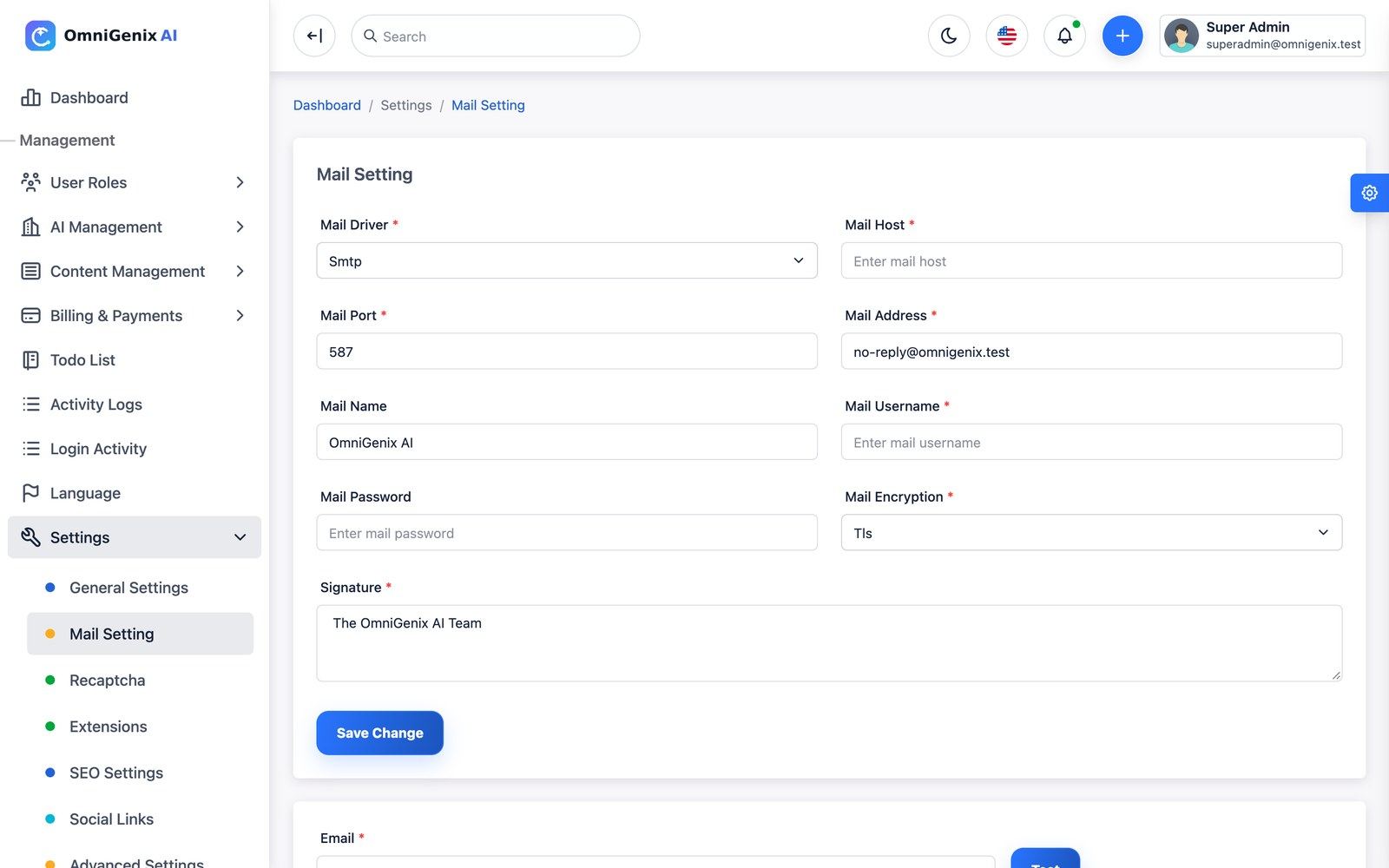
Go to Settings → Mail Setting (/admin/settings/mail), enter the SMTP host, port, encryption, username, password, sender address and name and the signature, then use Send test mail. The password is stored encrypted and the admin mail settings apply to every e-mail. The MAIL_* keys in .env are only a fallback.
The platform e-mails verification links, password resets, team invitations, invoices, payment results, subscription reminders, dunning reminders, low-credit warnings, AI health alerts and data-export links. Every e-mail and notification goes out in the recipient’s language.
Cron, Queue & Scheduler
OmniGenix AI needs one cron entry and, ideally, a queue worker. This is the most common reason that “nothing happens”.
* * * * * cd /var/www/omnigenix && php artisan schedule:run >> /dev/null 2>&1
The scheduler (routes/console.php and routes/schedules/*.php) runs these tasks. php artisan schedule:list prints the live list.
| Task | When | What it does |
|---|---|---|
| scheduler-heartbeat | every minute | Lets System Status confirm that cron is running |
social:publish-due | every minute | Publishes scheduled social posts, retrying with backoff |
calls:dispatch | every minute | Places outbound AI voice-campaign calls within the calling window |
ai:health-check | every 5 minutes | Provider health, spend-spike and low-credit alerts |
generations:reap-stuck | every 30 minutes | Marks generations stuck for 2+ hours as failed and returns their credits |
credits:release-stale-holds | every 10 minutes | Returns credits held by AI requests that never finished |
subscriptions:process | hourly | Ends trials and billing periods, starts the next period of free plans, expires unused plan credits, sends renewal reminders, falls back to the default plan |
billing:dunning | hourly | Reminders for failed payments |
privacy:prune-exports | hourly | Deletes expired data-export archives |
omnigenix:verify-domains --pending / --verified | hourly / daily 03:30 | Checks white-label custom domains through their DNS TXT record |
privacy:enforce-retention | daily 03:30 | Deletes generations and chats older than each company’s retention period |
model:prune | daily | Old idempotency records and read notifications |
queue:prune-failed, queue:prune-batches | daily | Failed jobs older than 14 days, old batches |
sanctum:prune-expired | daily | Expired API tokens |
omnigenix:demo-reset --force | every 6 hours | Only when demo mode is on |
queue:work --stop-when-empty | every minute | Only when QUEUE_VIA_SCHEDULER=true |
Queue worker
Video, avatar, document indexing, push notifications, data exports and social publishing run on the queue. On a VPS keep a worker running with Supervisor (full config in Common Setup):
php /var/www/omnigenix/artisan queue:work --sleep=3 --tries=3 --timeout=960 --max-time=3600
Failed jobs are listed under Settings → System Status, where you can retry or delete them. After every code update run php artisan queue:restart (the updater does this for you).
Check it in System Status
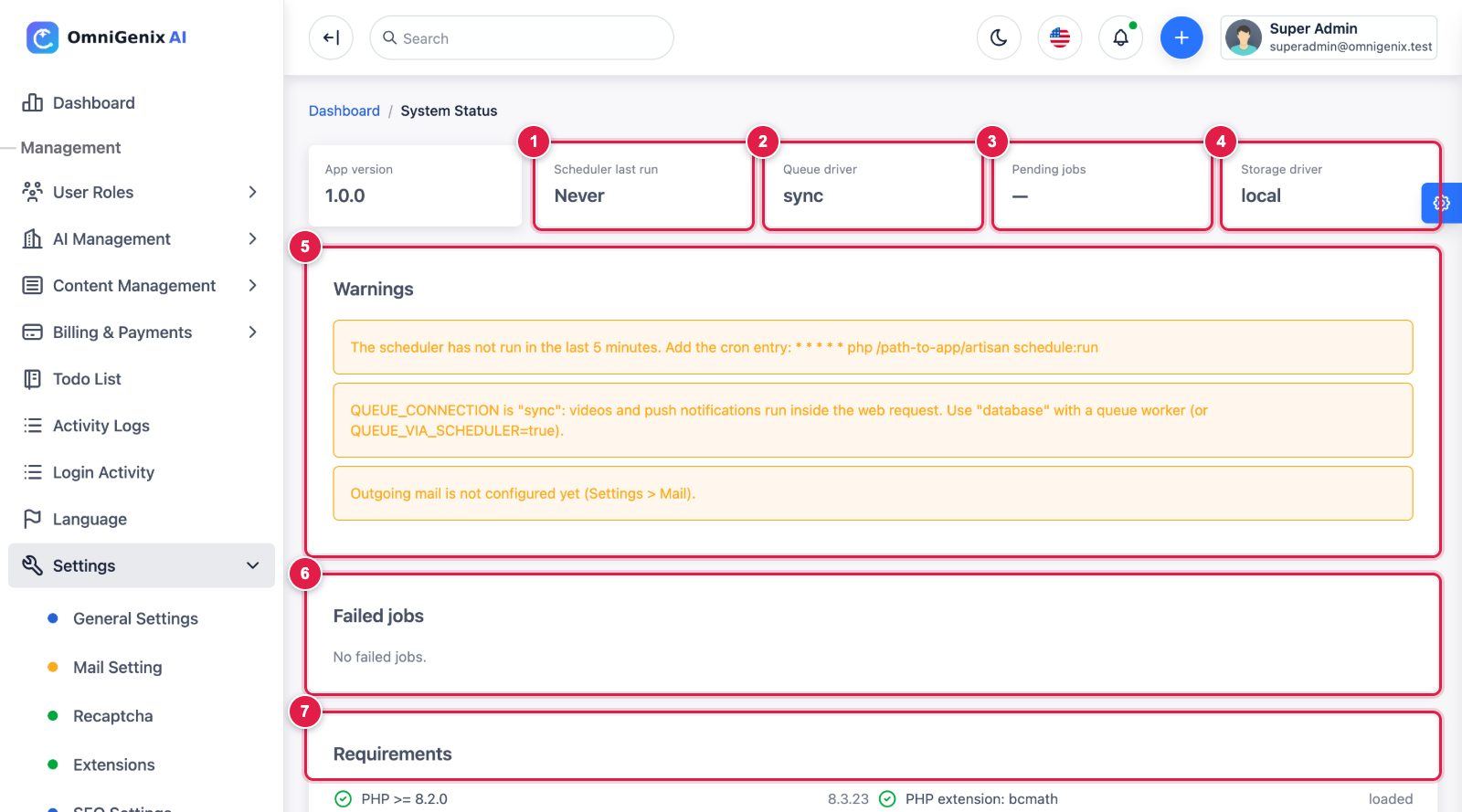
- Scheduler last run: Never or older than 5 minutes means the cron entry is missing or not running as the web user.
- Queue driver:
syncruns videos and push inside the web request; usedatabasewith a queue worker (orQUEUE_VIA_SCHEDULER=trueon shared hosting). - Pending jobs: a number that keeps growing means no worker is processing the queue.
- Storage driver:
localor your S3-compatible disk from Settings → Storage Settings. - Warnings: each problem with the exact fix (cron line, queue setting, mail not configured). They disappear once fixed.
- Failed jobs: retry or delete failed queue jobs here.
- Requirements: PHP version and extension checks.
Storage
Generated and uploaded private files go to the media disk: the local storage/app folder by default, or an S3-compatible bucket set in Settings → Storage (/admin/settings/storage): AWS S3, Cloudflare R2, Wasabi, DigitalOcean Spaces or MinIO. Use Test connection after saving. Switching only affects new files; existing files stay where they were written. Private files are served through short-lived signed links.
Public assets (logos, avatars) use public/storage, created by php artisan storage:link. Per-company storage use is tracked and the plan’s Max storage (MB) is enforced before file-producing generations.
Luma image-to-video only accepts image URLs, so it needs S3-compatible media storage (a 60-minute signed URL is sent).
AI Providers & Models
AI runs only through providers you add with your own API keys. Keys are stored encrypted. Stub (demo) models are hidden outside the automated tests, so a fresh install needs at least one real provider before the studios can generate.
Add a provider
AI Management → AI Providers → Add: pick a service under Quick setup (Anthropic Claude, OpenAI, DeepSeek, Google Gemini, xAI Grok, Mistral, Groq, OpenRouter or Together AI) to fill in the name, driver and base URL, or choose the driver yourself; then paste the API key. Any other OpenAI-compatible endpoint (Azure OpenAI, a local gateway) works with the
openaidriver and its Base URL.Test connection
The test call is never billed to a customer.
Add models
AI Management → AI Models → Add: provider, capability and model key (for example
gpt-4o-mini,gpt-image-1,whisper-1,claude-sonnet-5-5). Set the credit rate (per 1K tokens, per image, per second, per minute or per 1K characters) and the provider cost that drives the margin reports. Optionally pick a fallback model of the same capability.Watch it
Check AI health and Usage & margin after a few test generations.
| Driver | Capabilities | Notes |
|---|---|---|
openai | Chat/text, image (generate and edit), embeddings, transcription (Whisper), text-to-speech | platform.openai.com. Also every OpenAI-compatible service through its Base URL |
anthropic | Chat/text (Claude), image input in chat | platform.claude.com. Model keys claude-opus-5-5 (highest quality), claude-sonnet-5-5 (everyday writing), claude-haiku-5-5 (fast, low cost). Uses the official Anthropic PHP SDK |
replicate | Image, video, avatar | replicate.com |
elevenlabs | Voice (text-to-speech, account voices) | elevenlabs.io |
runway | Video (text-to-video and image-to-video) | Model keys such as gen4_turbo, gen3a_turbo; durations snap to 5/10 s |
luma | Video | Model keys such as ray-2, ray-flash-2; durations 5/9 s |
kling | Video | API key = access key, Secret key = secret key; default base URL https://api-singapore.klingai.com |
local_sd | Image | Self-hosted stable-diffusion.cpp sdapi server (default base URL http://127.0.0.1:7860) |
piper | Voice | Self-hosted Piper HTTP server (default http://127.0.0.1:5000) |
whisper_cpp | Transcription | Self-hosted whisper.cpp HTTP server (default http://127.0.0.1:8001) |
Video jobs are created asynchronously and polled by the queued job. Set Video poll interval (default 5 s) and Video poll timeout (default 600 s, keep it below the worker timeout) on the provider. Customers are charged only for successful generations; failed provider calls are logged with their estimated cost and are never debited.
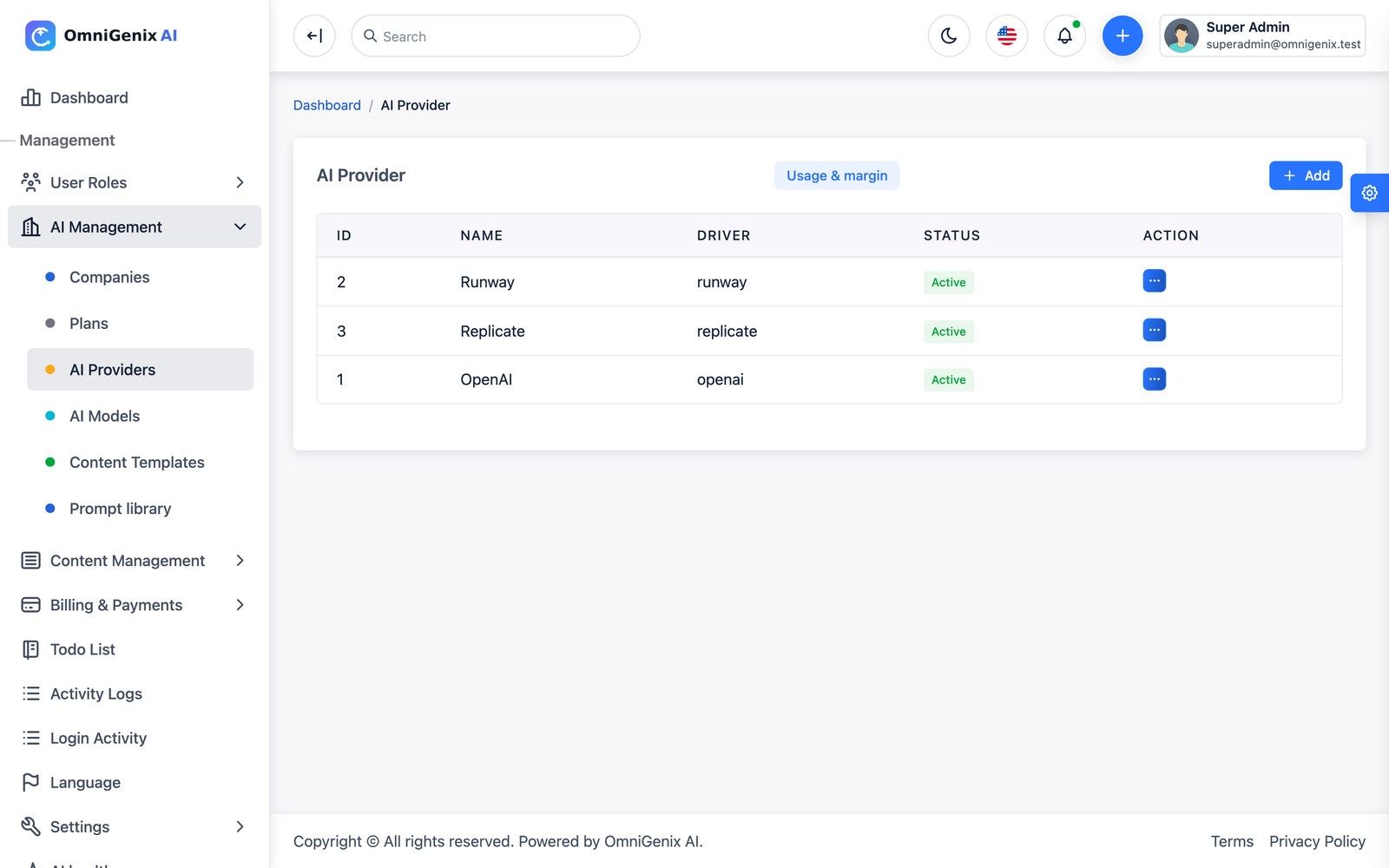
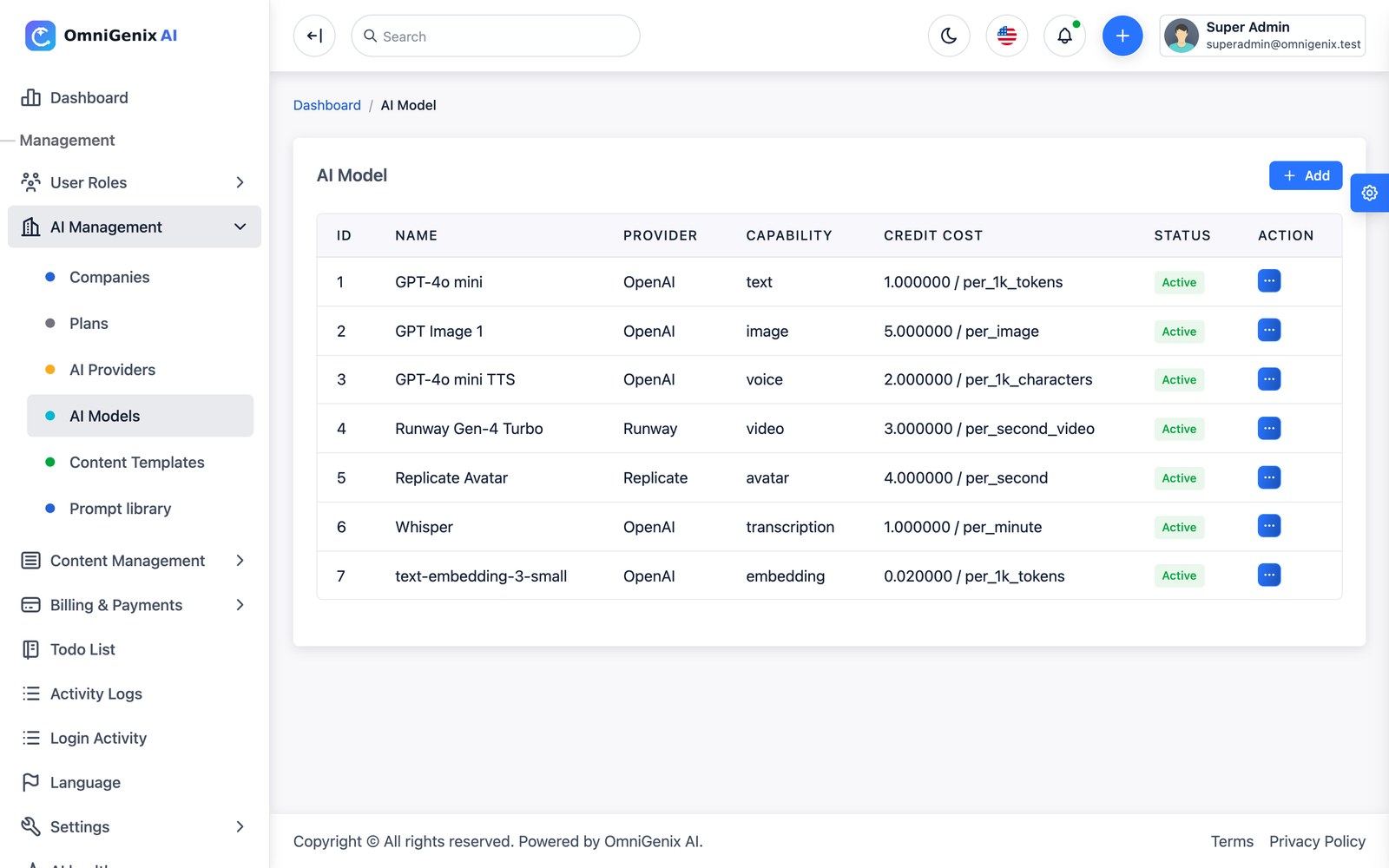
The provider and model forms, field by field
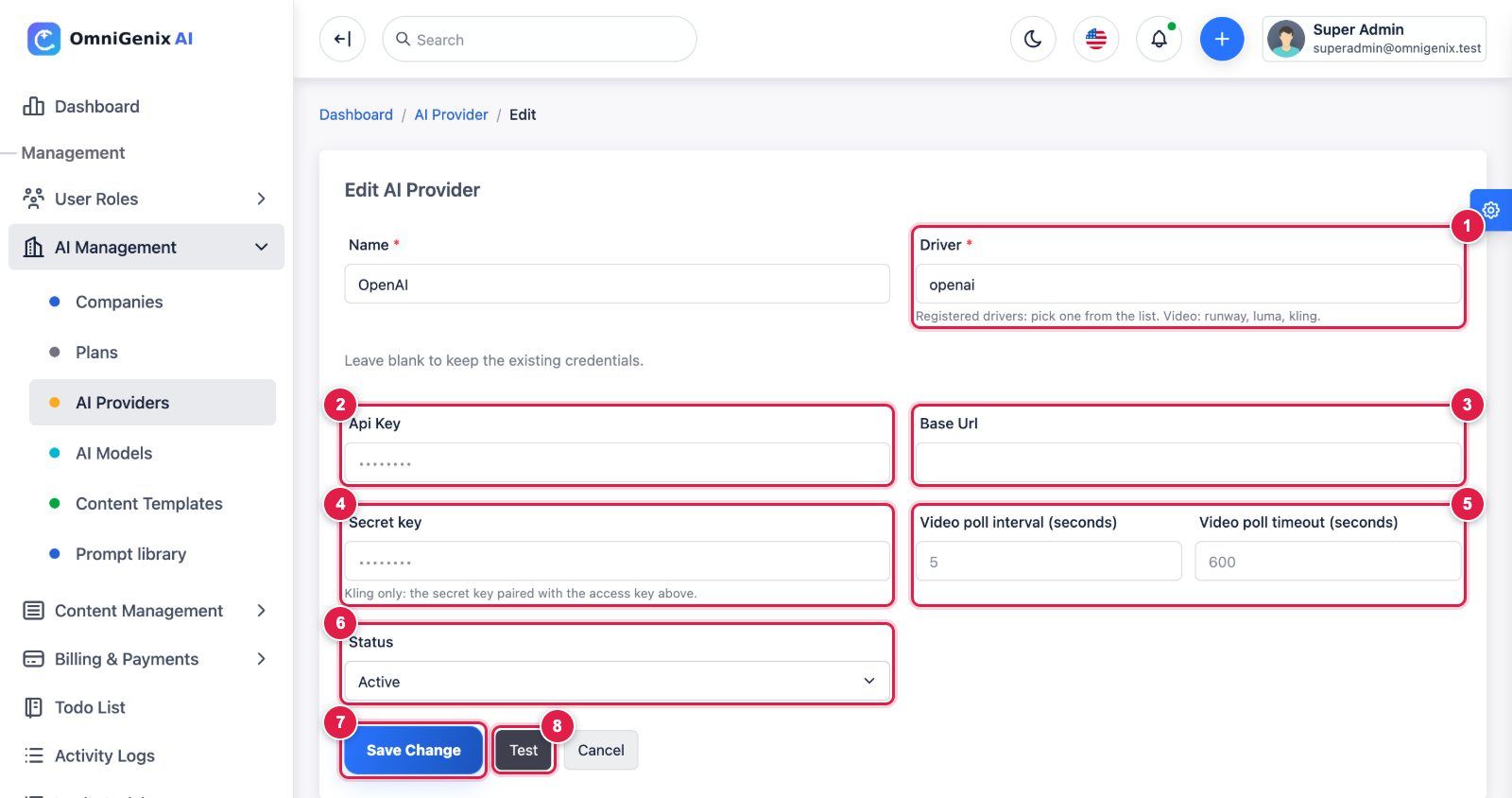
- Driver: pick a registered driver from the list:
openai(text, image, voice, transcription, embeddings),replicate(image, video, avatar),elevenlabs(voice),runway,luma,kling(video), or the self-hostedlocal_sd(image),piper(voice),whisper_cpp(transcription). - Api Key: the key from your provider account (for OpenAI: platform.openai.com → API keys). Stored encrypted; leave blank later to keep the saved key.
- Base Url: leave empty for the official API. Fill it only for an OpenAI-compatible service or gateway, or a self-hosted server (Stable Diffusion, Piper, whisper.cpp). Quick setup fills it for you.
- Claude: retry declined requests on a substitute model: on by default and used only by the
anthropicdriver. When Claude declines a request for policy reasons, Anthropic runs it again on a substitute model inside the same call, billed at that model’s rates. Untick it to return the decline as a failed generation. - Claude and model settings: the model’s Reasoning effort is sent as Claude’s effort level (
nonebecomeslow); Temperature is not sent, because current Claude models reject it. - Token usage: if an OpenAI-compatible service does not report token usage, the call is charged from an estimate of about 4 characters per token, never at 0 credits.
- Secret key: Kling only (the secret paired with the access key in Api Key). Leave empty for every other driver.
- Video poll interval / Video poll timeout (seconds): video drivers only; defaults 5 s and 600 s. Keep the timeout below your queue worker timeout.
- Status: Active to let models of this provider be used.
- Save Change.
- Test: calls the provider with the saved key and shows the result. The test call is never billed to a customer.
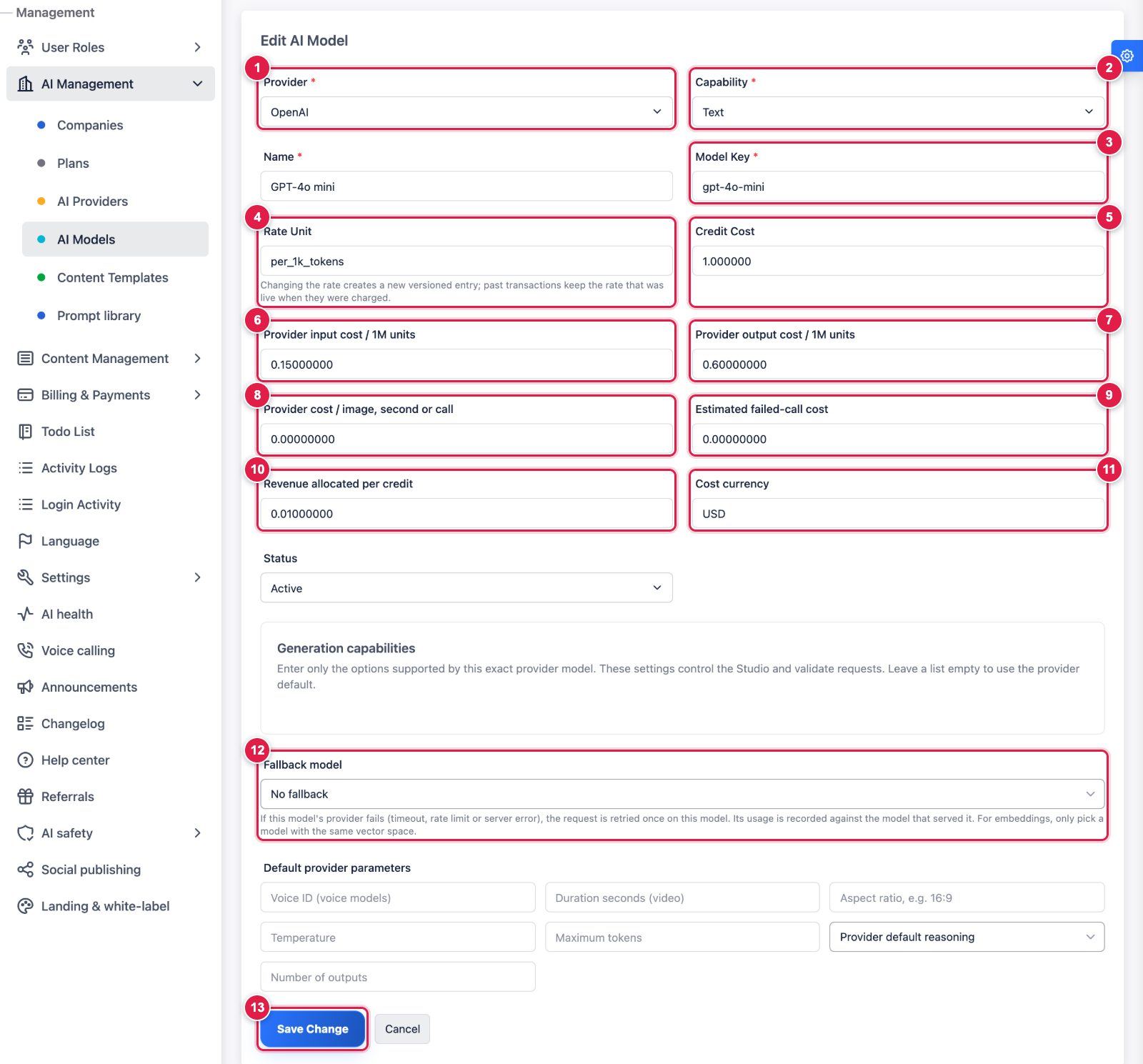
- Provider: the provider row you created above.
- Capability: text, image, video, voice, avatar, transcription or embedding. Must be a capability the provider’s driver supports.
- Model Key: the provider’s exact model ID, for example
gpt-4o-mini,gpt-image-1orwhisper-1. - Rate Unit: how customers are charged:
per_1k_tokens,per_image,per_second,per_second_video,per_minute,per_1k_charactersorper_call. Changing the rate creates a new versioned entry; past charges keep their old rate. - Credit Cost: credits charged per rate unit.
- Provider input cost / 1M units: what the provider charges you for input tokens (for margin reports only).
- Provider output cost / 1M units: the same for output tokens.
- Provider cost / image, second or call: your cost for non-token models.
- Estimated failed-call cost: logged when a provider call fails (customers are never charged for failures).
- Revenue allocated per credit: what one credit is worth to you; drives Usage & margin.
- Cost currency: three-letter code of the cost fields (e.g.
USD). - Fallback model: optional model of the same capability that is tried once if this one times out, is rate limited or returns a server error.
- Save Change.
Payment Gateways & Webhooks
Go to Billing & Payments → Payment Gateways. Each gateway is one row with a driver (Stripe, PayPal, Razorpay, Mollie or Manual), its credential fields, a tax/VAT rate and a Test button. The webhook URLs to register at each gateway are listed below. Payments are confirmed only server-side, by a signed webhook or an API lookup; the browser redirect alone never activates a plan or adds credits.
| Gateway | Credentials | URL to register at the provider | Events / verification |
|---|---|---|---|
| Stripe | Secret key, Webhook signing secret (whsec_…) | https://YOUR-DOMAIN/webhooks/stripe | checkout.session.completed, checkout.session.async_payment_succeeded, checkout.session.async_payment_failed, checkout.session.expired; Stripe-Signature HMAC (5-minute tolerance) |
| PayPal | Client ID, Client secret, Webhook ID, Mode (sandbox/live) | Webhook https://YOUR-DOMAIN/webhooks/paypal; return URL (automatic) /payments/paypal/capture | PAYMENT.CAPTURE.COMPLETED, PAYMENT.CAPTURE.DENIED; verified with PayPal’s verify-webhook-signature API |
| Razorpay | Key ID, Key secret, Webhook secret | https://YOUR-DOMAIN/webhooks/razorpay (checkout verifies through /payments/razorpay/verify) | payment.captured, order.paid, payment.failed; X-Razorpay-Signature HMAC |
| Mollie | API key (test_… / live_…) | Nothing to register: /webhooks/mollie is sent with each payment | The payment is re-read from the Mollie API |
| Manual / bank transfer | Instructions text | n/a | An admin approves or rejects each payment in Pending Payments |
Unverifiable webhook requests get HTTP 400. Fulfilment is idempotent (a repeated delivery never grants twice), and amount and currency must match the transaction. A failed, expired or denied payment marks the transaction Failed, notifies the customer and offers Retry payment. Refunds (full or partial) are issued from Payment Transactions and update credits, subscriptions and invoices. Seller details printed on invoices (legal name, address, tax ID) are set in Settings → General Settings.
Test with sandbox keys first: one plan purchase and one top-up per gateway, then check Billing → Payment history in the workspace and Payment Transactions in the admin. The webhook URLs must be reachable over public HTTPS.
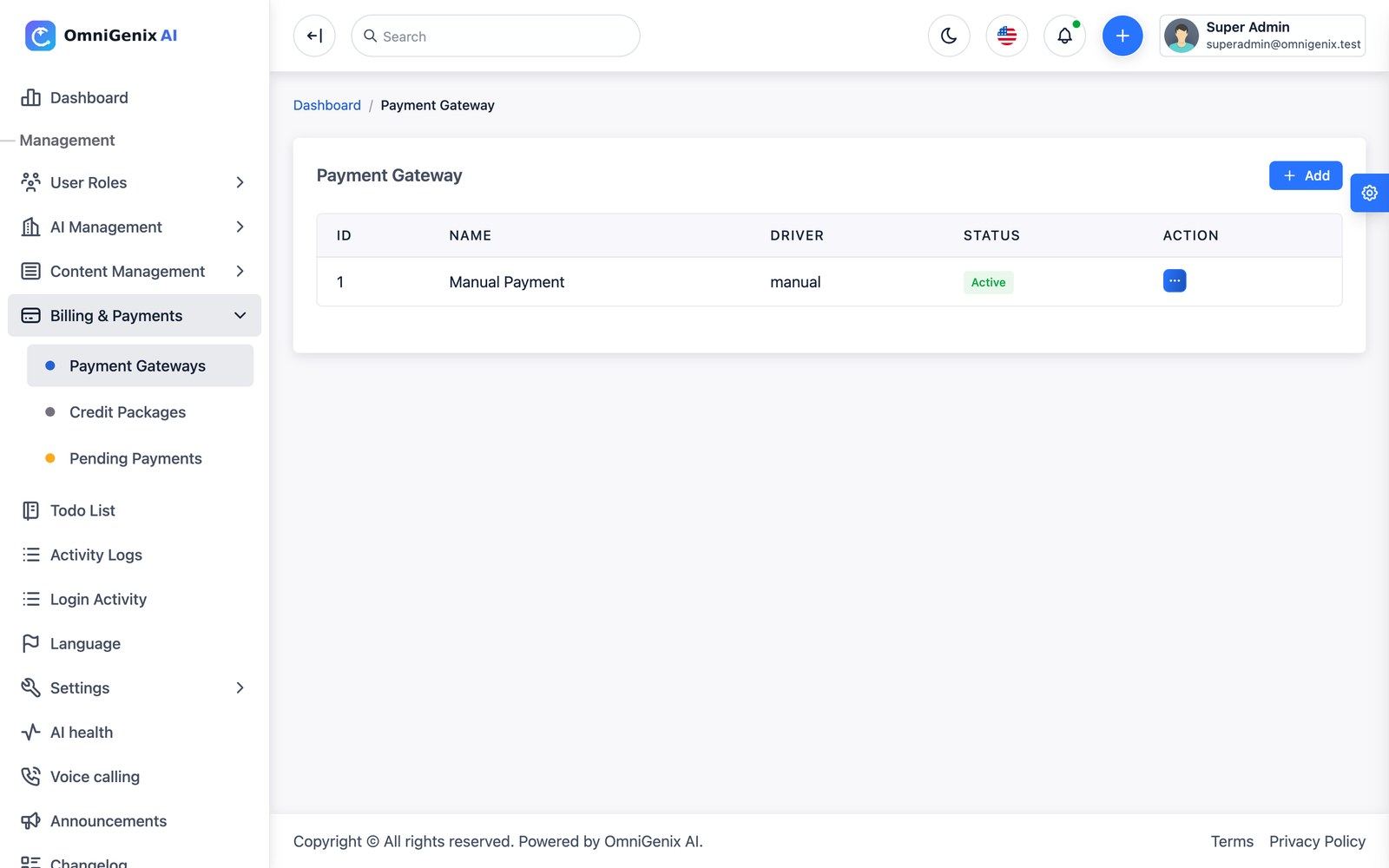
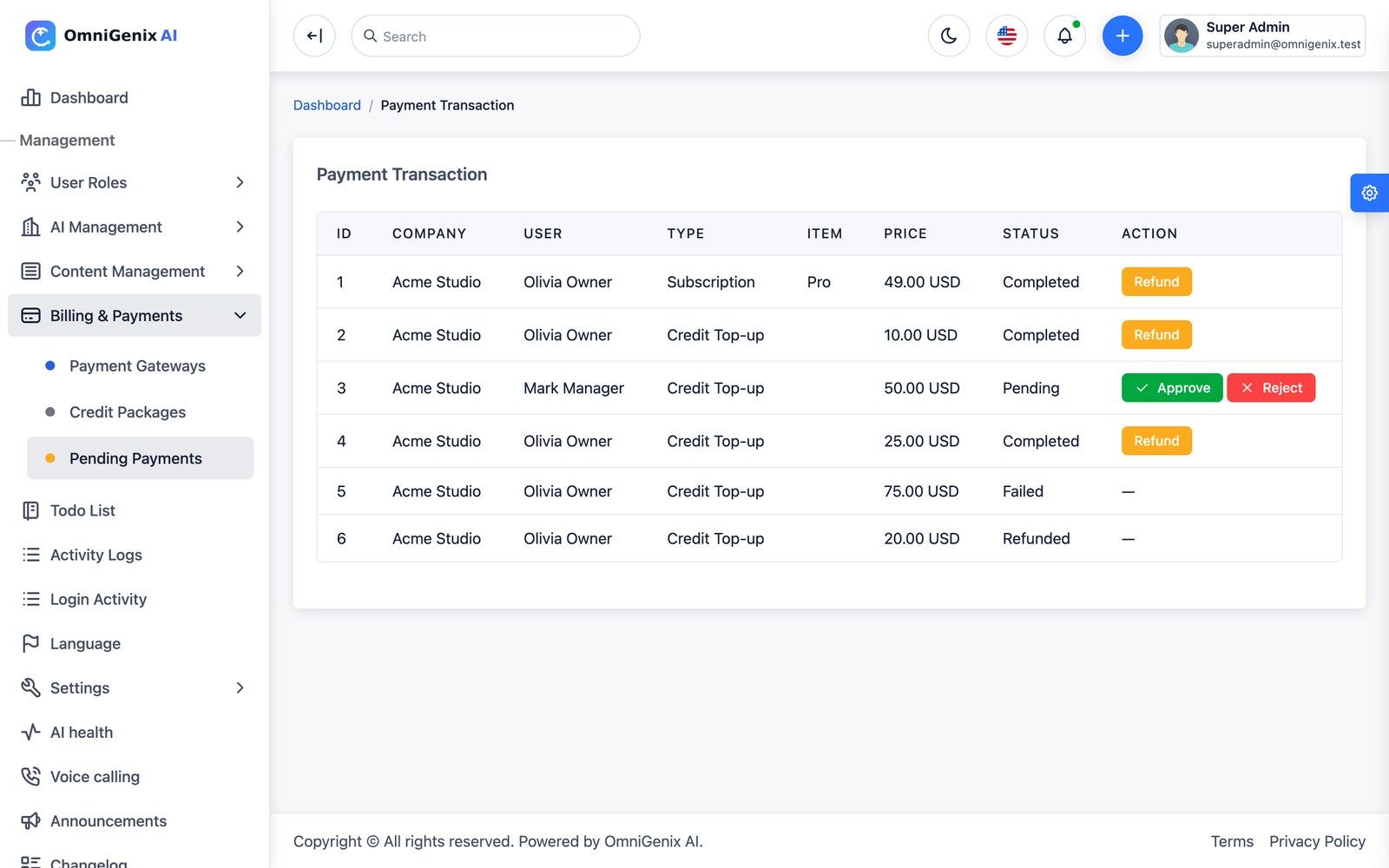
The gateway form, field by field
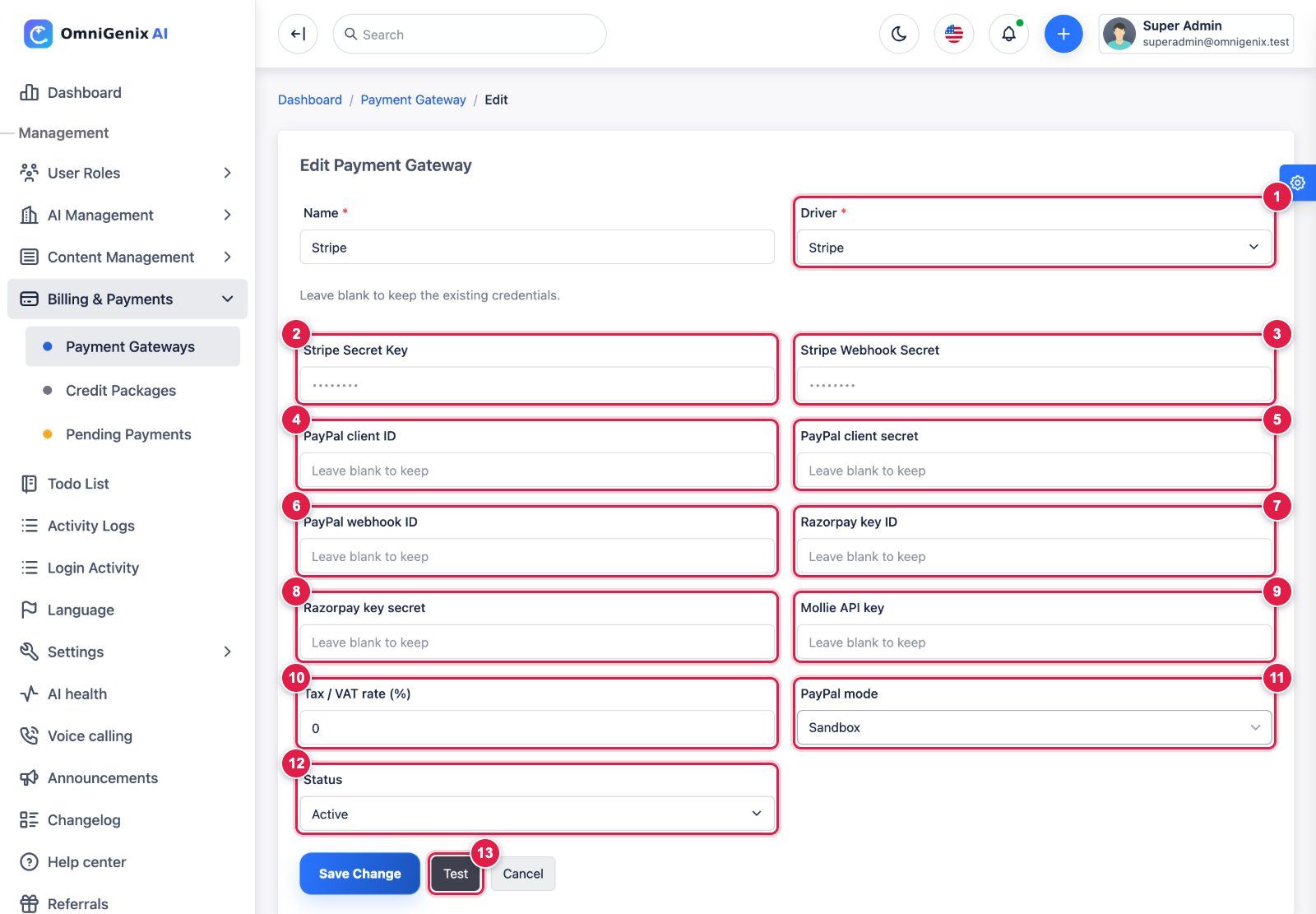
Create one gateway row per provider with Add. The form shows every credential field for every driver; fill only the ones of the selected driver and leave the others empty.
- Driver: Manual, Stripe, PayPal, Razorpay or Mollie.
- Stripe Secret Key:
sk_test_…/sk_live_…from Stripe Dashboard → Developers → API keys. - Stripe Webhook Secret: in Stripe add the endpoint
https://your-domain.com/webhooks/stripewith the eventscheckout.session.completed,checkout.session.async_payment_succeeded,checkout.session.async_payment_failed,checkout.session.expired, then paste its signing secret (whsec_…). Razorpay rows use this same field for the Razorpay webhook secret. - PayPal client ID: PayPal Developer Dashboard → Apps & Credentials (sandbox or live app).
- PayPal client secret: from the same app.
- PayPal webhook ID: add a webhook
https://your-domain.com/webhooks/paypal(eventsPAYMENT.CAPTURE.COMPLETED,PAYMENT.CAPTURE.DENIED) in the same app and paste the ID PayPal shows. - Razorpay key ID: Razorpay Dashboard → Account & Settings → API keys.
- Razorpay key secret: shown once when you generate the key. Webhook:
https://your-domain.com/webhooks/razorpay(eventspayment.captured,order.paid,payment.failed); put its secret in field 3. - Mollie API key:
test_…/live_…. Nothing to register: the app sendshttps://your-domain.com/webhooks/molliewith each payment and re-reads the payment from the Mollie API. - Tax / VAT rate (%): added to invoices paid through this gateway.
- PayPal mode: Sandbox or Live; must match the PayPal credentials.
- Status: Active to offer the gateway at checkout.
- Test: checks the saved credentials against the gateway API (after Save Change).
Secrets are stored encrypted; leave a field blank to keep the saved value. The webhook URLs are not printed on this form: use the URLs above with your own domain (public HTTPS).
Webhook URLs and events per gateway
| Gateway | Register this URL (POST, public HTTPS) | Events | Where the secret goes |
|---|---|---|---|
| Stripe | https://your-domain.com/webhooks/stripe | checkout.session.completed, checkout.session.async_payment_succeeded, checkout.session.async_payment_failed, checkout.session.expired | Stripe Webhook Secret (whsec_…) |
| PayPal | https://your-domain.com/webhooks/paypal | PAYMENT.CAPTURE.COMPLETED, PAYMENT.CAPTURE.DENIED | PayPal webhook ID |
| Razorpay | https://your-domain.com/webhooks/razorpay | payment.captured, order.paid, payment.failed | the Stripe Webhook Secret field of the Razorpay row |
| Mollie | nothing to register (sent with each payment) | — | — (the payment is re-read from the Mollie API) |
| Manual | — | — | Approve or reject in Billing & Payments → Pending Payments |
The Stripe checkout webhook activates a plan or adds credits only when Stripe reports the session as paid; delayed methods activate on checkout.session.async_payment_succeeded. Gateway fees are charged to you by each gateway (see Third-Party Services & Costs).
Voice Calling
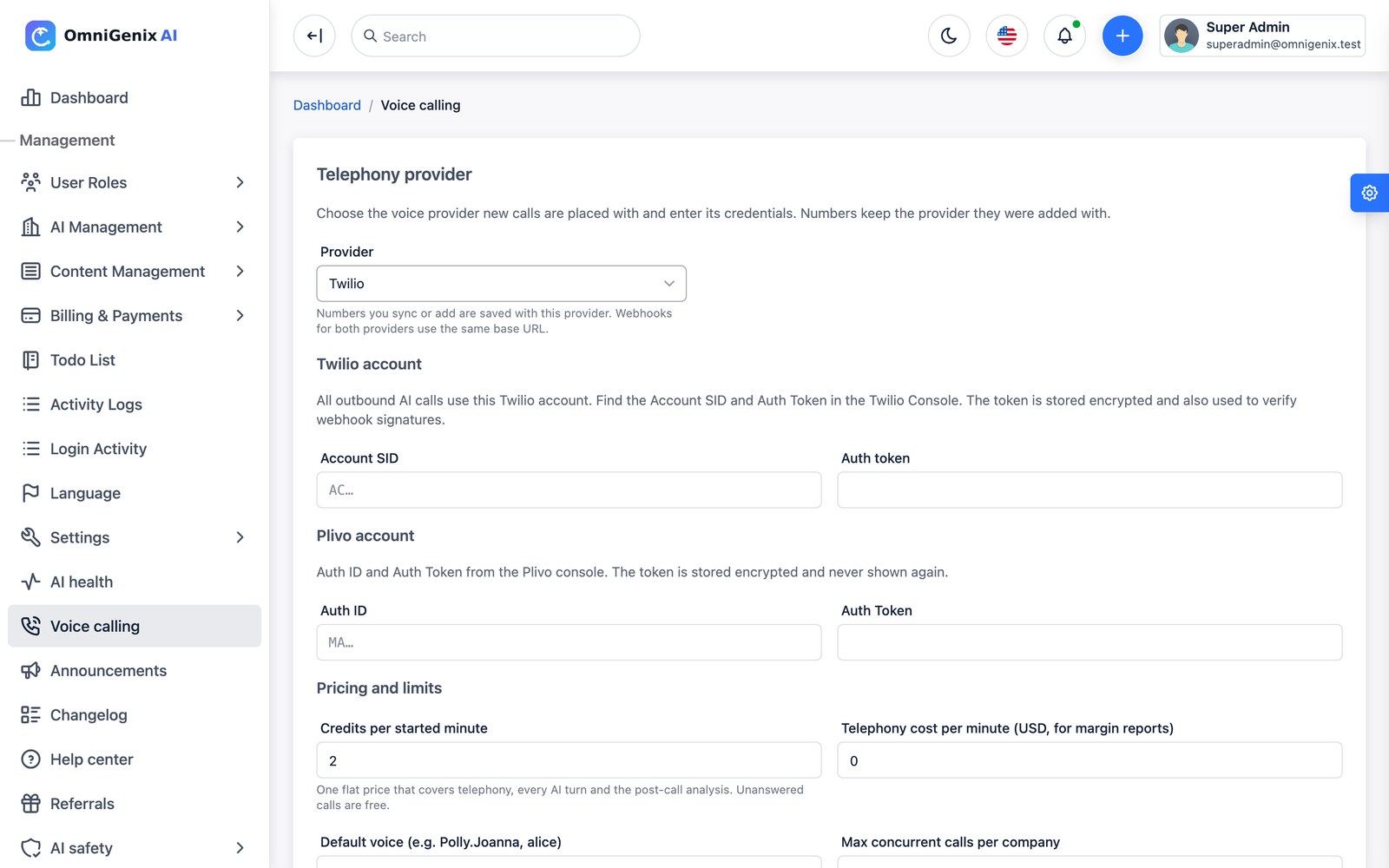
AI voice-calling campaigns use your own Twilio or Plivo account. Open Voice calling (/admin/voice-calling), choose the provider and enter its credentials (Twilio Account SID AC… and Auth Token, or Plivo Auth ID and Auth Token; tokens are stored encrypted). Set the credits charged per started minute, your provider cost per minute (for margin reports), the default voice and the maximum concurrent calls per company. Test checks the credentials and Sync numbers imports your phone numbers, which you can assign to a company.
The provider calls back to these routes, signed against your host. APP_URL must be the public HTTPS URL that Twilio/Plivo can reach:
POST https://YOUR-DOMAIN/hooks/calls/{uuid}/voice
POST https://YOUR-DOMAIN/hooks/calls/{uuid}/gather
POST https://YOUR-DOMAIN/hooks/calls/{uuid}/status
POST https://YOUR-DOMAIN/hooks/calls/{uuid}/recording
Calls are placed by calls:dispatch (every minute) within the calling window, so cron must run. The Voice Calling extension requires AI Agents.
Push Notifications (FCM)
Push uses Firebase Cloud Messaging HTTP v1.
Create or reuse a Firebase project
The same project the mobile app uses.
Download a service-account key
Firebase console → Project settings → Service accounts → Generate new private key.
Paste it
Settings → Push Notifications (
/admin/settings/push-notification): paste the JSON, save, then Test connection. The key is stored encrypted.Register the apps
Add the Android and iOS apps to the same Firebase project and upload your APNs key for iOS (see Mobile App → Firebase).
Push is sent from the queue, so a worker or QUEUE_VIA_SCHEDULER must run. Device tokens that Firebase reports as unregistered are removed automatically.
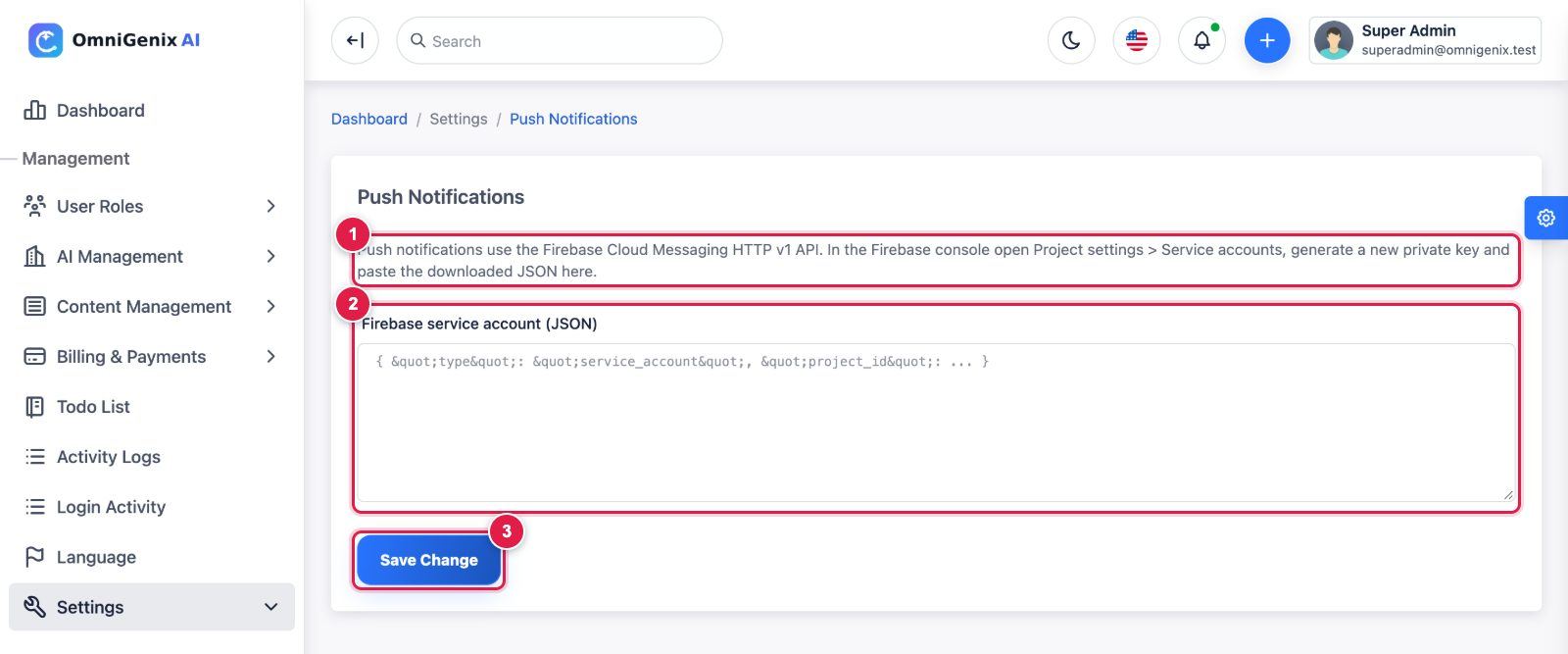
- Where the key comes from: Firebase console → Project settings → Service accounts → Generate new private key (use the same Firebase project as the mobile app).
- Firebase service account (JSON): paste the whole downloaded JSON file. It is stored encrypted; afterwards the field says Configured and stays blank (blank = keep).
- Save Change. Once a key is saved a Test connection button appears next to it.
reCAPTCHA
Settings → Recaptcha (/admin/settings/recaptcha) stores a Google reCAPTCHA site key, secret key and an on/off status.
In version 1.0.0 these keys are saved but no form checks them yet (no reCAPTCHA widget or server-side verification is wired into login, registration or the public forms). Login and registration are protected by rate limits; registration can be switched off under Settings → Signup & referrals.
SaaS Admin: Dashboard & Menu
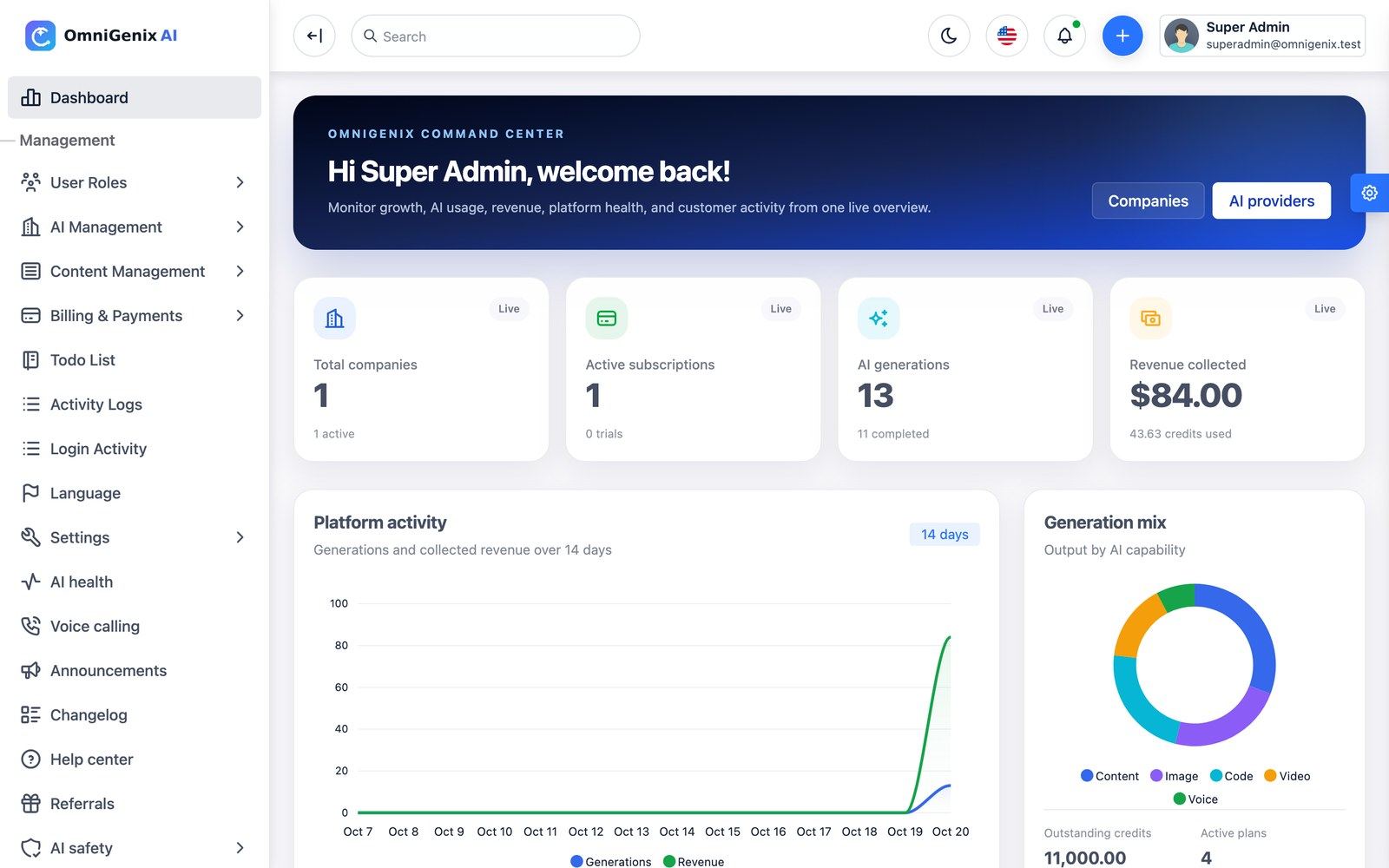
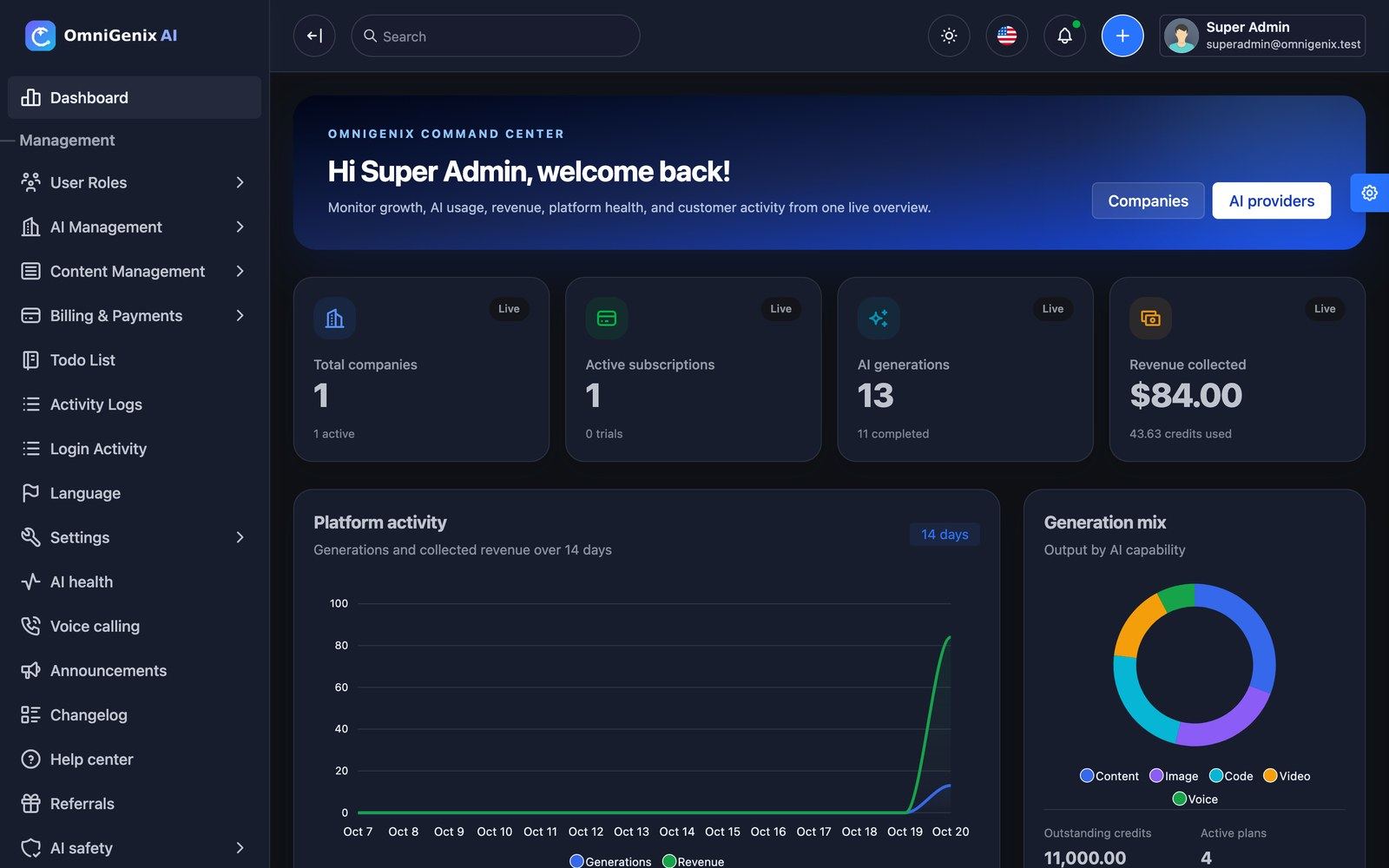
The SaaS admin is for you and your staff (Super Admin and Admin roles). The dashboard shows total companies, active subscriptions, AI generations and revenue collected, a 14-day platform activity chart and the generation mix by capability. A light/dark switch, the language switcher, notifications and a quick-create button sit in the top bar.
| Menu | What is inside |
|---|---|
| User Roles | Users, Roles and permissions |
| AI Management | Companies, Plans, AI Providers, AI Models, Content Templates, Prompt library |
| Content Management | CMS Pages, blog Posts |
| Billing & Payments | Payment Gateways, Credit Packages, Pending Payments / transactions |
| Activity Logs, Login Activity | Audit trail and sign-in history |
| Language | Language manager |
| Settings | General, Mail, Recaptcha, Extensions, SEO, Social Links, Advanced, Push Notifications, Storage, Signup & referrals, System Status, Database Backup |
| AI health, Voice calling, Announcements, Changelog, Help center, Referrals, AI safety | One screen each, described below |
Companies, Users & Roles
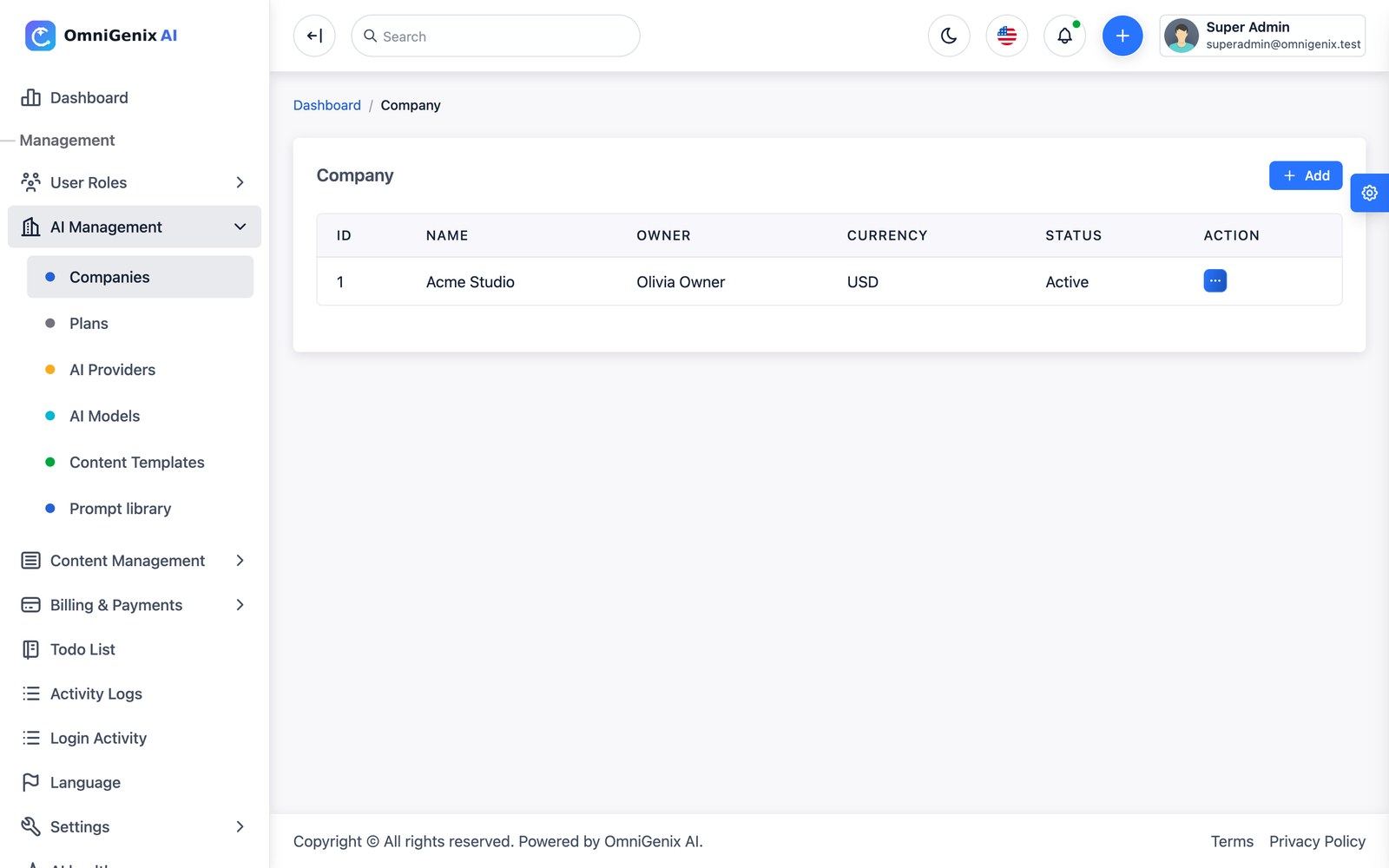
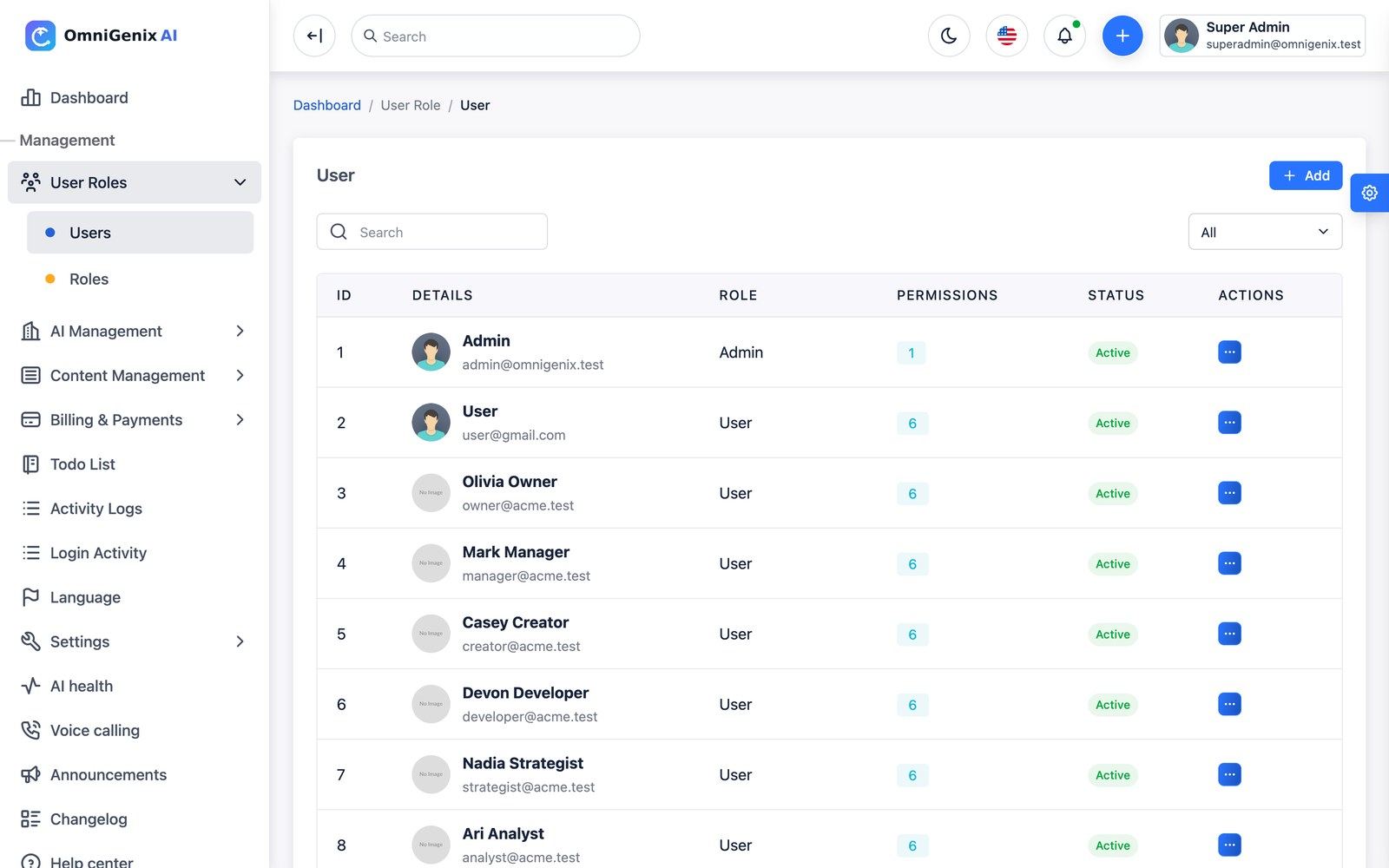
Companies (/admin/companies) lists every workspace with owner, currency and status. Edit a company to change its name, owner, plan, currency, time zone, status (for example to suspend it) and its daily credit limit (blank = no limit); a separate subscription view shows its plan and period. Users (/admin/user/index) lists all accounts. Nobody, not even a Super Admin, can sign in as another user: there is no impersonation, so an admin never sees a customer’s workspace as that customer.
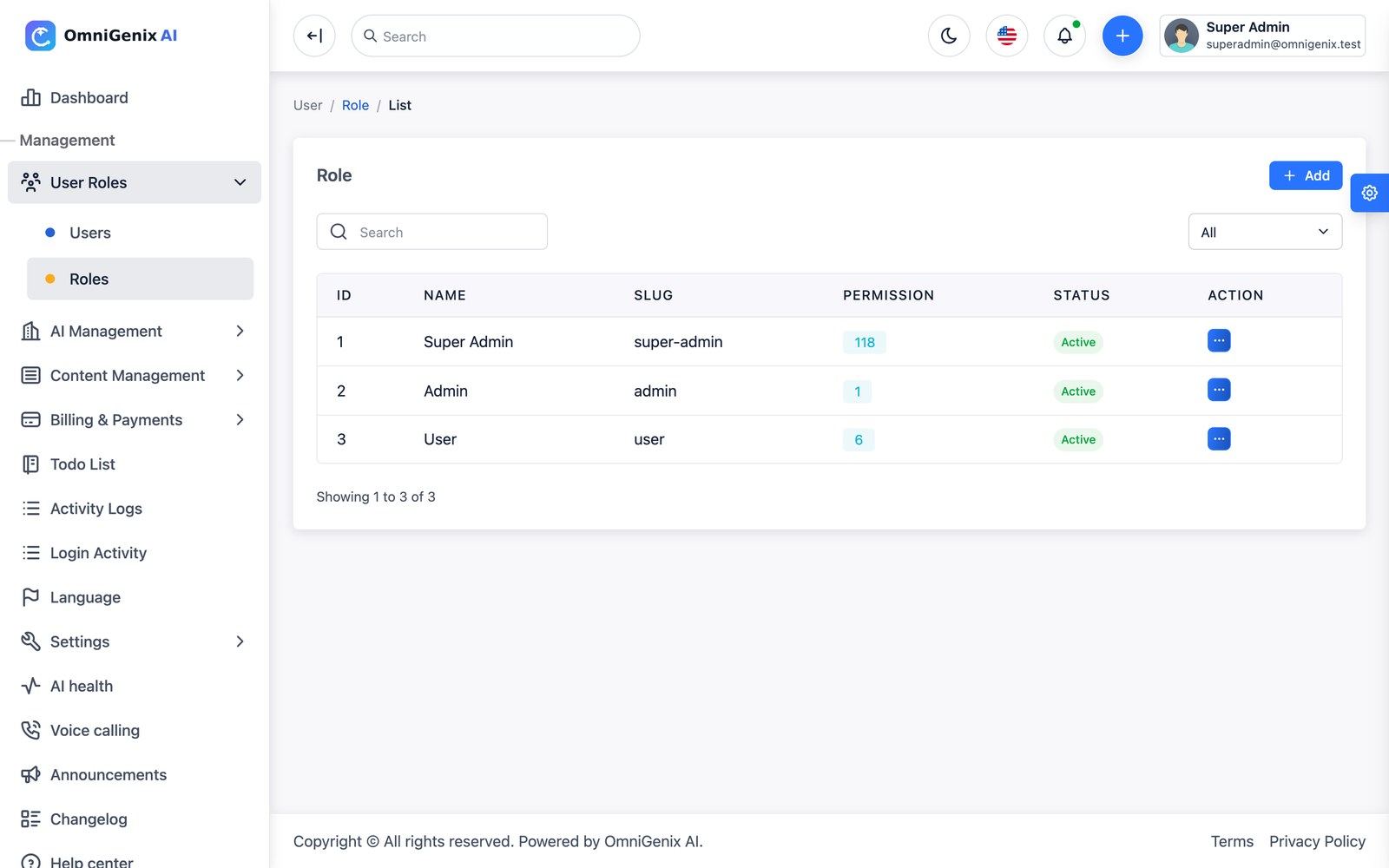
Roles (/admin/role/index) are the platform roles (Super Admin, Admin, User) with granular permissions. Company roles are separate and managed inside each workspace.
Plans & Credit Packages
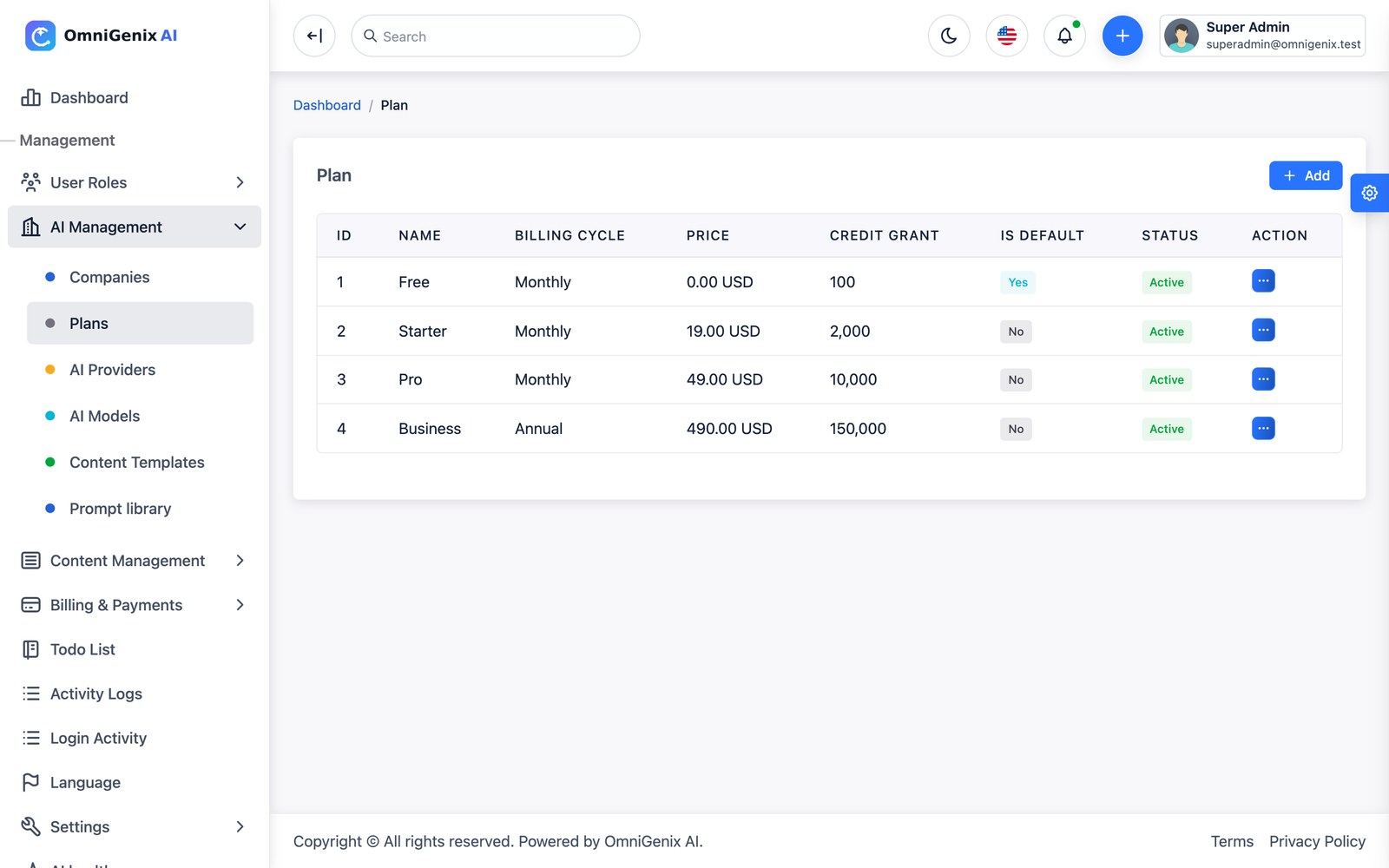
Plans (/admin/plans): price, billing cycle (monthly, annual or lifetime), trial days, monthly credit grant, credit rollover, team-member, project and storage limits and the extensions each plan includes. Keep exactly one active plan marked Default: new companies start on it and expired subscriptions fall back to it. The seeded plans are Free, Starter, Pro and Business; edit them freely.
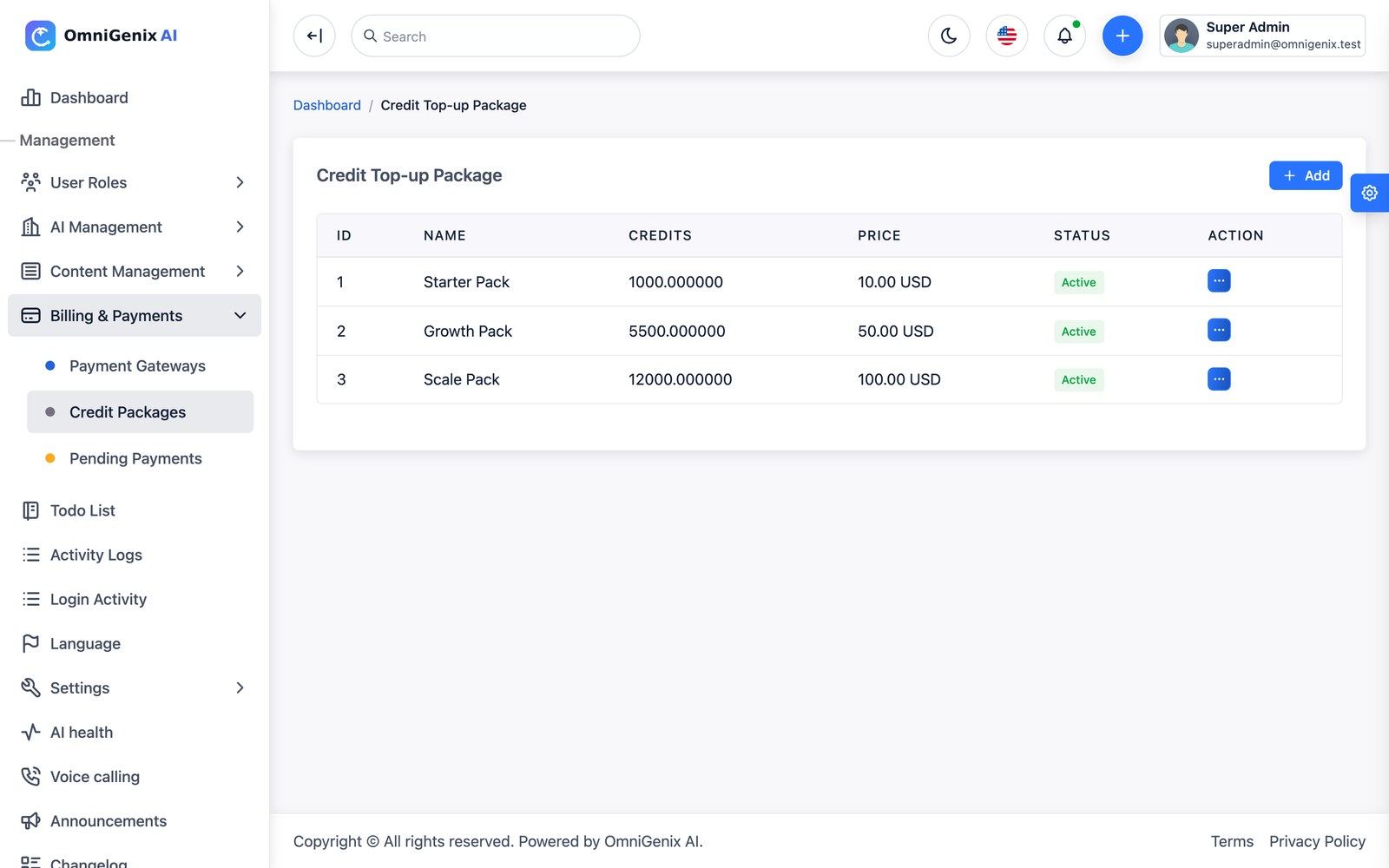
Credit Packages (/admin/credit-topup-packages) are one-off top-ups (seeded: Starter Pack, Growth Pack, Scale Pack). Purchased top-up credits never expire.
Plan limits for team members (including pending invites), projects and storage, and the plan’s extensions, are enforced. The free-text features list on a plan is display-only marketing copy.
Gateways & Transactions
Payment Gateways holds Stripe, PayPal, Razorpay, Mollie and Manual (see Payment Gateways & Webhooks). Payment Transactions (/admin/payment-transactions) lists every subscription and top-up payment with company, user, item, price and status. Manual payments are Approved or Rejected here; completed payments can be Refunded (full or partial). A full refund revokes what was bought (the plan, or the top-up credits still in the wallet); a partial refund is goodwill.
AI Management & Health
AI Providers and AI Models are described in AI Providers & Models. Each provider has a Logs view with sanitized request, latency, usage and raw error details. Credit rates are versioned, so changing a price never rewrites past charges.
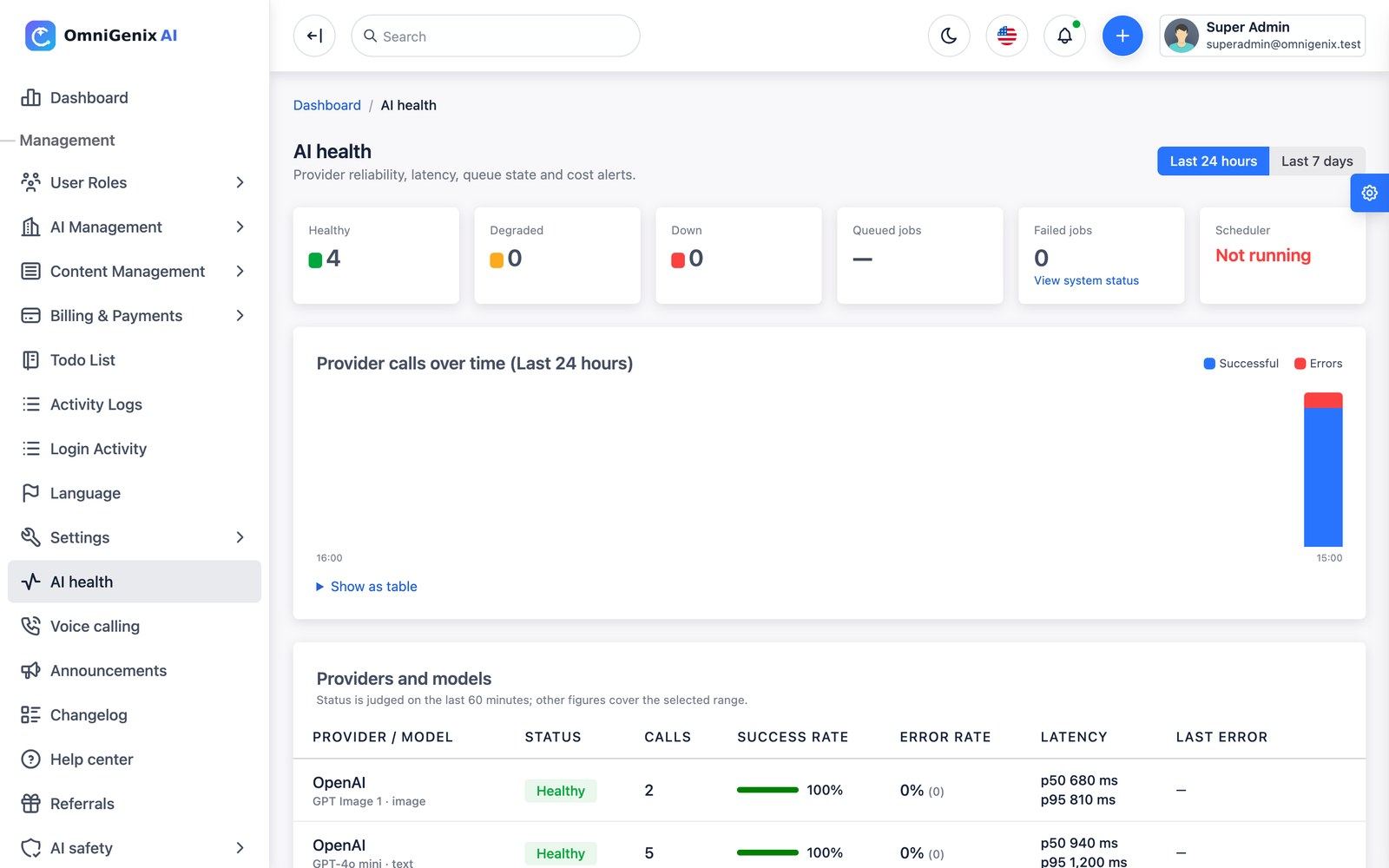
AI health (/admin/ai-health) shows per provider and model the success and error rates, p50/p95 latency, last error and calls over 24 hours or 7 days, plus queue backlog and failed jobs. A provider/model is judged degraded or down by error rate or p95 latency; thresholds are editable on the same page. ai:health-check raises an in-app alert and e-mails admins on each transition, on abnormal company spend (more than X times its 14-day average) and on low wallets.
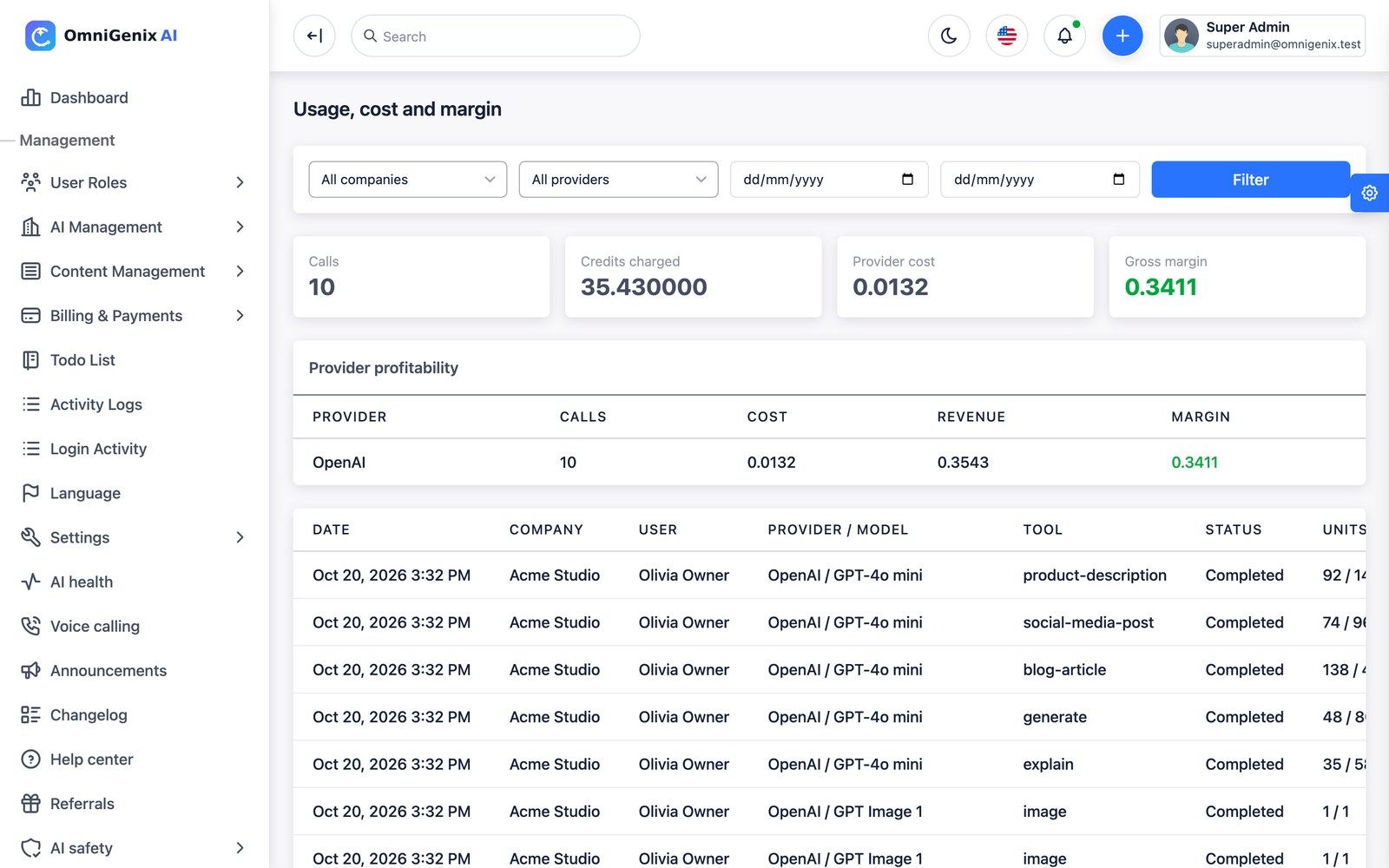
Usage & margin (/admin/usage-analytics) shows calls, credits charged, provider cost and gross margin by provider, model, company and tool, with a per-call table.
Templates, Prompts & Image Styles
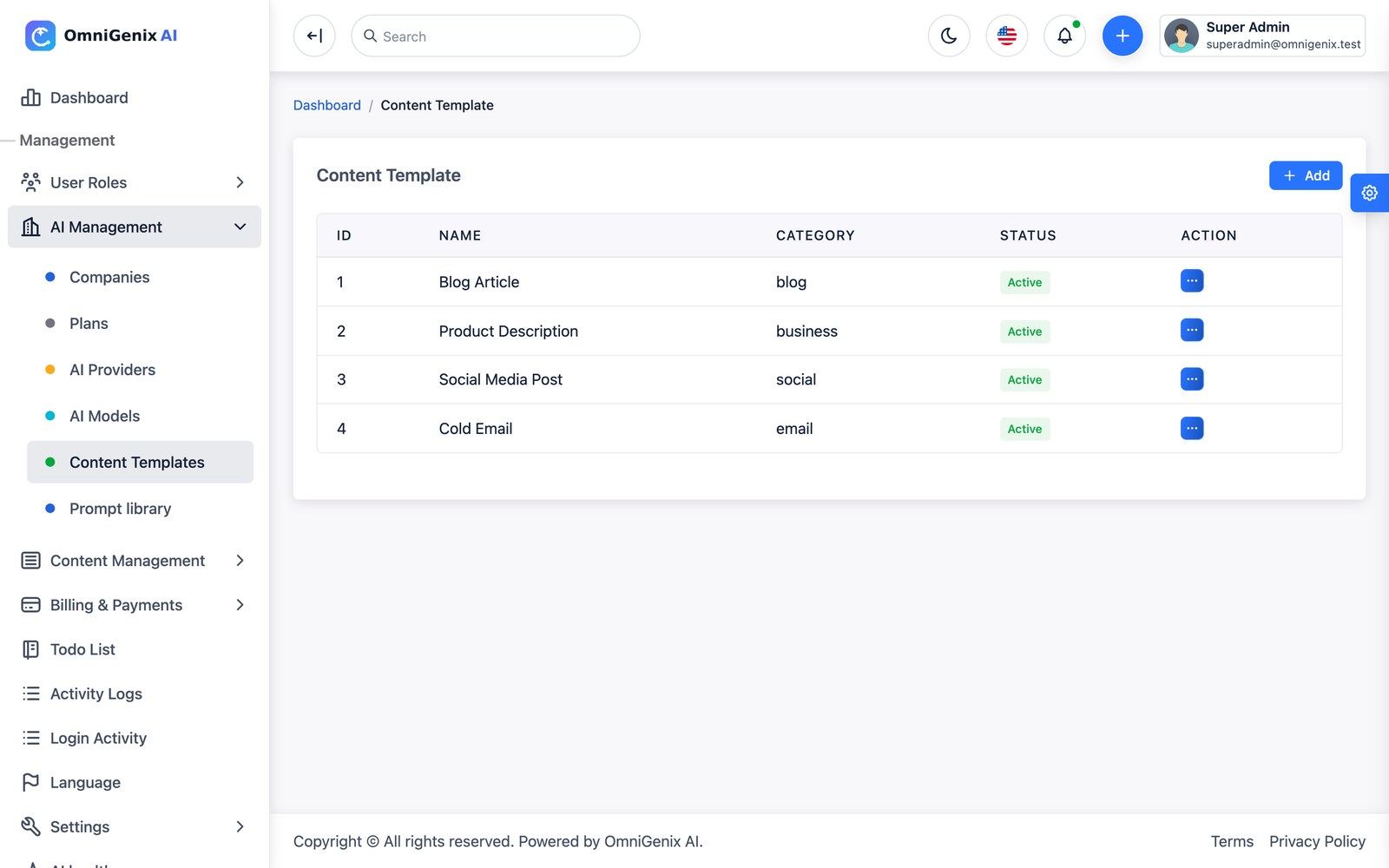
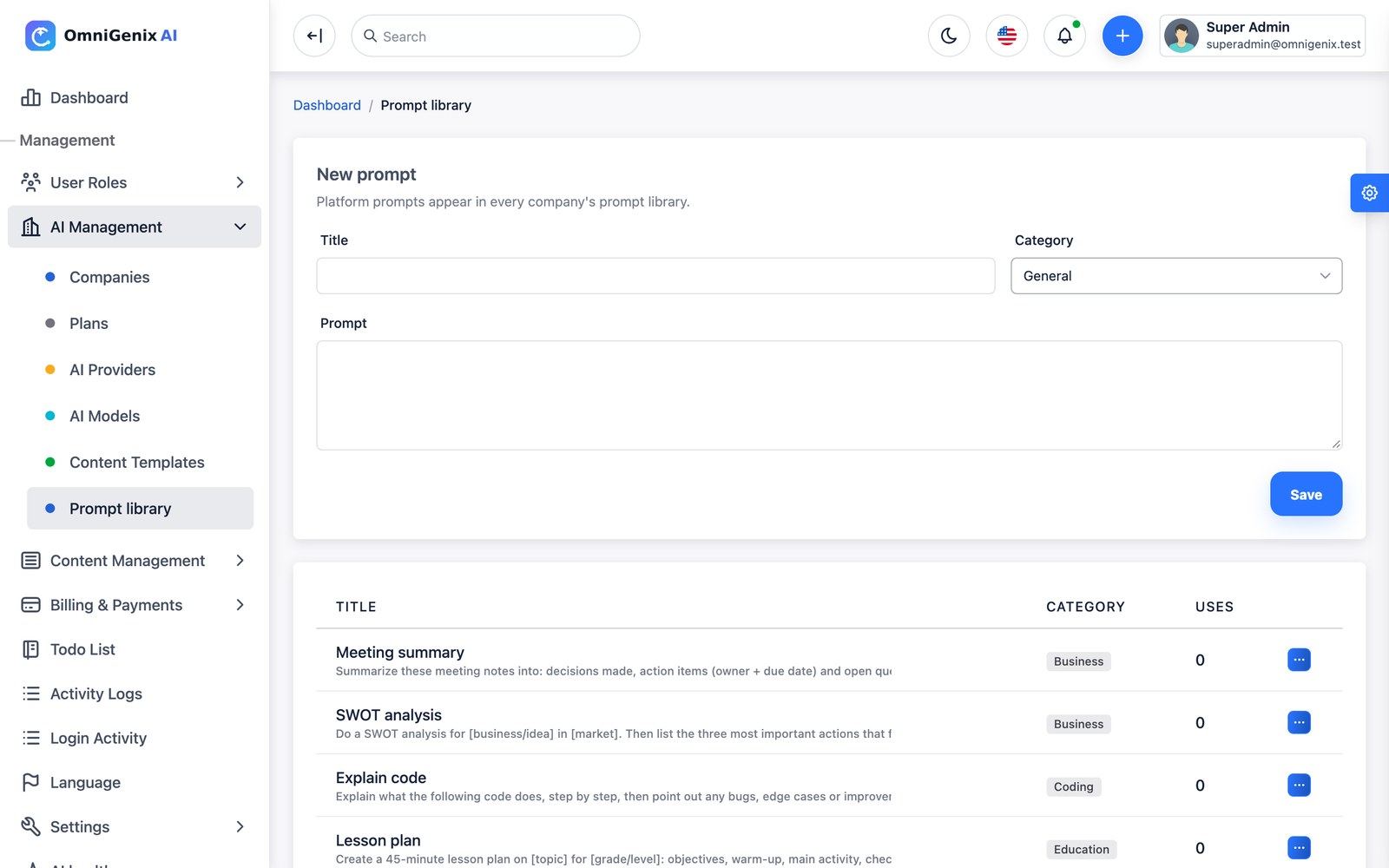
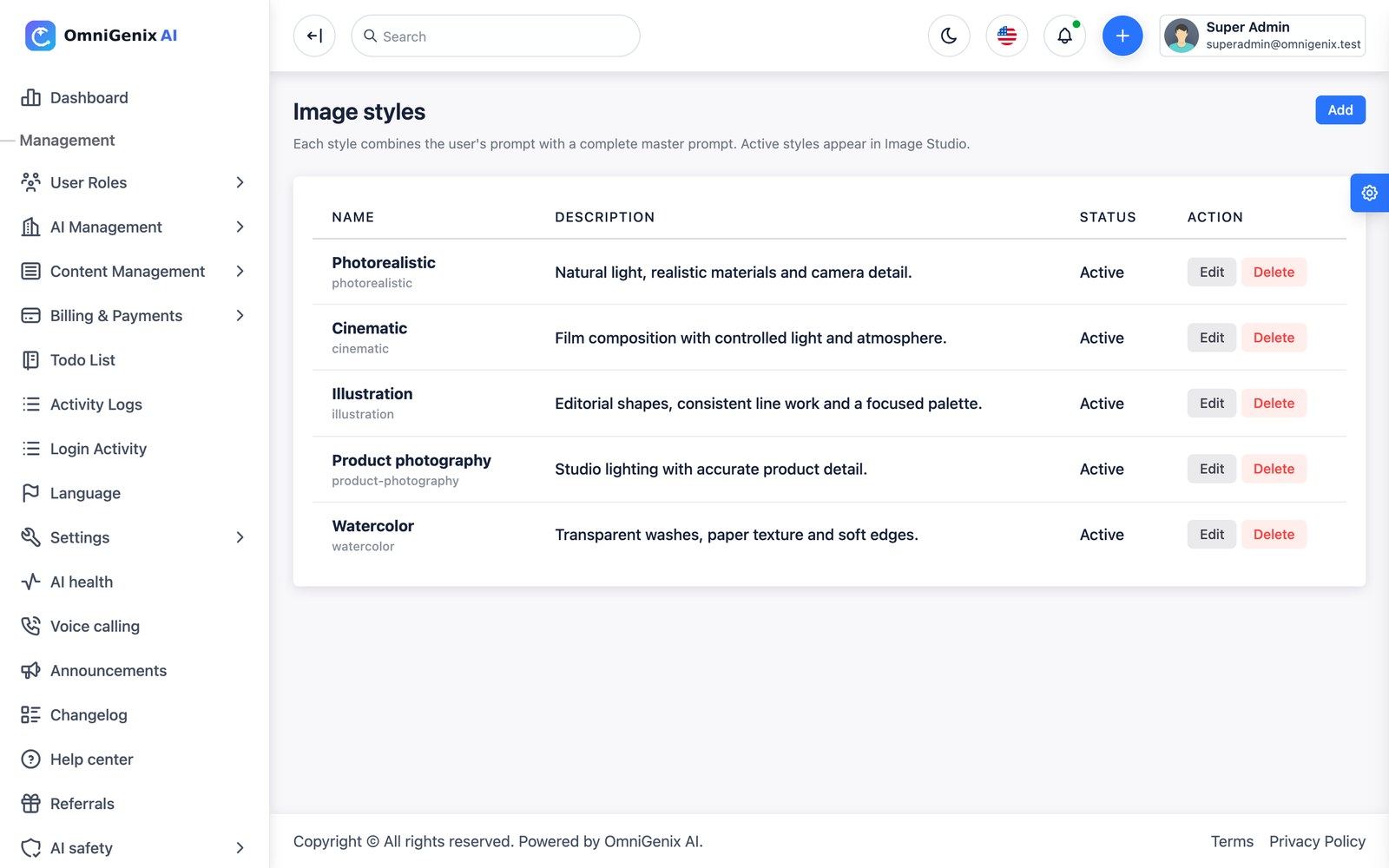
Content Templates (/admin/content-templates) are the platform templates every Content Studio shows (blog article, product description, social media post, cold e-mail and more). Prompt library (/admin/prompt-library) holds the platform prompts that appear in every company’s prompt library and chat. Image styles (/admin/image-styles) combine the user’s prompt with a master prompt (Photorealistic, Cinematic, Illustration, Product photography, Watercolor); active styles appear in the Image Studio.
Referrals & Communication
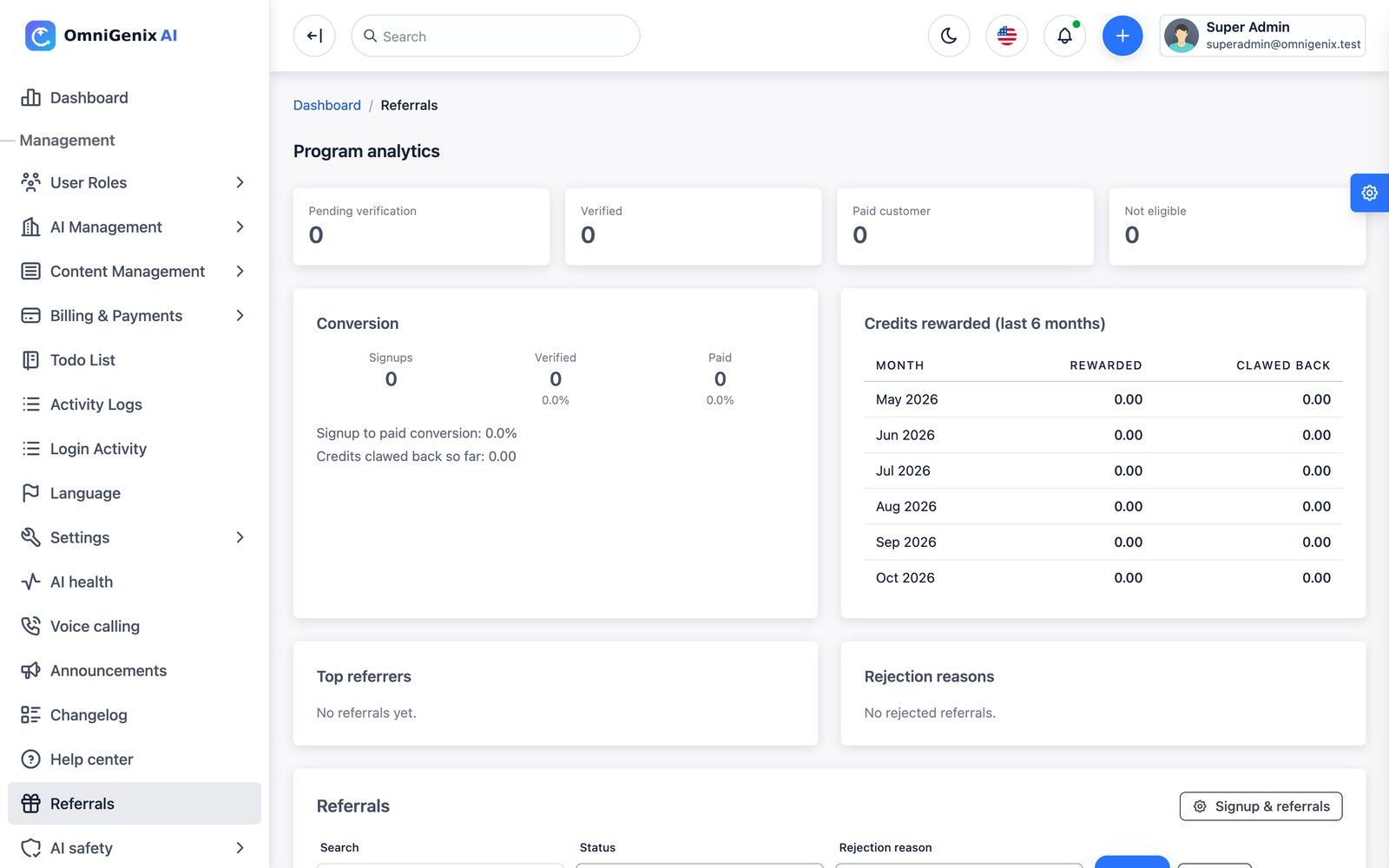
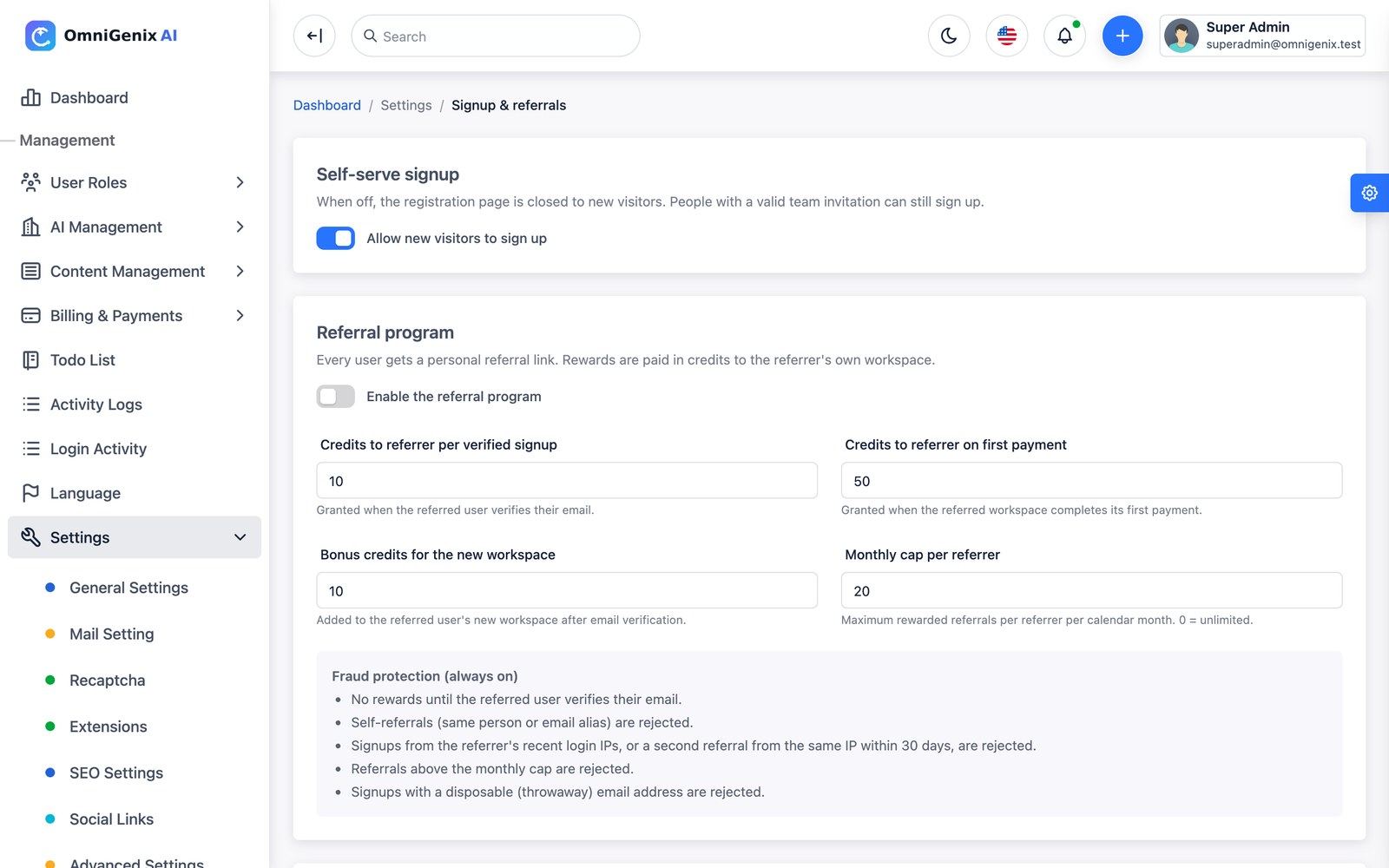
Referrals (/admin/referrals) shows program analytics (signups, verified, paid customers, conversion, credits rewarded and clawed back, top referrers, rejection reasons) and the referral list. The program itself is configured in Settings → Signup & referrals: credits for the referrer per verified signup and on first payment, a bonus for the new workspace and a monthly cap per referrer. Fraud checks (self-referrals, repeated IPs, disposable e-mail) always run, and rewards are clawed back on rejection or full refund.
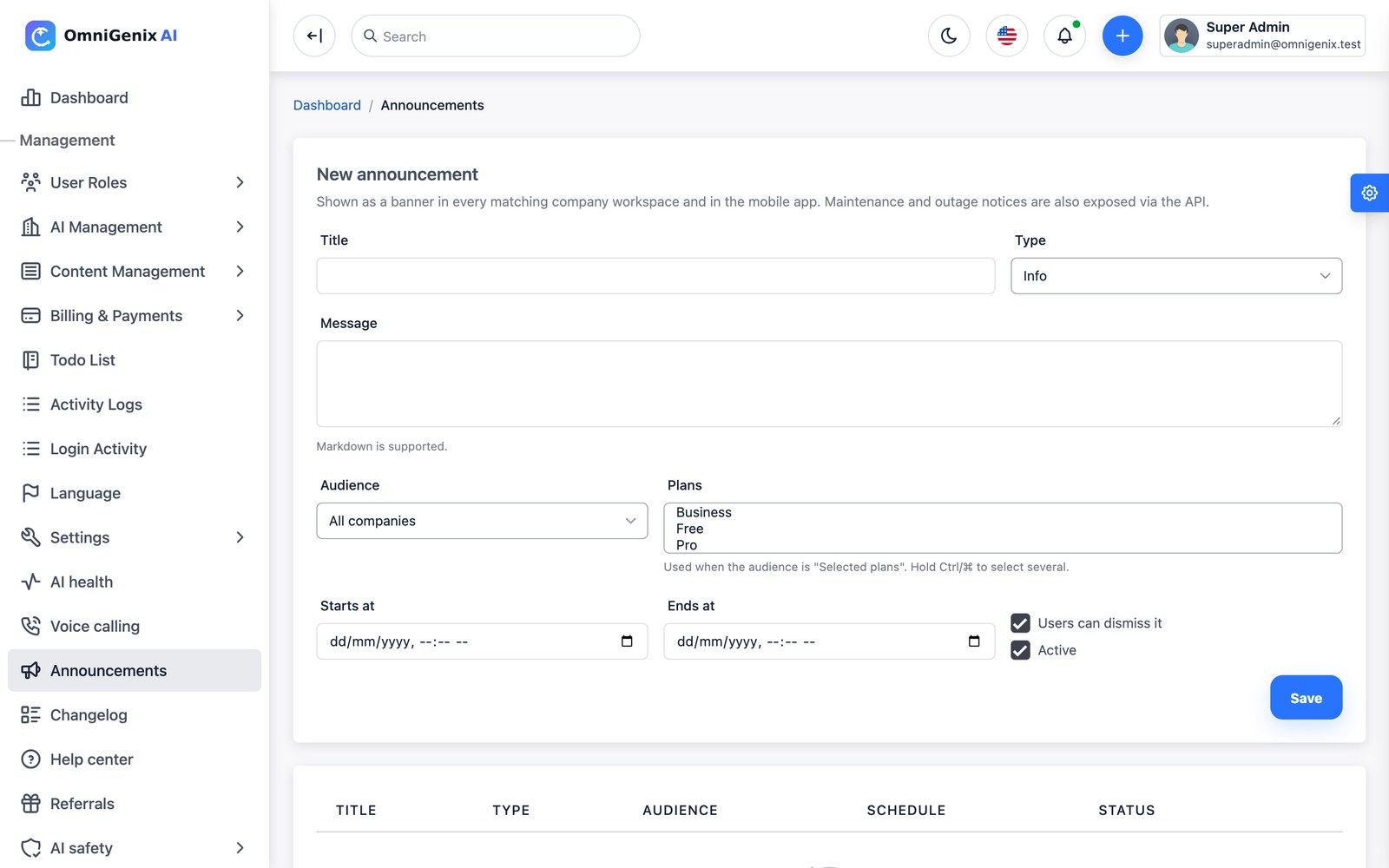
Announcements are banners shown in matching workspaces and in the mobile app (audience by plan, schedule, dismissible). Changelog entries appear on each company’s “What’s new” page with an unread badge. Help center articles form the searchable help inside every workspace.
CMS, Blog & Landing Page
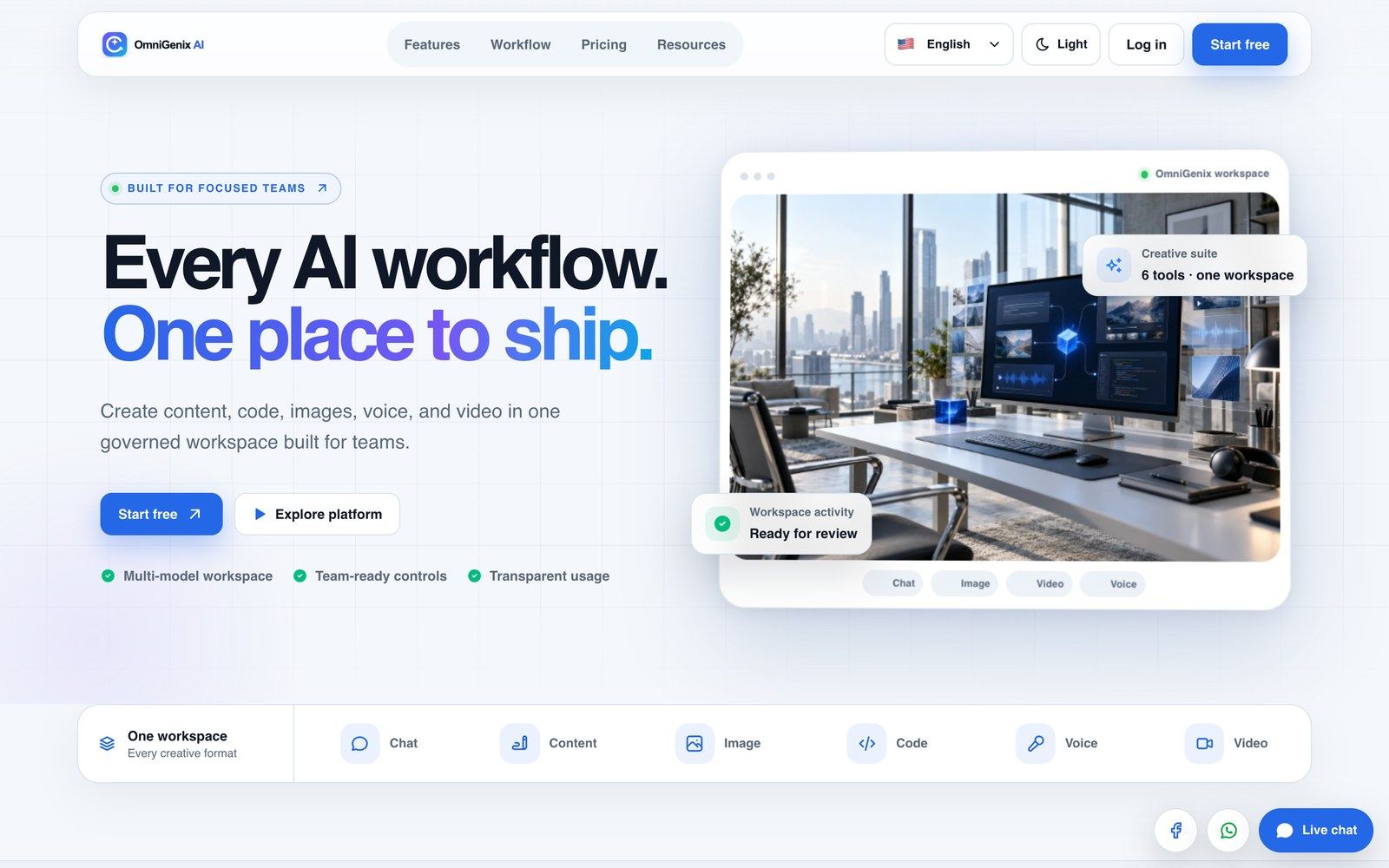
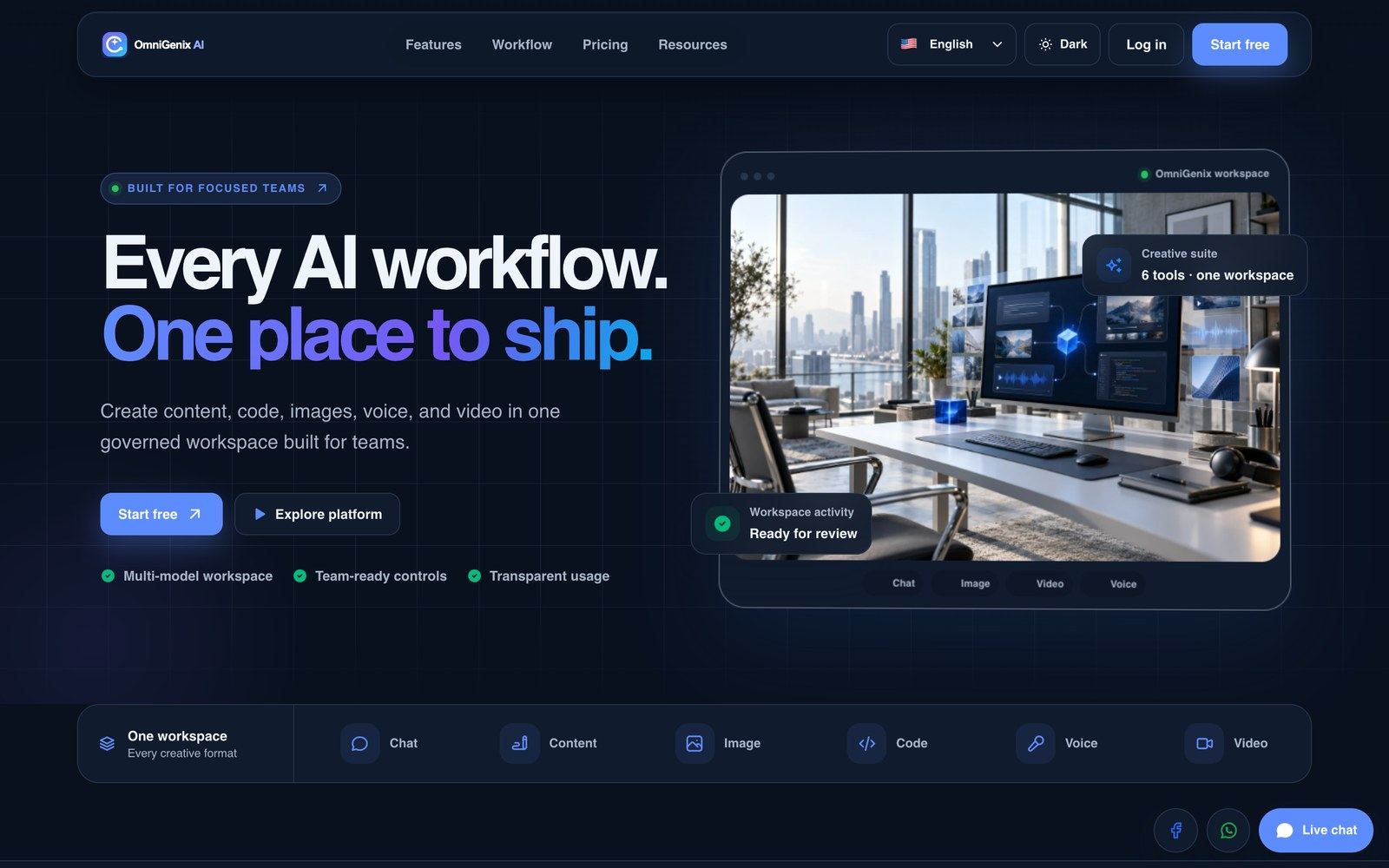
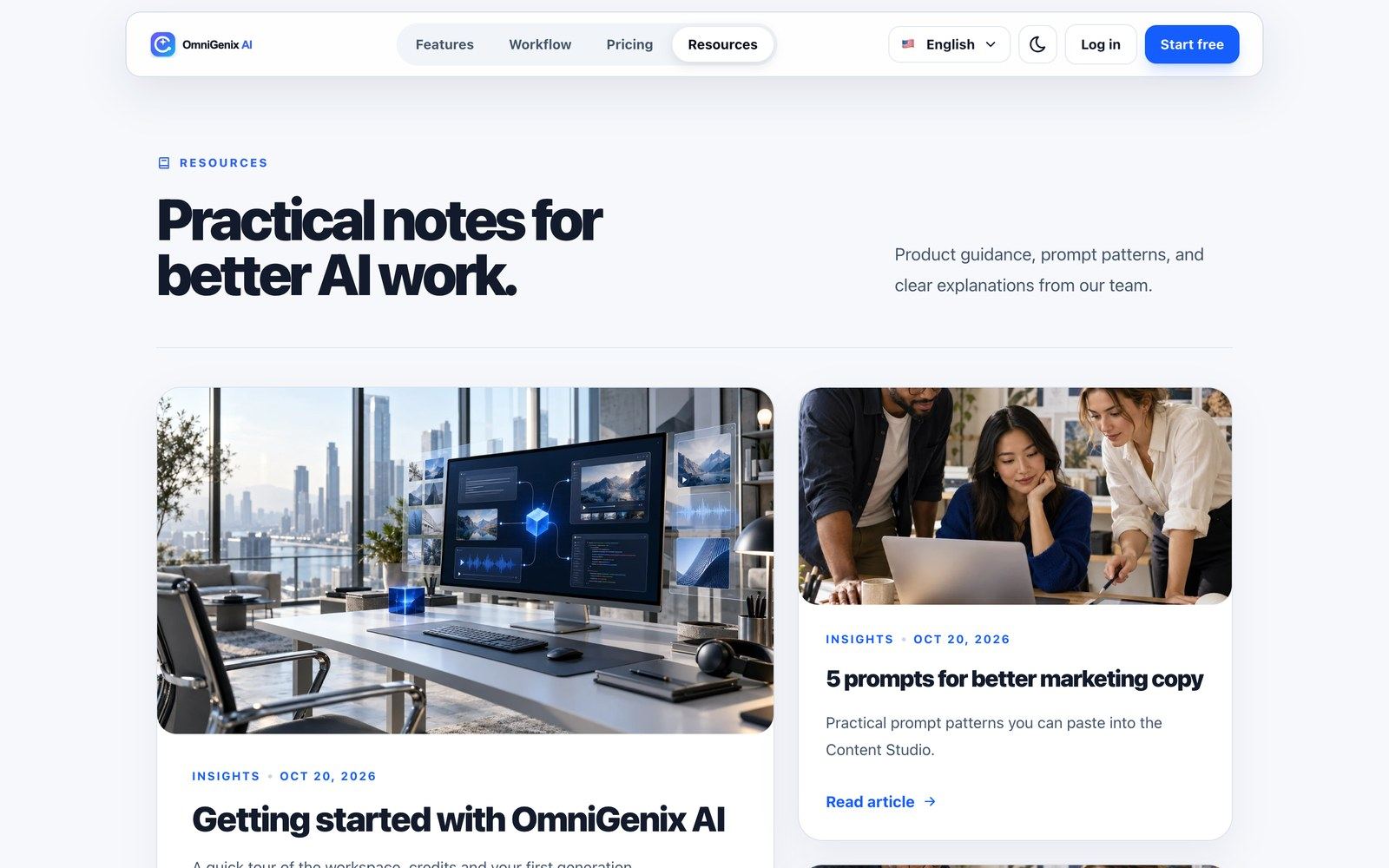
Pages (/admin/pages; seeded: Terms & Conditions, Privacy Policy, About us) are served at /page/{slug}. Posts (/admin/posts) feed the public blog at /blog. Landing page & white-label (/admin/white-label) sets the accent and dark-section colours, the admin panel primary colour, the hero eyebrow, two-line title, subtitle and call-to-action text of the public home page.
AI Safety & Logs
AI safety (/admin/safety) is the review queue for moderation events and abuse reports, with filters by status, action and source and its own moderation settings. Text and image prompts are moderated; avatar and cloned-voice jobs require a recorded likeness consent.
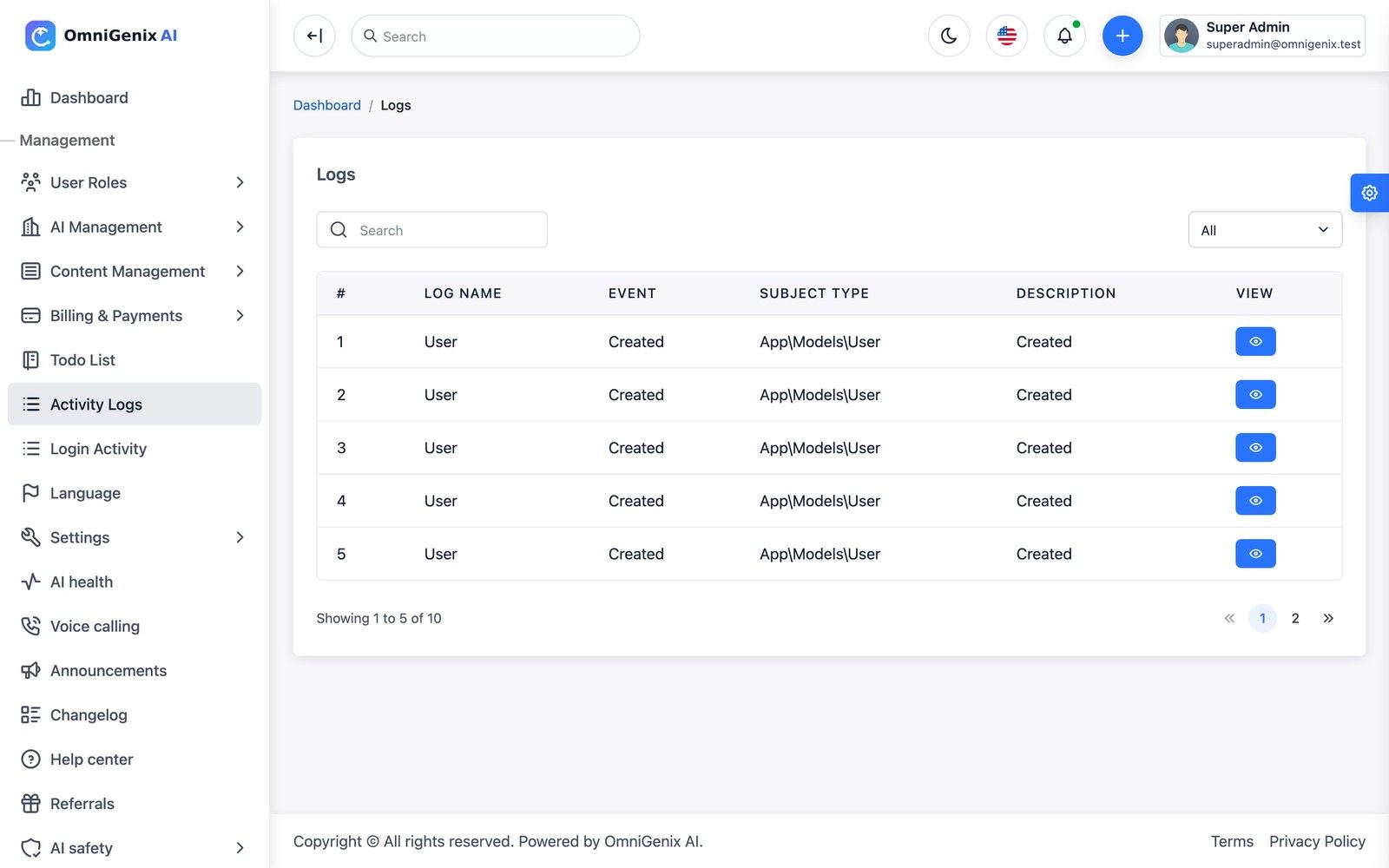
Activity Logs record admin actions; Login Activity records sign-ins with IP, browser, OS, device and country.
Settings Pages
| Page | URL | What it holds |
|---|---|---|
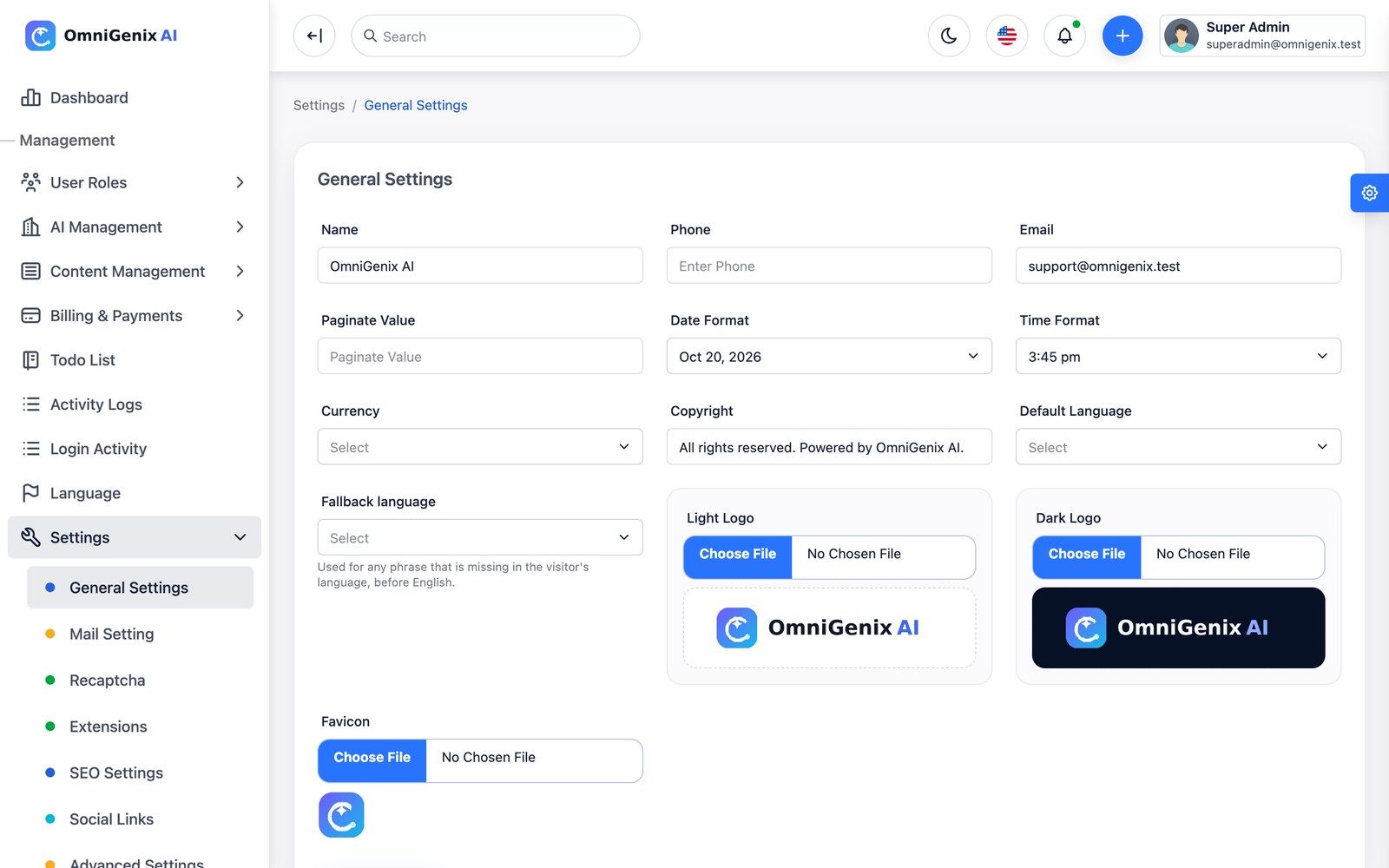
| General Settings | /admin/settings/general-settings | Name, phone, e-mail, date and time format, currency, copyright, default and fallback language, light and dark logo, favicon, invoice seller details |
| Mail Setting | /admin/settings/mail | SMTP and sender, test mail |
| Recaptcha | /admin/settings/recaptcha | Site key, secret, status (see note) |
| Extensions | /admin/settings/extensions | Switch built-in features and installed plugins on or off platform-wide |
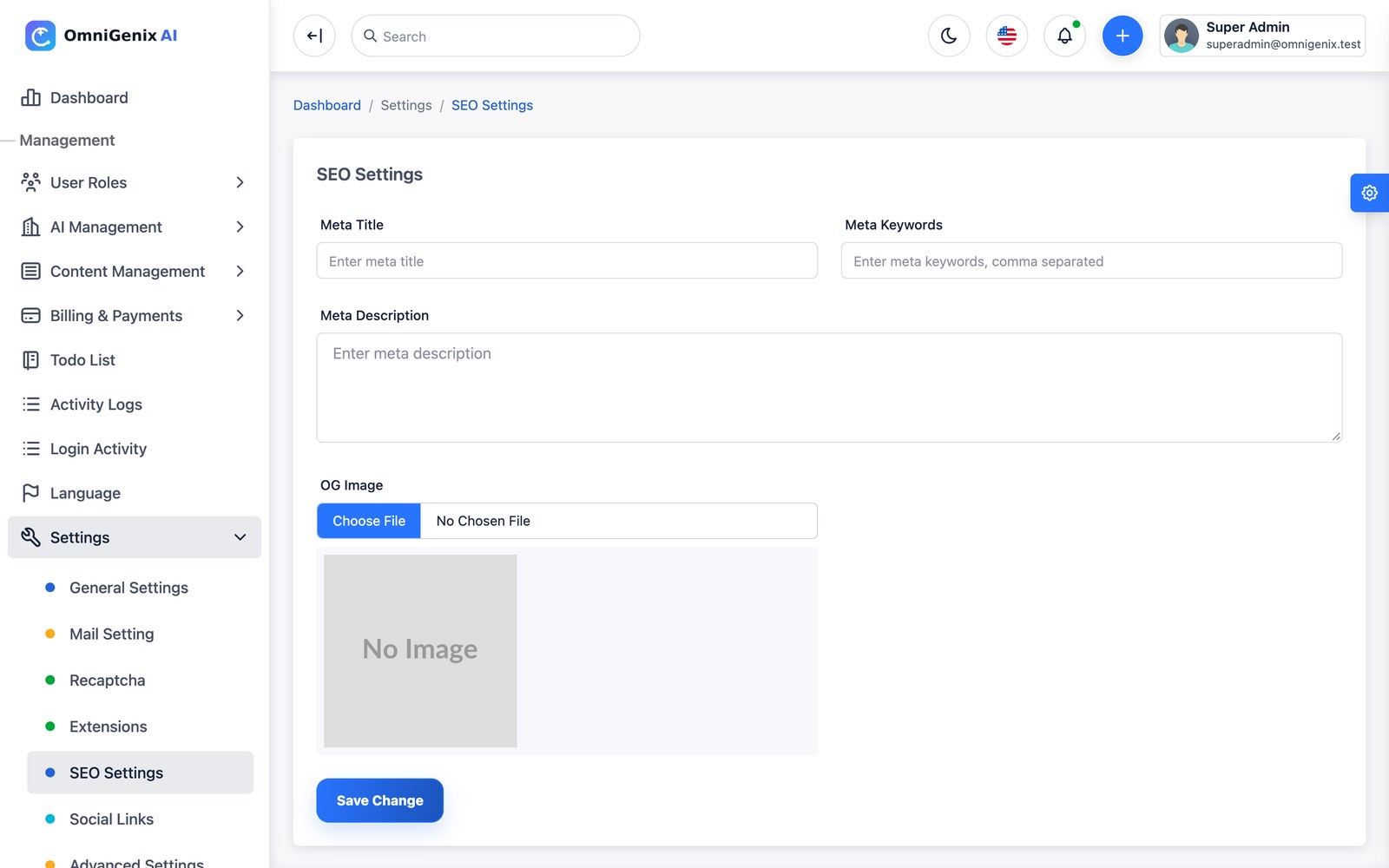
| SEO Settings | /admin/settings/seo | Meta title, keywords, description, Open Graph image |
| Social Links | /admin/settings/social-links | Links shown on the public site |
| Advanced Settings | /admin/settings/advanced | Custom CSS, custom JavaScript, maintenance mode and message |
| Push Notifications | /admin/settings/push-notification | Firebase service-account JSON, test |
| Storage | /admin/settings/storage | Local or S3-compatible storage, test |
| Signup & referrals | /admin/settings/referrals | Allow new visitors to sign up (on by default; when off, web and app registration are closed and only invited team members can join); referral program |
| System Status | /admin/settings/system | Versions, cron heartbeat, queue, warnings, failed jobs (retry/delete), requirements |
| Database Backup | /admin/settings/database/backup | Download an on-demand SQL dump |
Workspace: Dashboard & Navigation
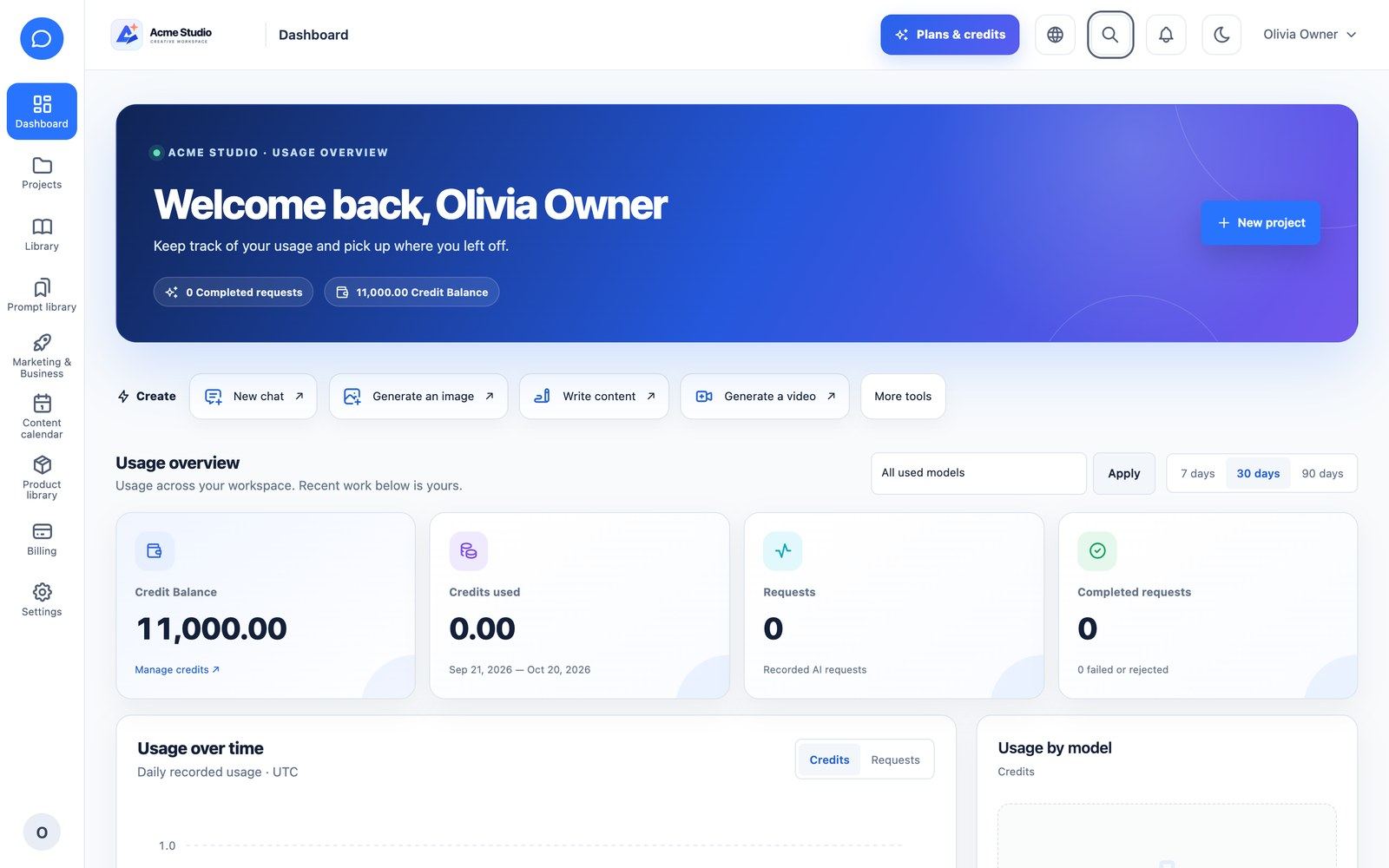
Every customer company gets its own workspace under /company/…. The dashboard shows the credit balance, credits used, requests, completed requests, usage over time and usage by model, with quick actions (new chat, generate an image, write content, generate a video). The left rail holds Dashboard, Projects, Library, Prompt library, Marketing & Business, Content calendar, Product library, Billing and Settings; the top tabs switch between Chat, Image, Video, Voice, Avatar, Code, Documents, Content and Agents. Press Ctrl/⌘K anywhere for global search and the command palette. New companies get an onboarding checklist, a guided tour and optional sample data.
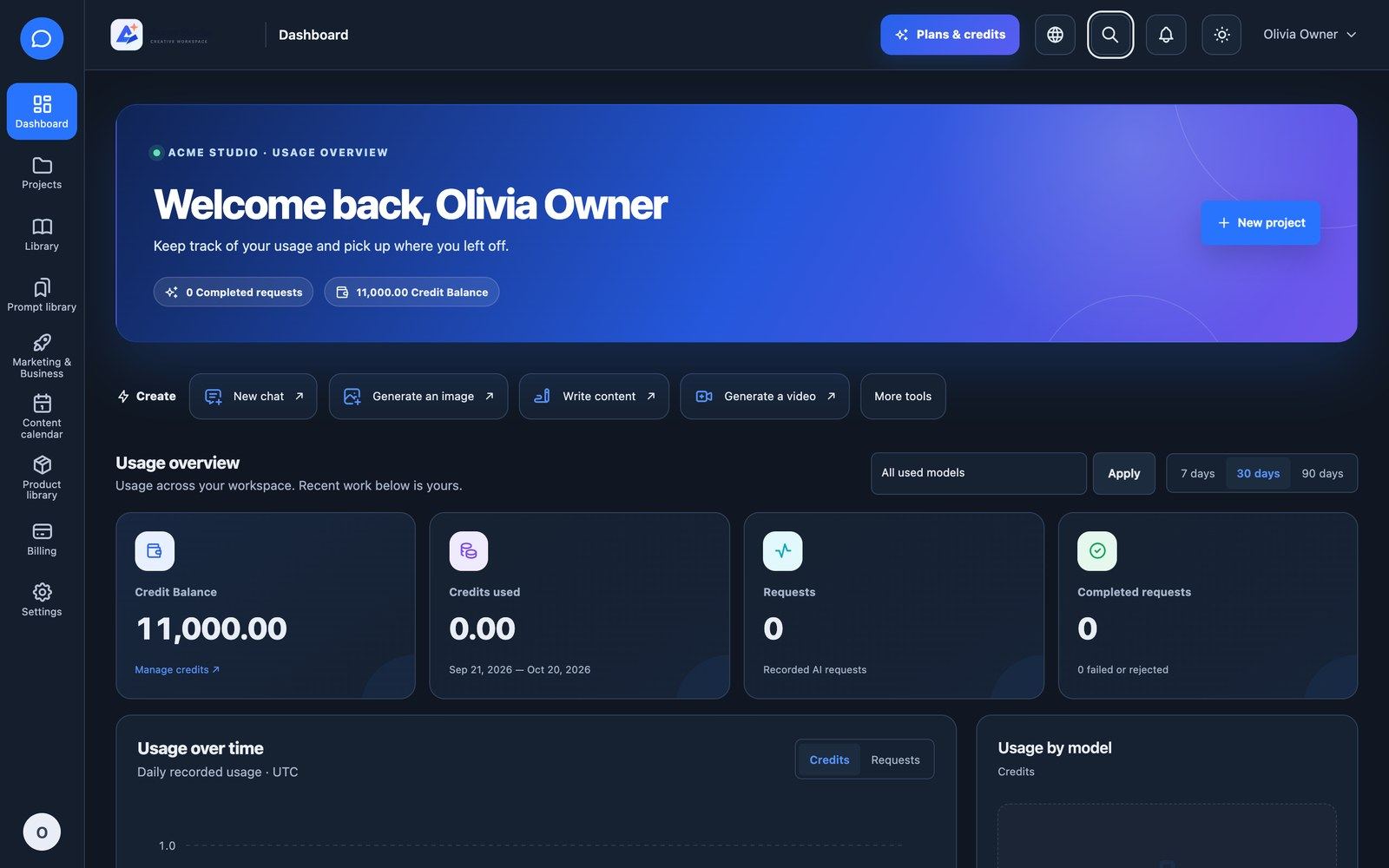
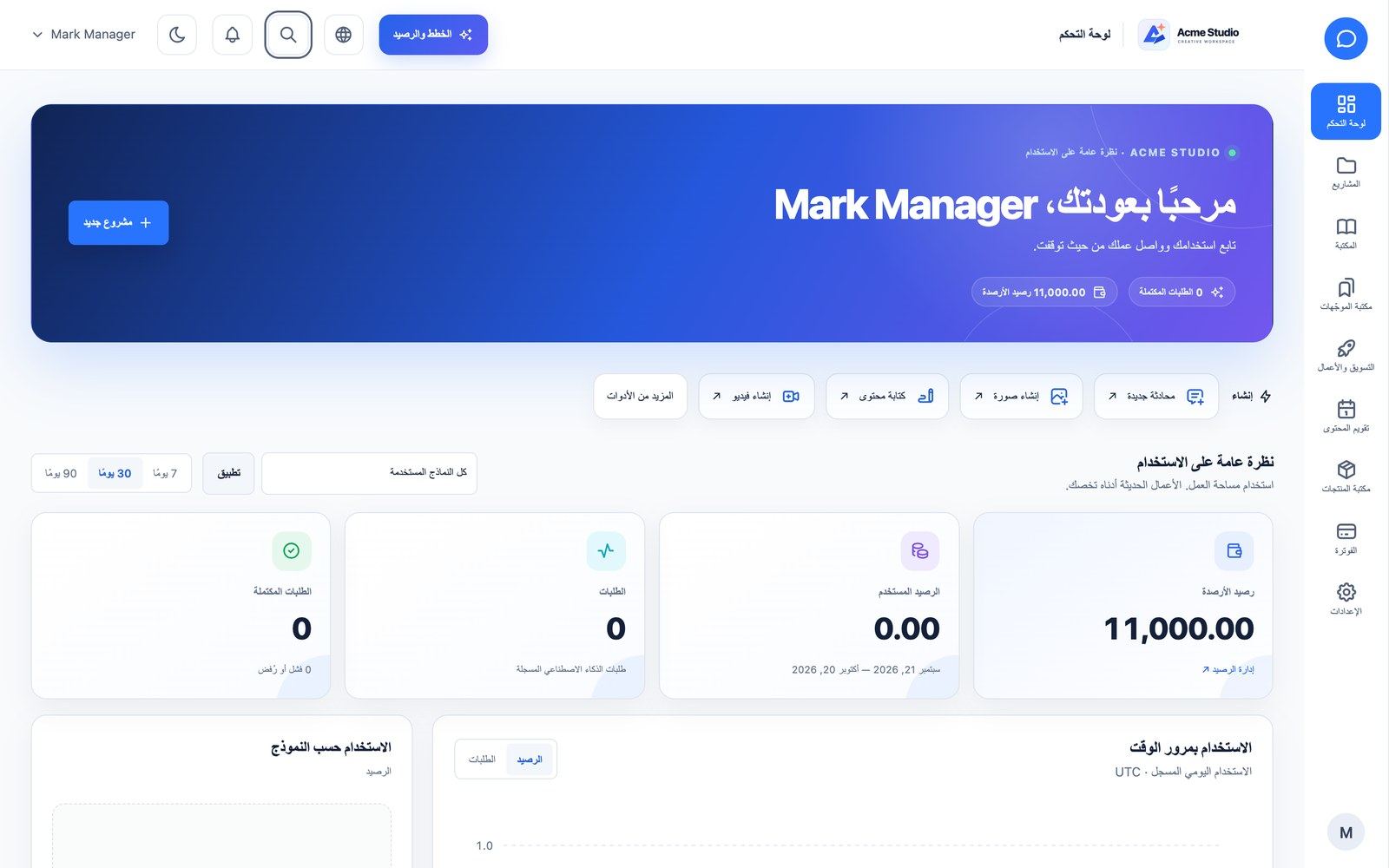
Every tool shows a cost preview in credits before you run it, and a model picker when several models of that capability are active.
AI Chat
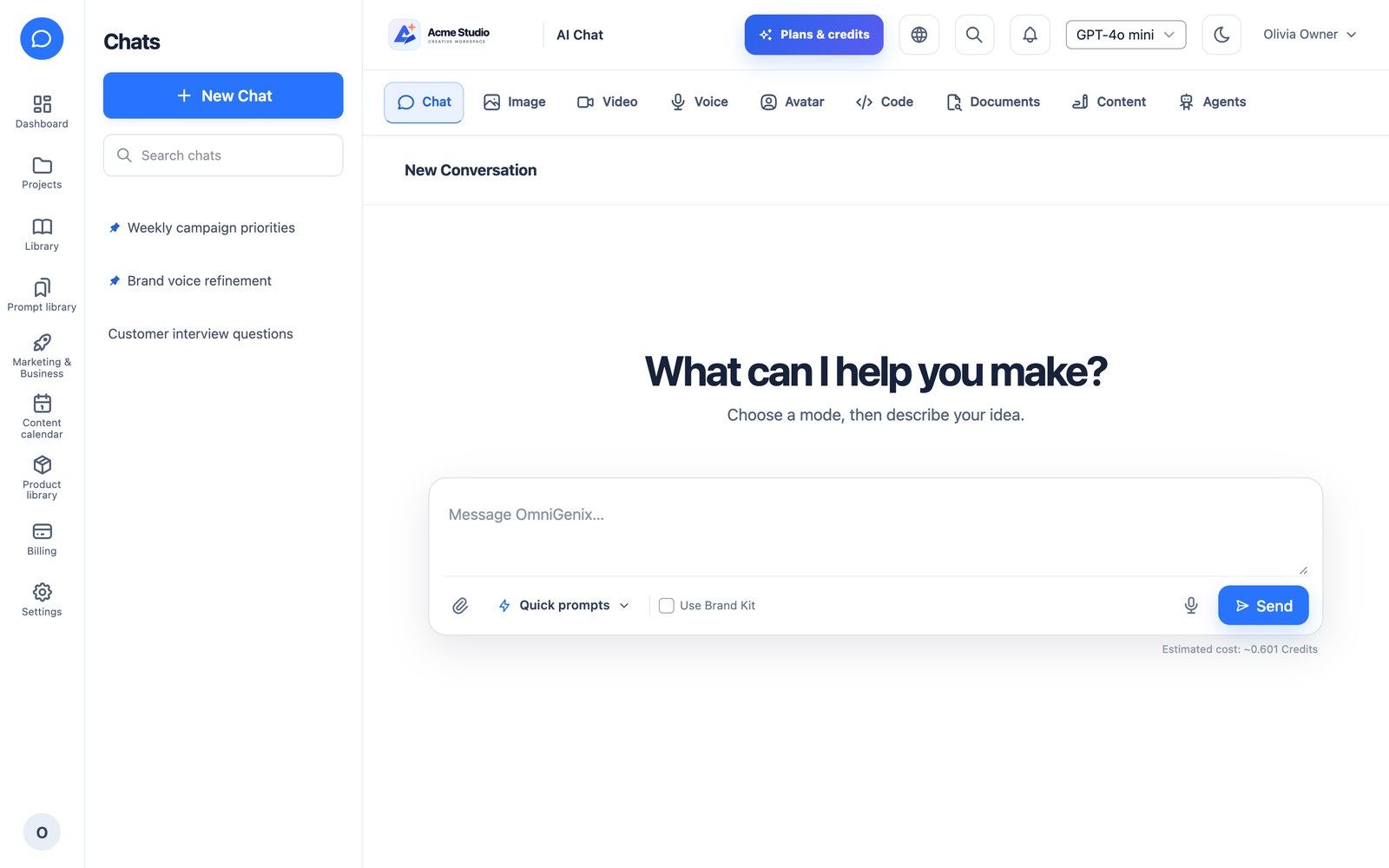
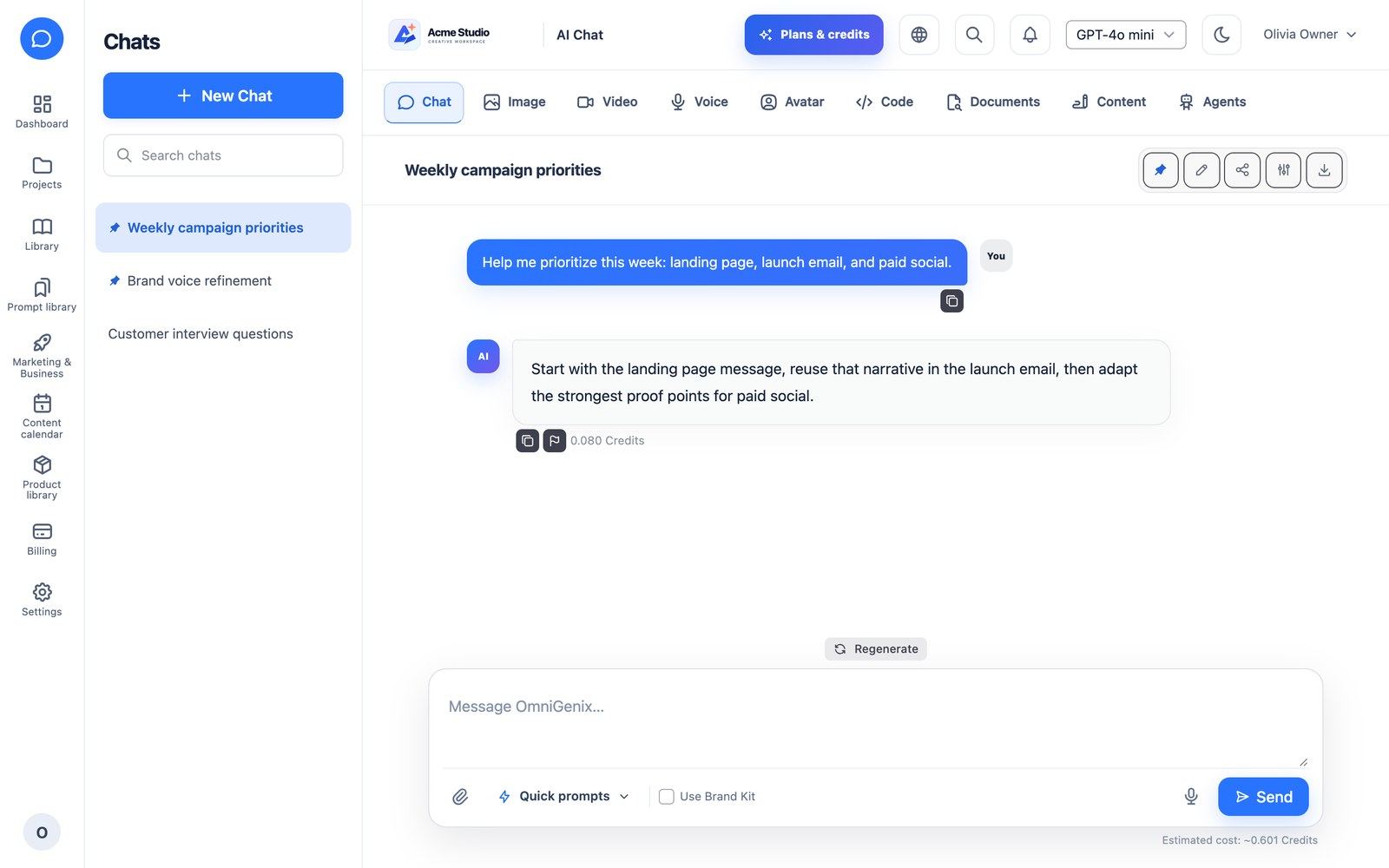
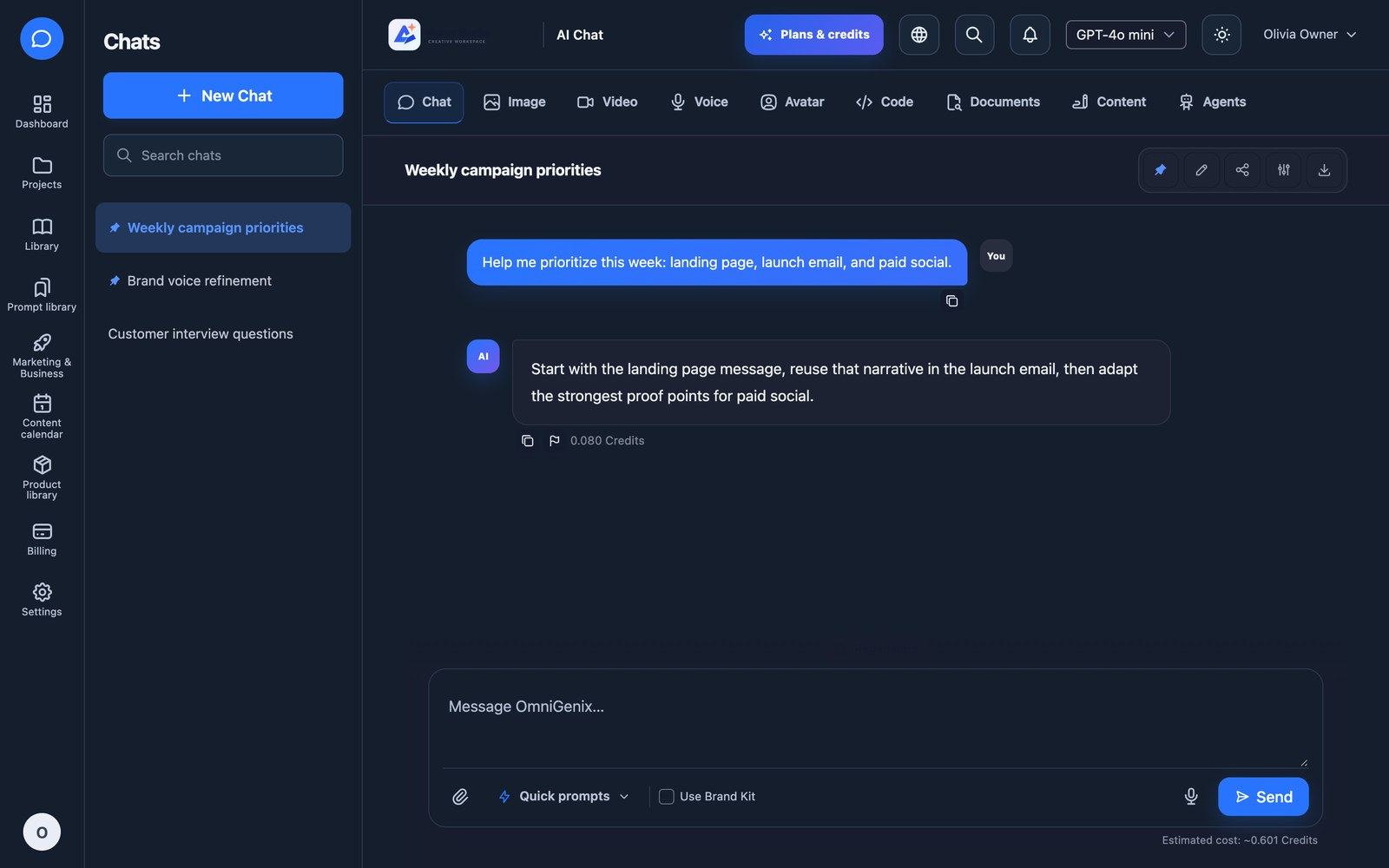
Streaming chat (server-sent events) with history, pin, rename and search across titles and message text. Attach PDF, DOCX, TXT, MD, CSV and JSON files (their text is given to the model) and images (sent to vision models). Voice input uses the browser’s speech recognition. Regenerate the last reply, stop a reply, insert prompts from the prompt library, turn on Use Brand Kit, and export a chat as Markdown, text, Word (.docx) or a print/PDF view. Credits are charged after completion with the real token usage.
Content Studio
Write with 15 platform templates or the company’s own custom templates built with an input-field builder. The text appears as it is written (streamed). Choose output language, tone, length and Versions (1–3 clearly different versions in one request), attach a product, and tick Use my documents to write from up to 5 of the company’s documents or imported web pages (shown when the plan includes Document AI and the user can read documents). Then refine the result with ten tools: improve, shorten, expand, rephrase, simplify, fix grammar, summarize, headline ideas, change tone and translate. Export to Markdown, text or Word.
| Templates | Category |
|---|---|
| Blog Article, Blog Outline | blog |
| Facebook & Instagram Ad (3 variations within Meta’s limits), Google Search Ad (10 headlines of 30 characters, 4 descriptions of 90) | ads |
| SEO Meta Title & Description, Landing Page Copy | website |
| Social Media Post, YouTube Video Script, Reels / TikTok Script | social |
| Cold Email, Email Newsletter | |
| Product Description, Review Reply, Press Release | business |
| Product FAQ | ecommerce |
How a request is built. Every request sends built-in copywriting rules (ready-to-publish copy, a strong opening, the requested format, no invented facts, prices or quotes) followed by the template’s own writing instructions, the Brand Kit when used, and passages from the selected documents. The rules live in app/Services/Content/ContentGenerationService.php (DEFAULT_SYSTEM_PROMPT).
Template settings. Platform templates (AI Management → Content Templates) and company templates have two optional fields: Writing instructions (format and platform rules, for example “headlines at most 30 characters”) and Default AI model (pre-selected for that template; users can still change it, and a model that is later turned off falls back to the platform default). Template icons must already be in the compiled stylesheet: use for example tabler--article, tabler--mail, tabler--world, tabler--shopping-cart or tabler--brand-youtube. Sites that started on 1.0.0 should change the Product Description icon from tabler--shopping-bag, which shows blank, to tabler--shopping-cart.
Credits. A request is charged for the tokens it used. 3 versions use about three times the output tokens of one. If the user leaves the page while text streams, the result still finishes, is saved to history and is charged. Searching indexed documents adds its small embedding cost to the same charge. Failed requests are never charged.
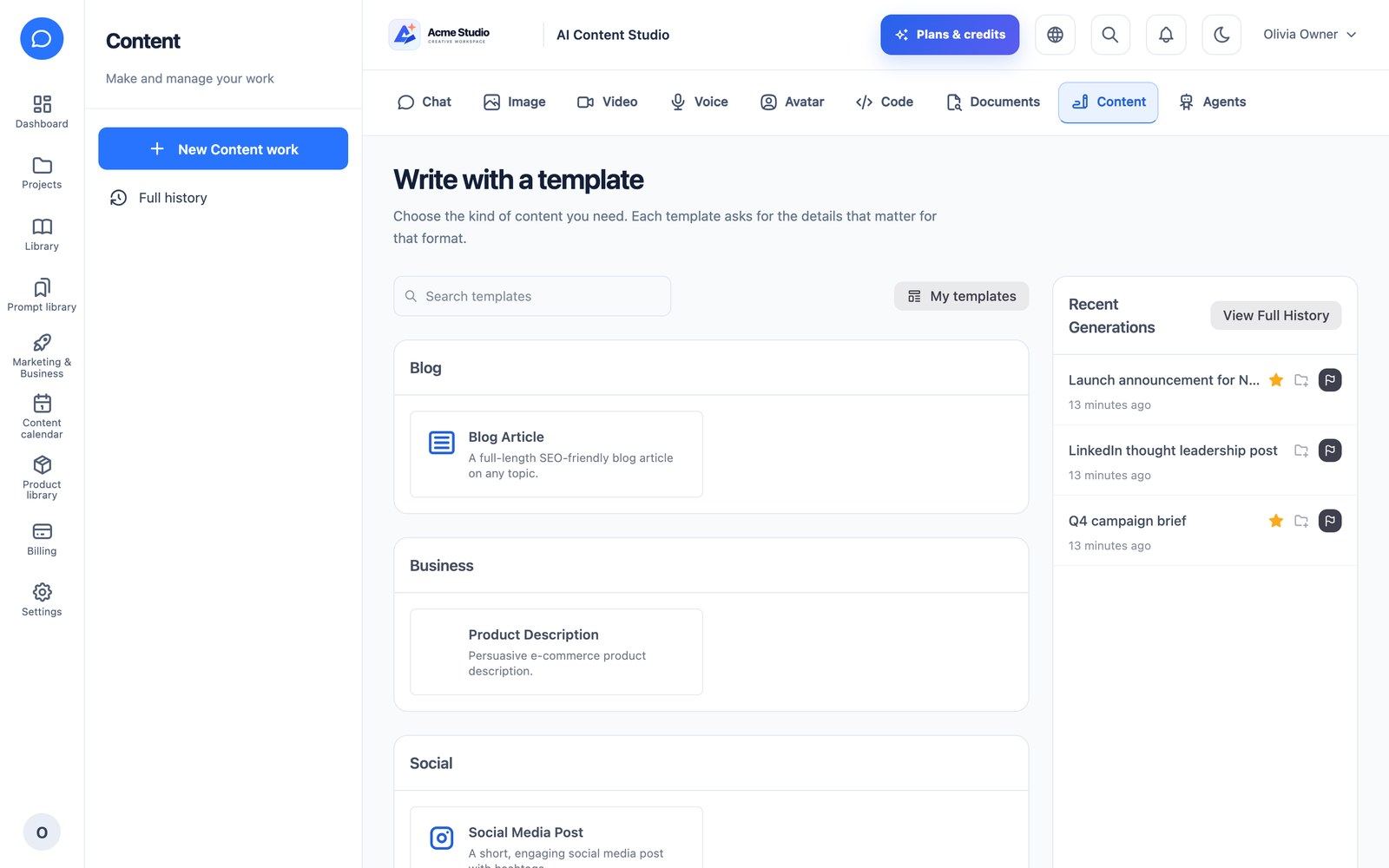
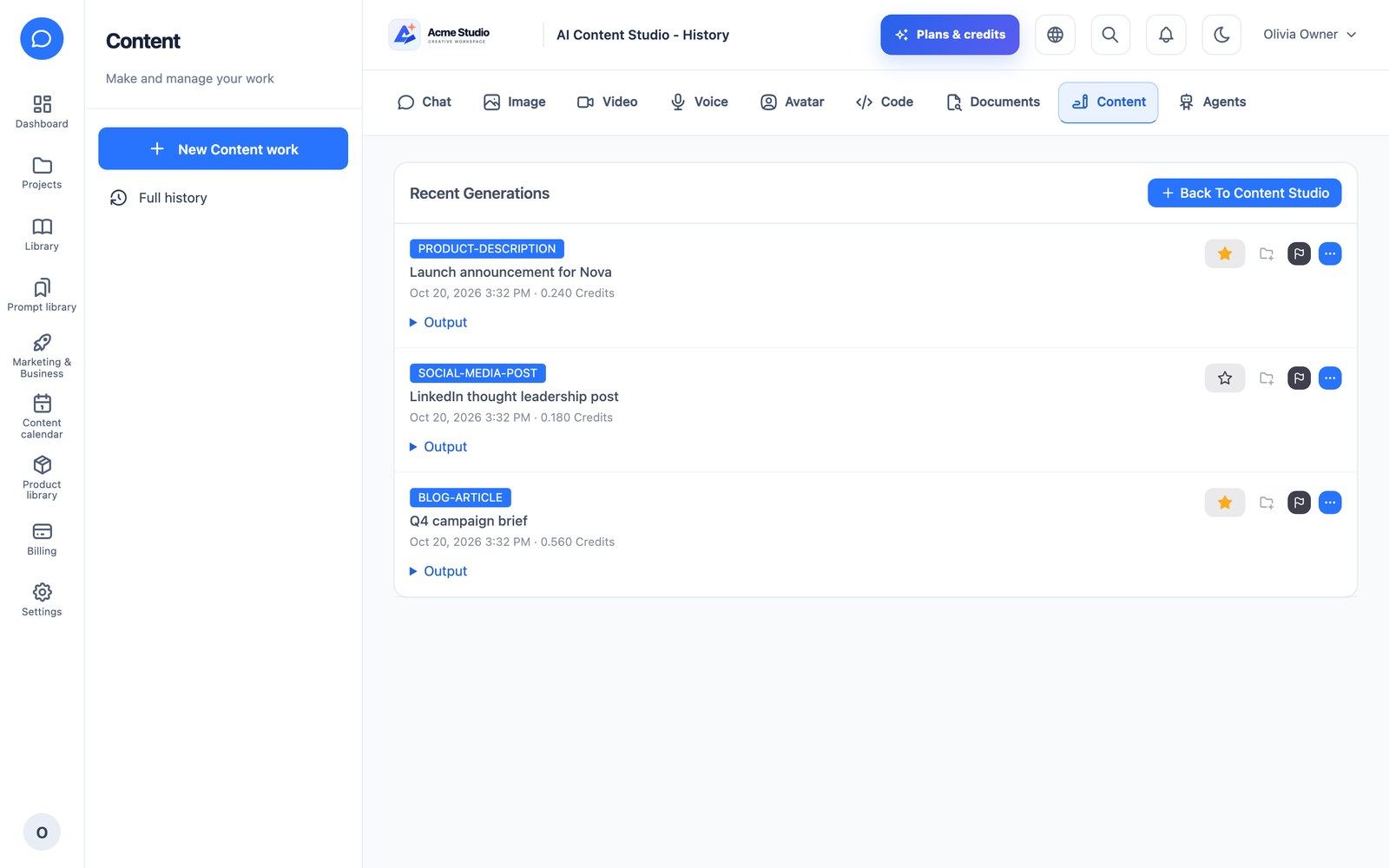
Image Studio
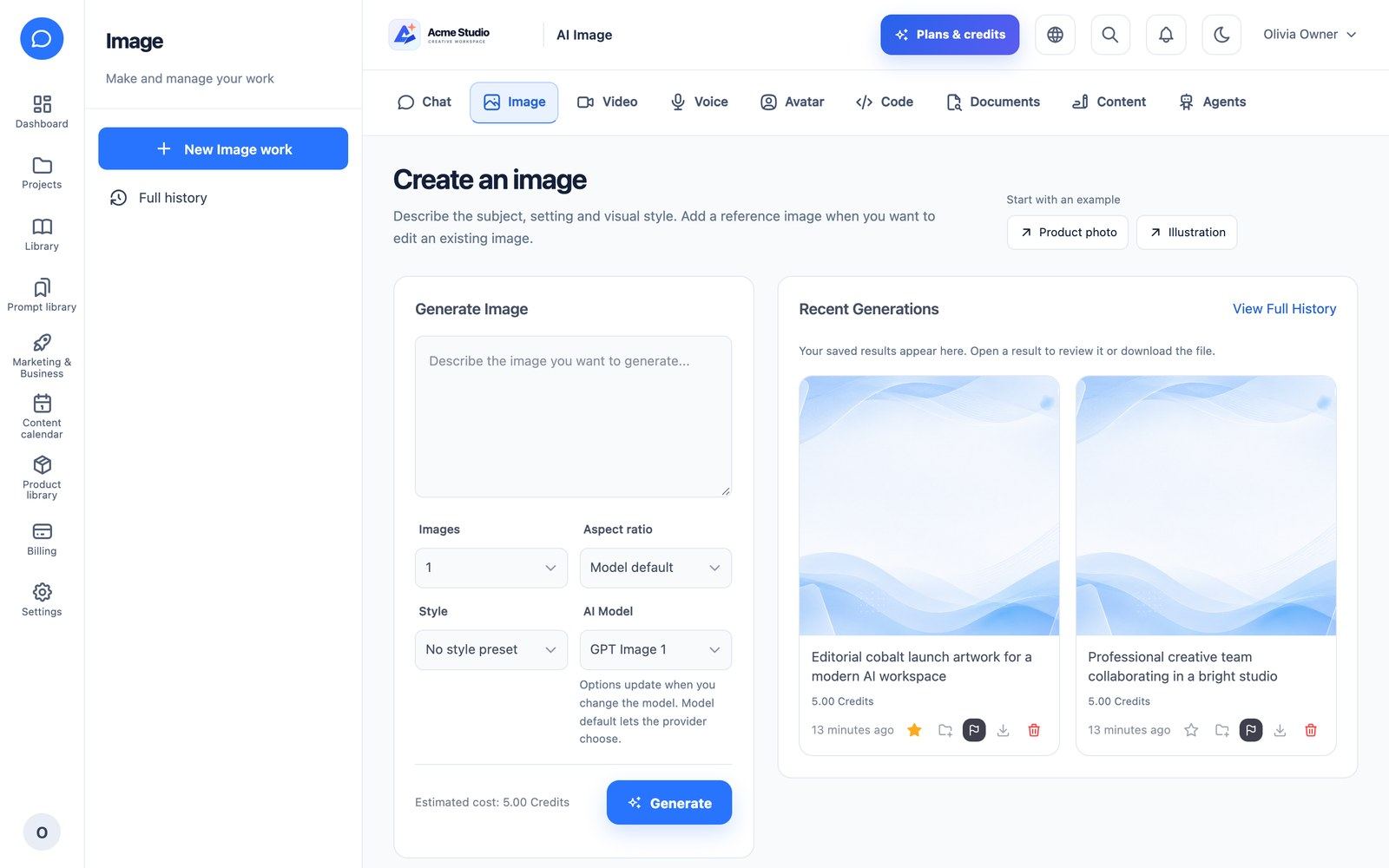
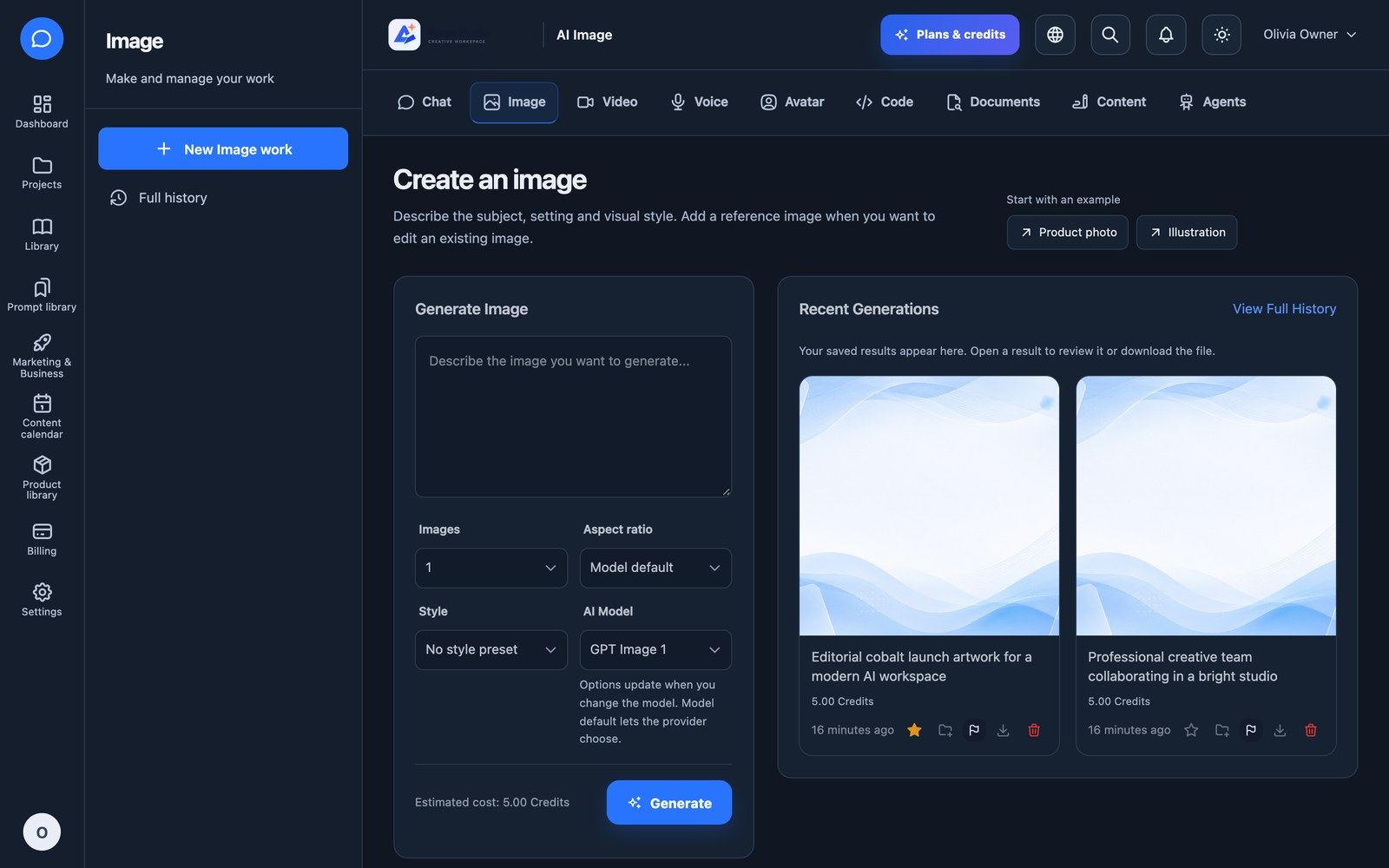
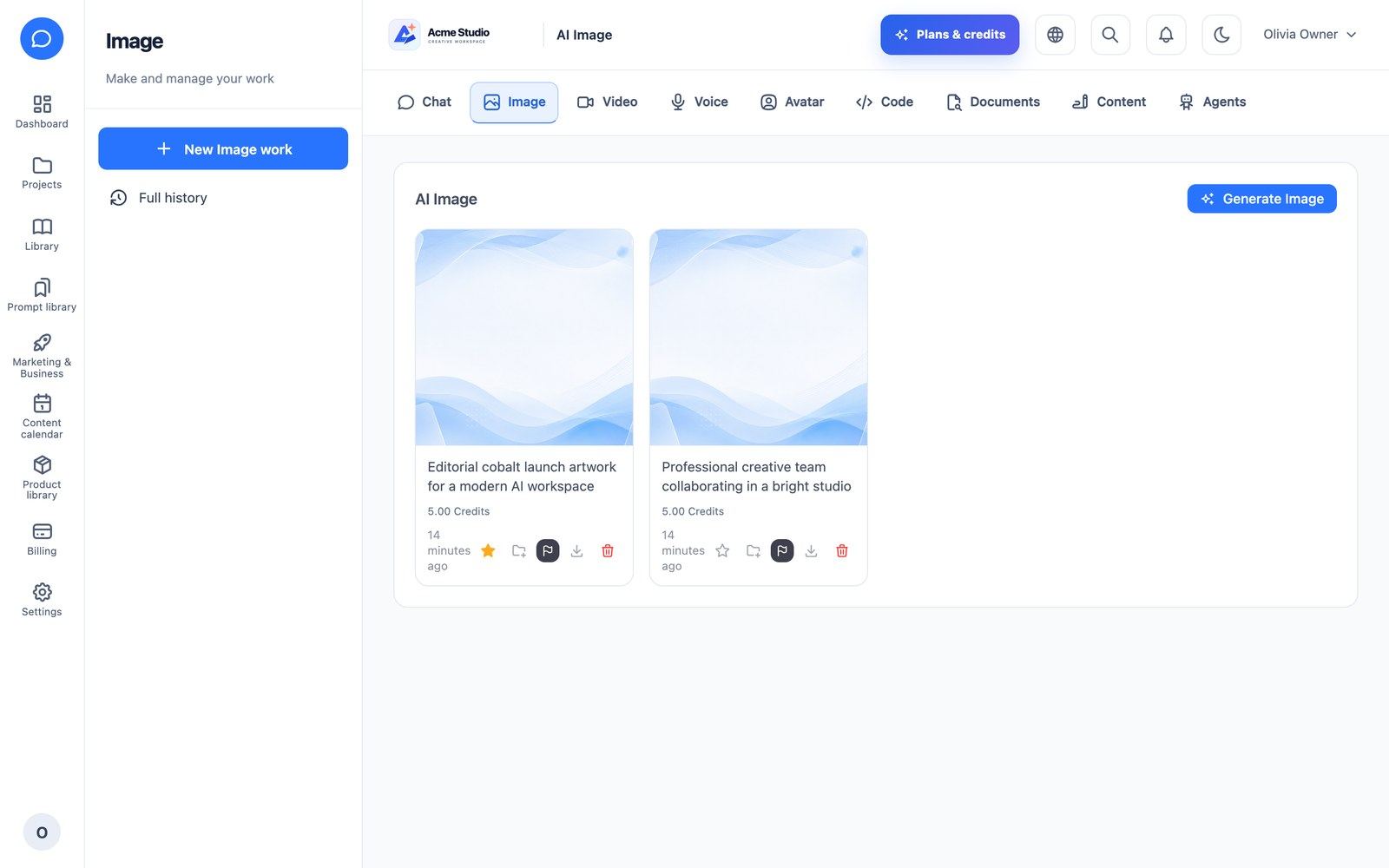
Generate 1–4 images per request (charged per image), choose the aspect ratio, a style preset and a negative prompt, or edit from a photo by uploading an image and describing the change. Results go to the media library with versions, favourites and tags. The Product Photoshoot extension (requires Image Studio) creates product photos from items in the product library.
Video Studio & AI Avatar
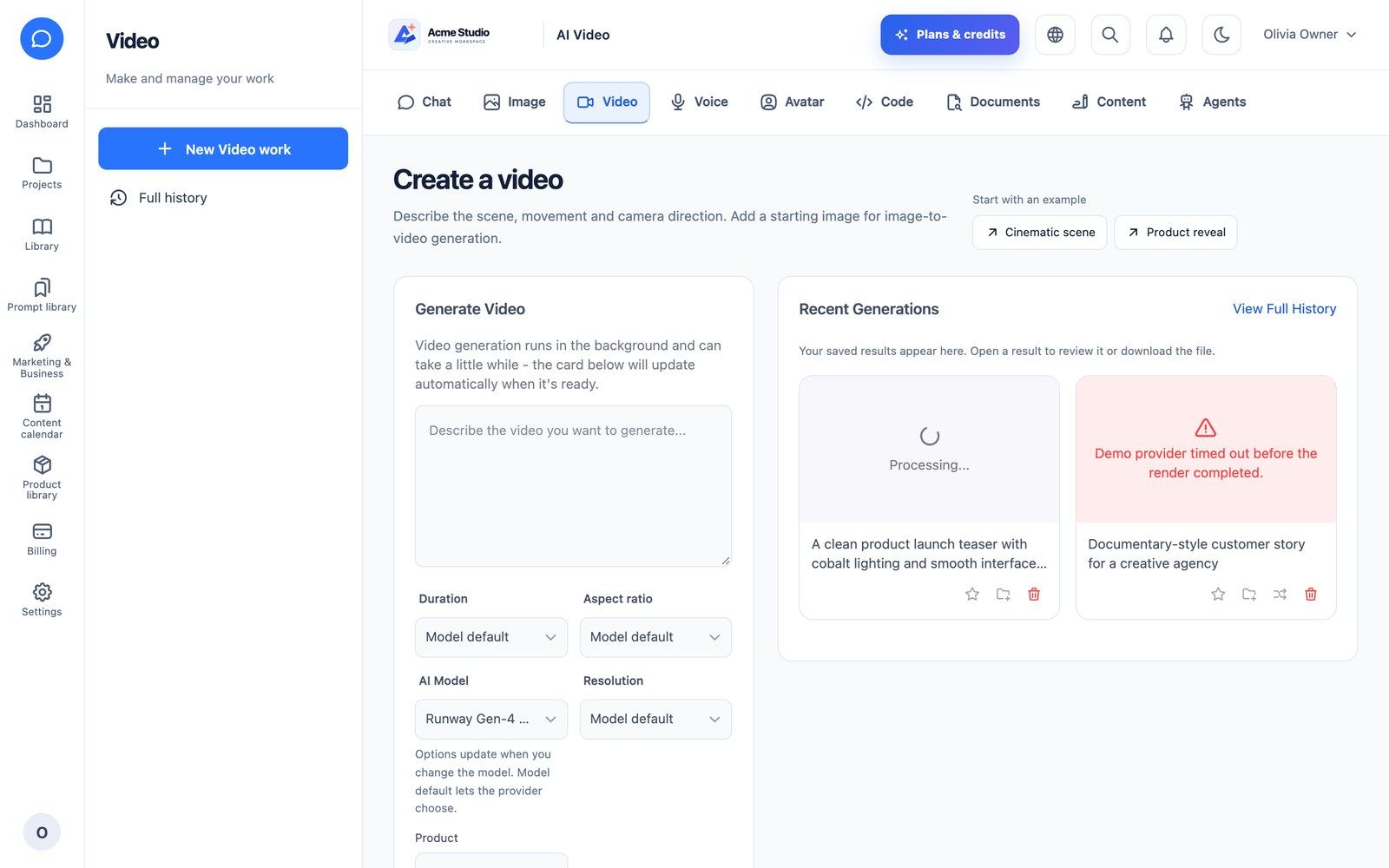
Video Studio: prompt, duration, aspect ratio, model and optional start image (image-to-video). Jobs are queued and show progress; a failed or timed-out job is marked failed and its reserved credits are returned. A photo of a real person needs an active likeness consent.
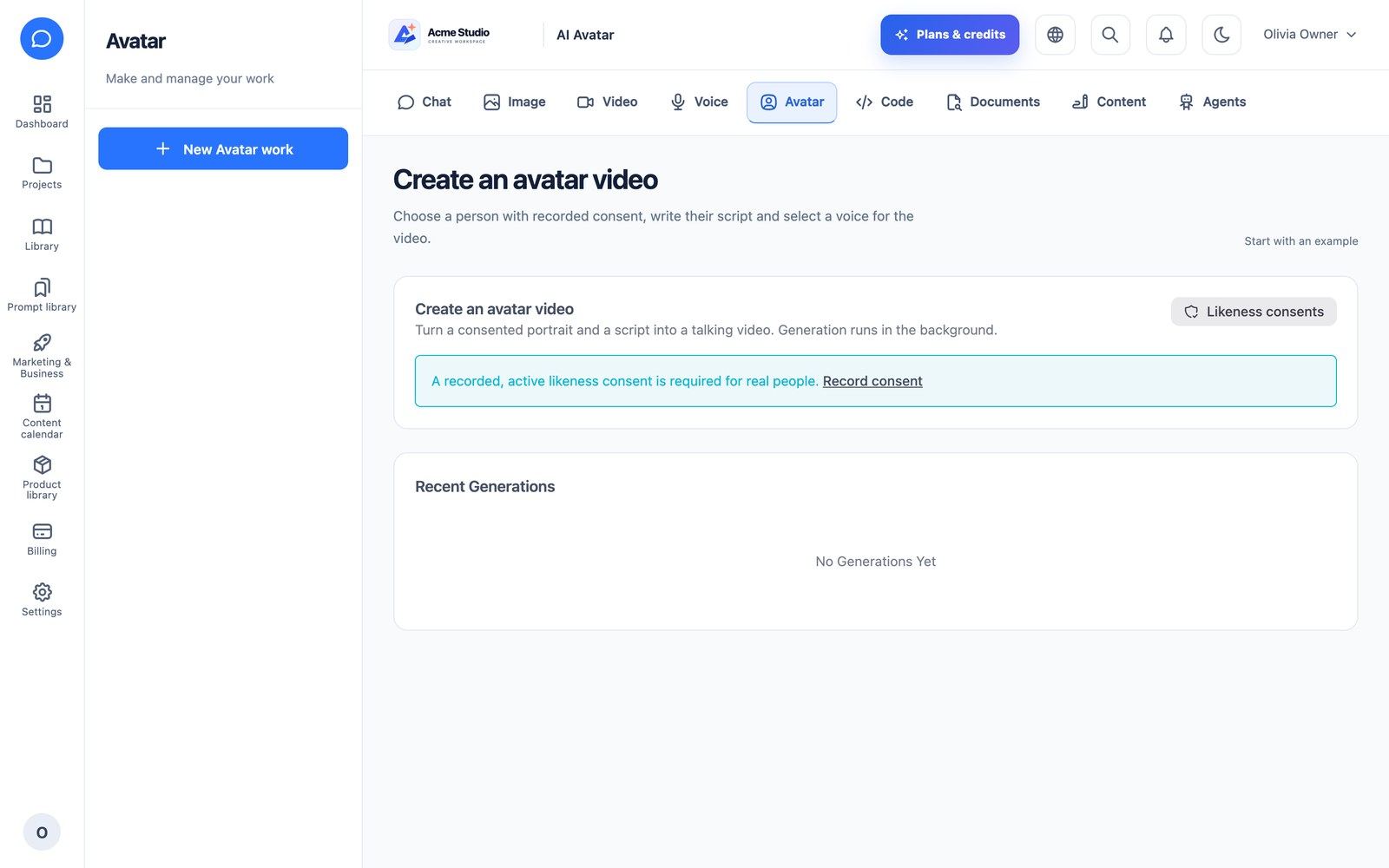
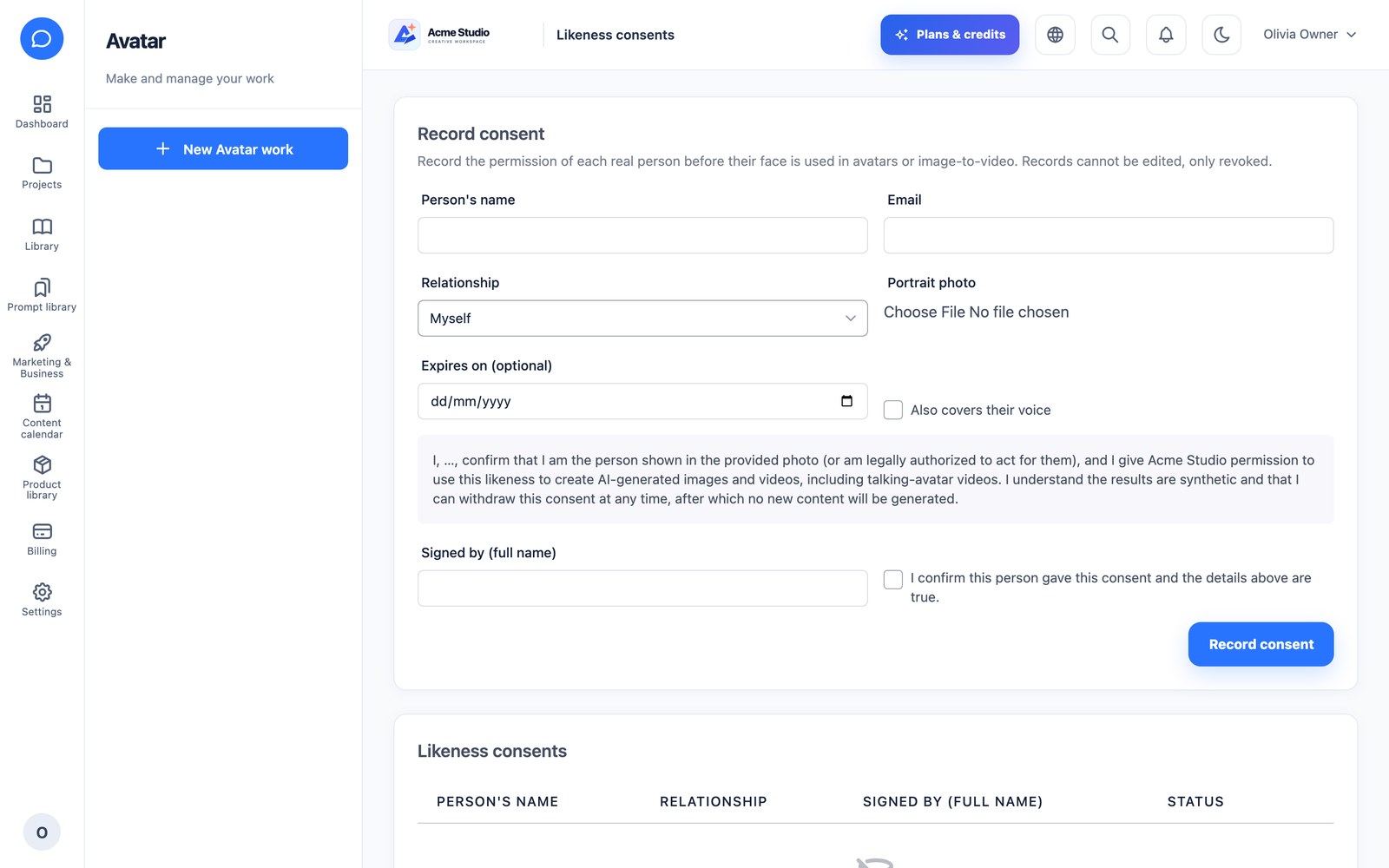
AI Avatar: a talking video from a consented portrait and a script. If the provider needs audio, the script is voiced first (that cost is included in the preview). Likeness consents record the statement, signer, IP, user agent, optional expiry and voice coverage; they can be revoked but never edited, and are re-checked when the job runs. UGC Ads (an extension that requires AI Avatar) builds on the same flow.
Voice Studio
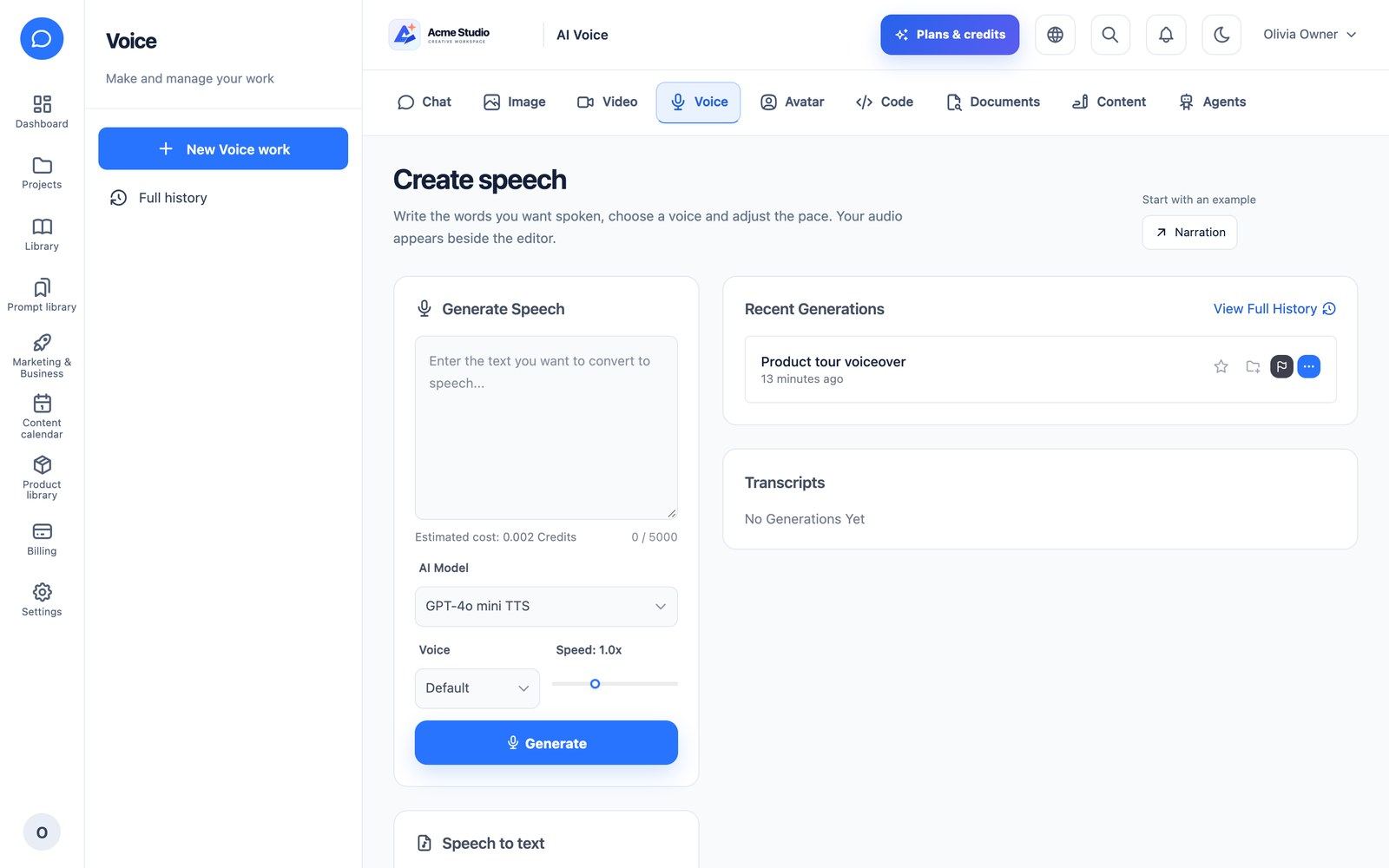
Text to speech with a voice picker (OpenAI voices, ElevenLabs account voices or a self-hosted Piper server), speed control and scripts up to 5,000 characters. Speech to text: upload or record in the browser, transcribe or translate to English, add a language hint and export TXT, SRT or VTT.
Code Studio
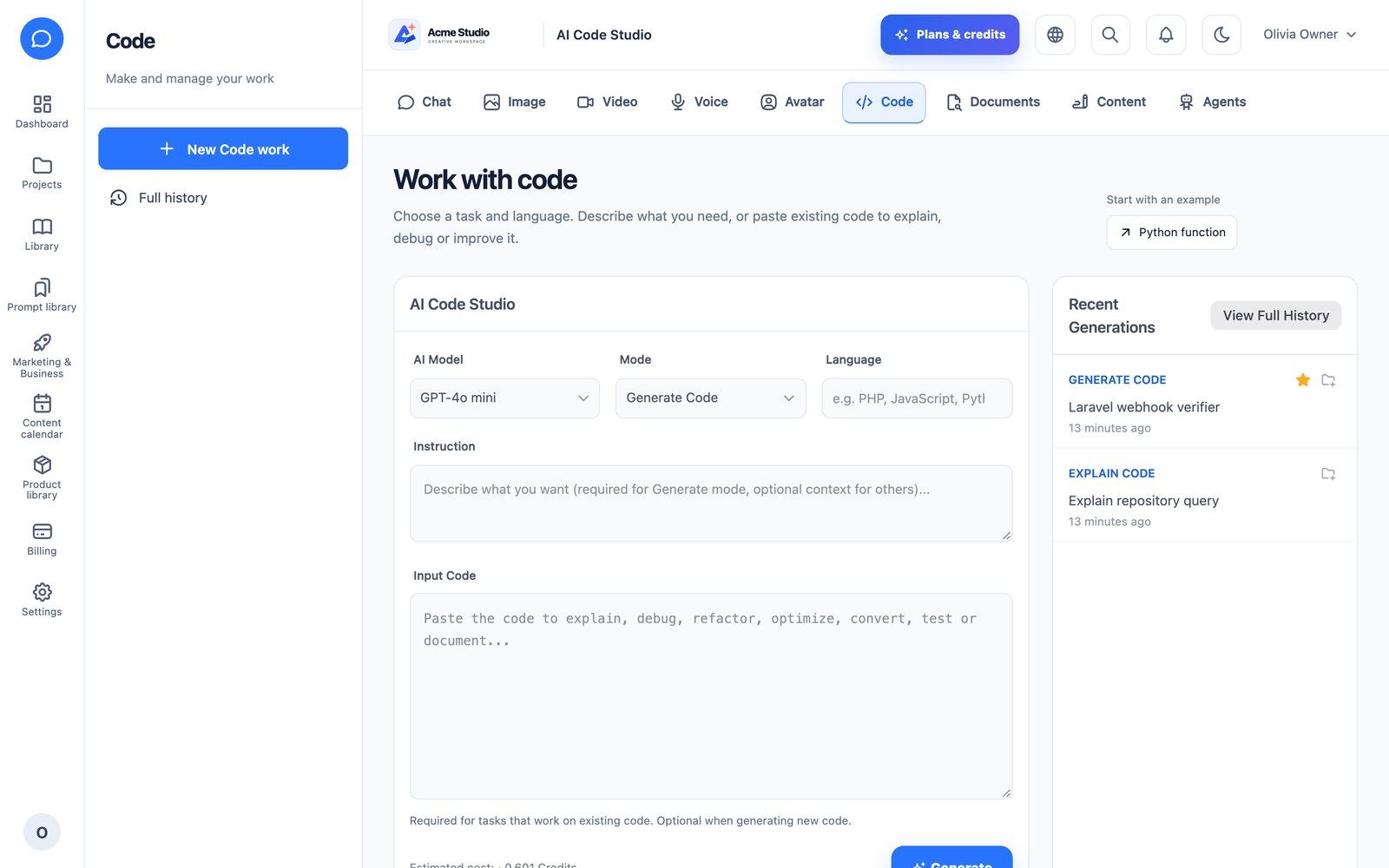
Modes: generate, explain, debug, optimize, refactor, convert, write tests, document, review and text-to-SQL. Pick the programming language and model, paste existing code, and read the answer as Markdown with syntax highlighting.
Document AI
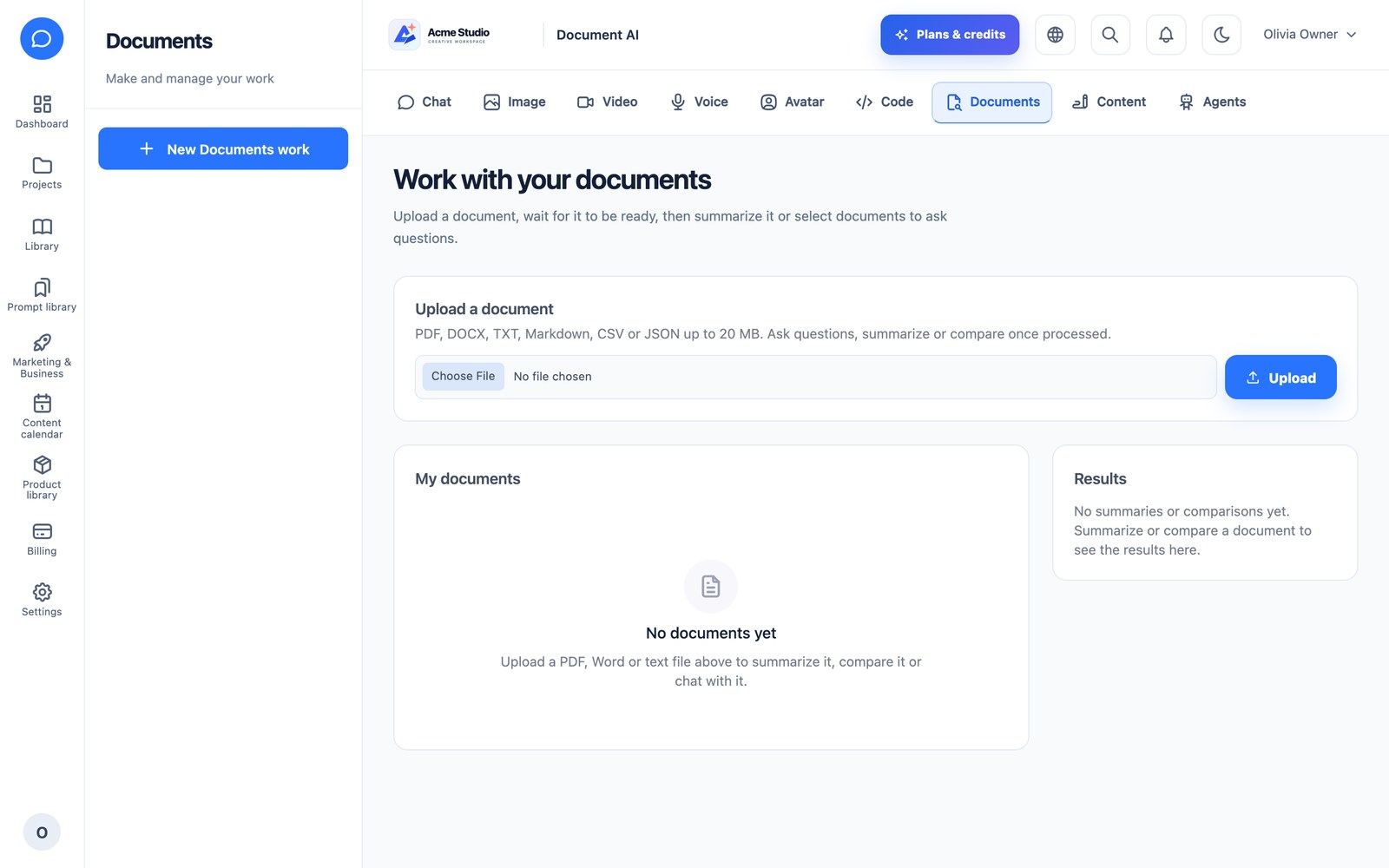
Upload PDF, DOCX, TXT, Markdown, CSV or JSON files up to 20 MB. Documents are extracted, chunked and embedded in the background (keyword search is the fallback). Then chat with one or more documents: the most relevant passages are retrieved per question and the answer shows numbered, cited sources. Create summaries (brief, detailed, bullets, action items) or compare two documents with an optional focus. Scanned PDFs without text fail with a clear message.
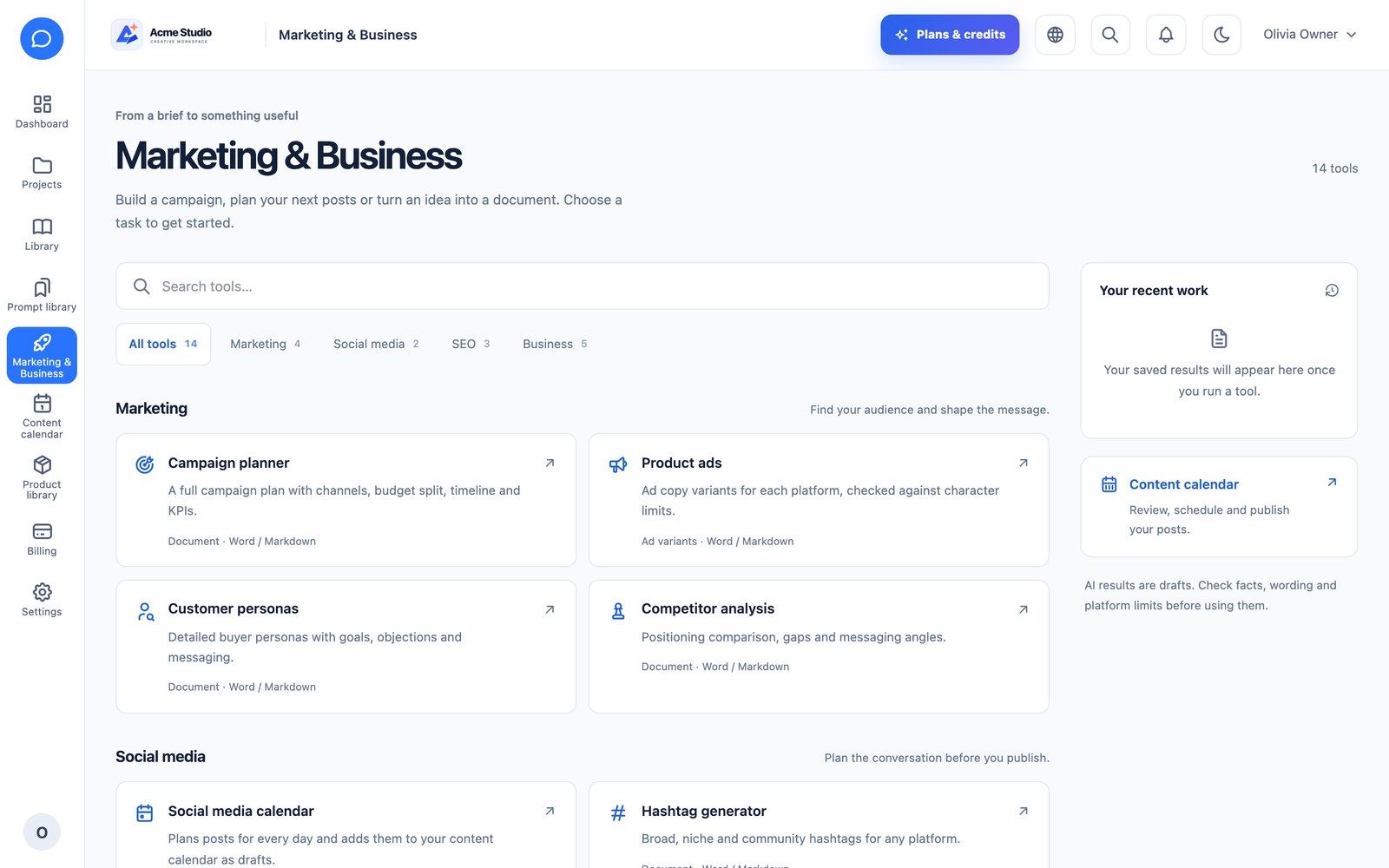
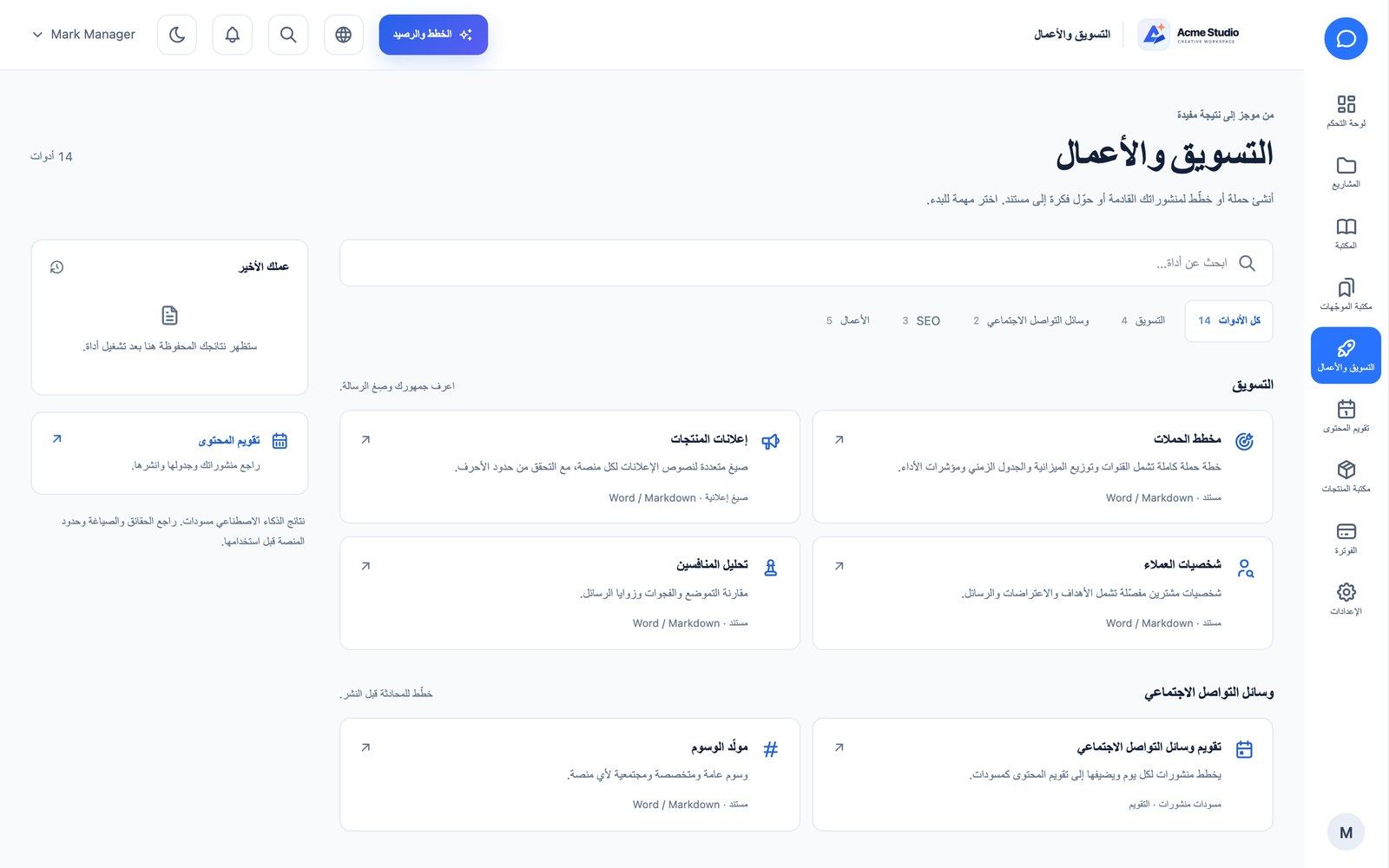
Marketing & Business
A hub with 14 AI tools: campaign planner, product ads, customer personas, competitor analysis, social media calendar, hashtag generator, keyword ideas, meta titles & descriptions, SEO content brief, presentation maker (.pptx download), business plan, proposal writer, SWOT and meeting summary. Structured tools return validated JSON (ad copy is checked against each platform’s character limits); malformed AI output fails without charging. Every tool exports to Word and Markdown. A free on-page SEO checker scores a page with nine checks and uses no AI and no credits.
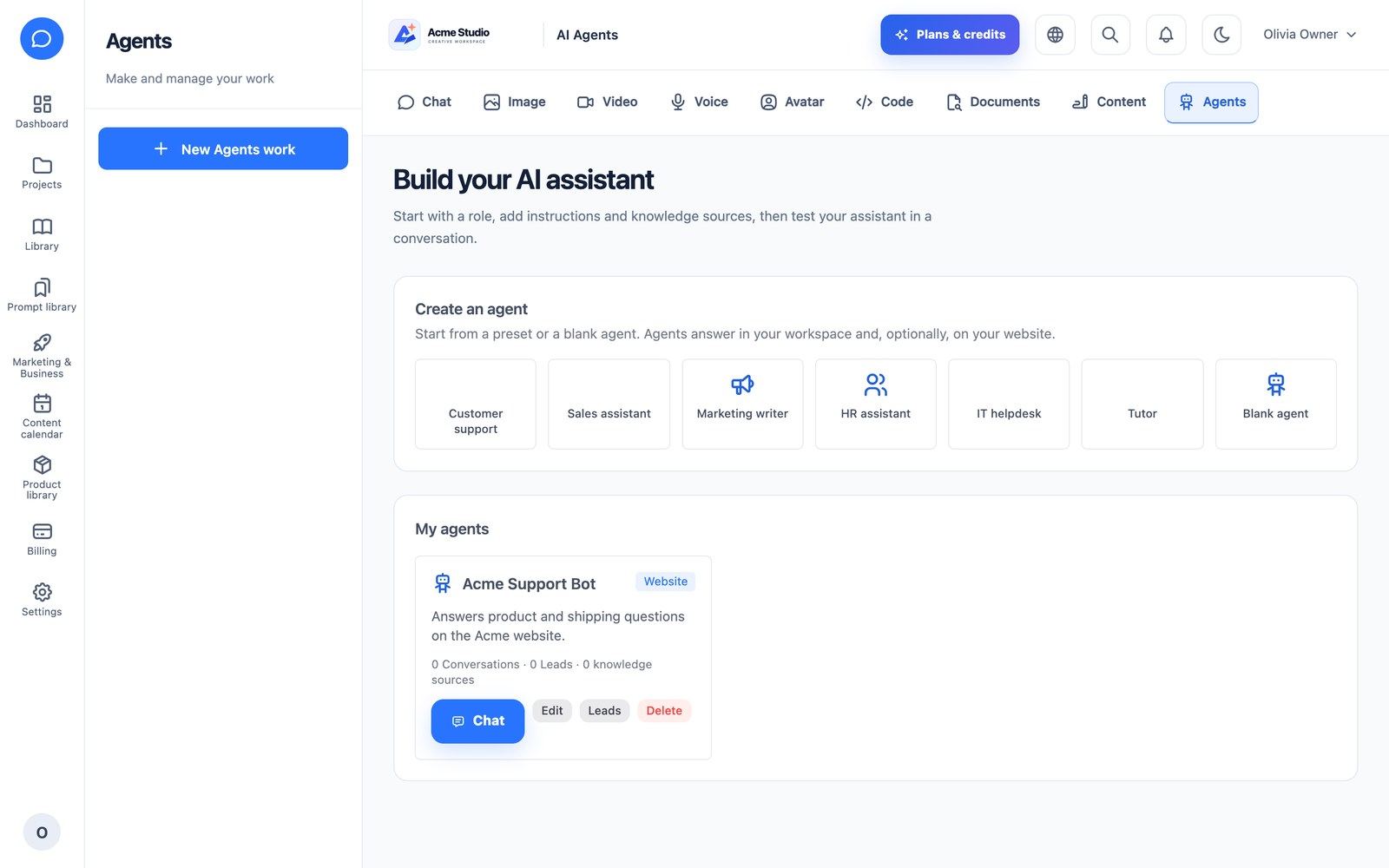
AI Agents & Website Chatbot
Create agents from seven presets (customer support, sales, marketing, HR, IT helpdesk, tutor, blank) with instructions, model, welcome message, suggested questions and knowledge (company documents plus imported web pages). Talk to any agent in the workspace chat with cited sources.
Any agent can become a website chatbot with a one-line embed:
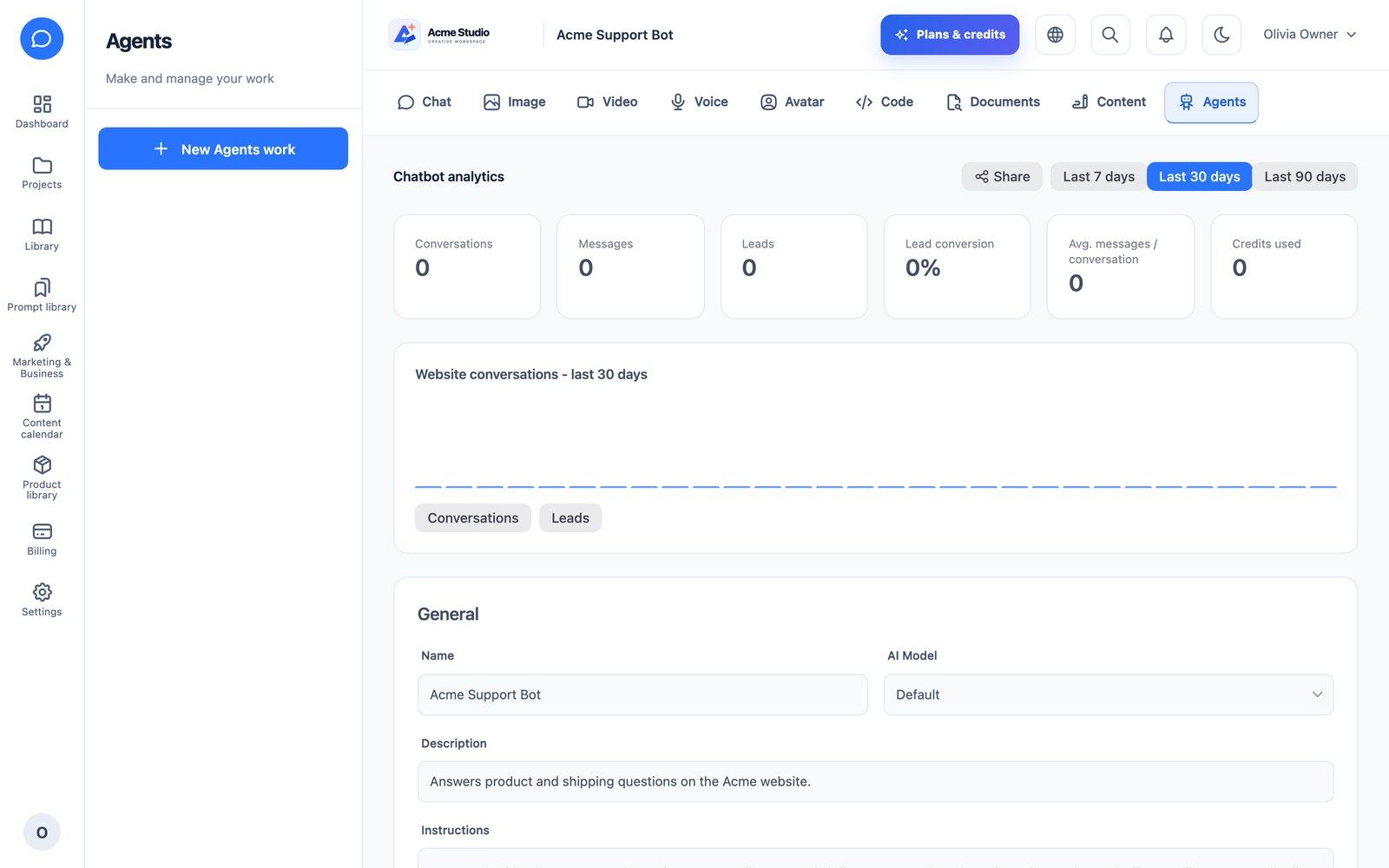
<script src="https://YOUR-DOMAIN/widget/{public-key}/embed.js" async></script>The chat runs in an iframe served by your platform with a frame-ancestors allowlist, so it only appears on the domains you allow. Customize colour, logo, position, button text, title and placeholder; capture leads (off, optional or required: name, e-mail, phone) and export them as CSV; read transcripts and analytics (conversations, messages, leads, credits, most-asked questions). Per-IP rate limits and a per-agent daily message limit bound abuse, and replies stop politely when the company is suspended or out of credits.
Voice Calling Campaigns
When the plan includes Voice Calling and the platform has Twilio or Plivo configured, a workspace can import contacts (CSV template), create calling campaigns with an AI voice agent, and review call logs with recordings, transcripts, Hot/Warm/Cold lead scores, sentiment and booked appointments (CSV export). Finished calls can be sent to the company’s CRM webhook (call.completed). Screens live under /company/calls.
Twilio and Plivo were tested with simulated (faked) HTTP responses only. Place a real test call on your own account before you sell this feature.
Social Calendar & Publishing
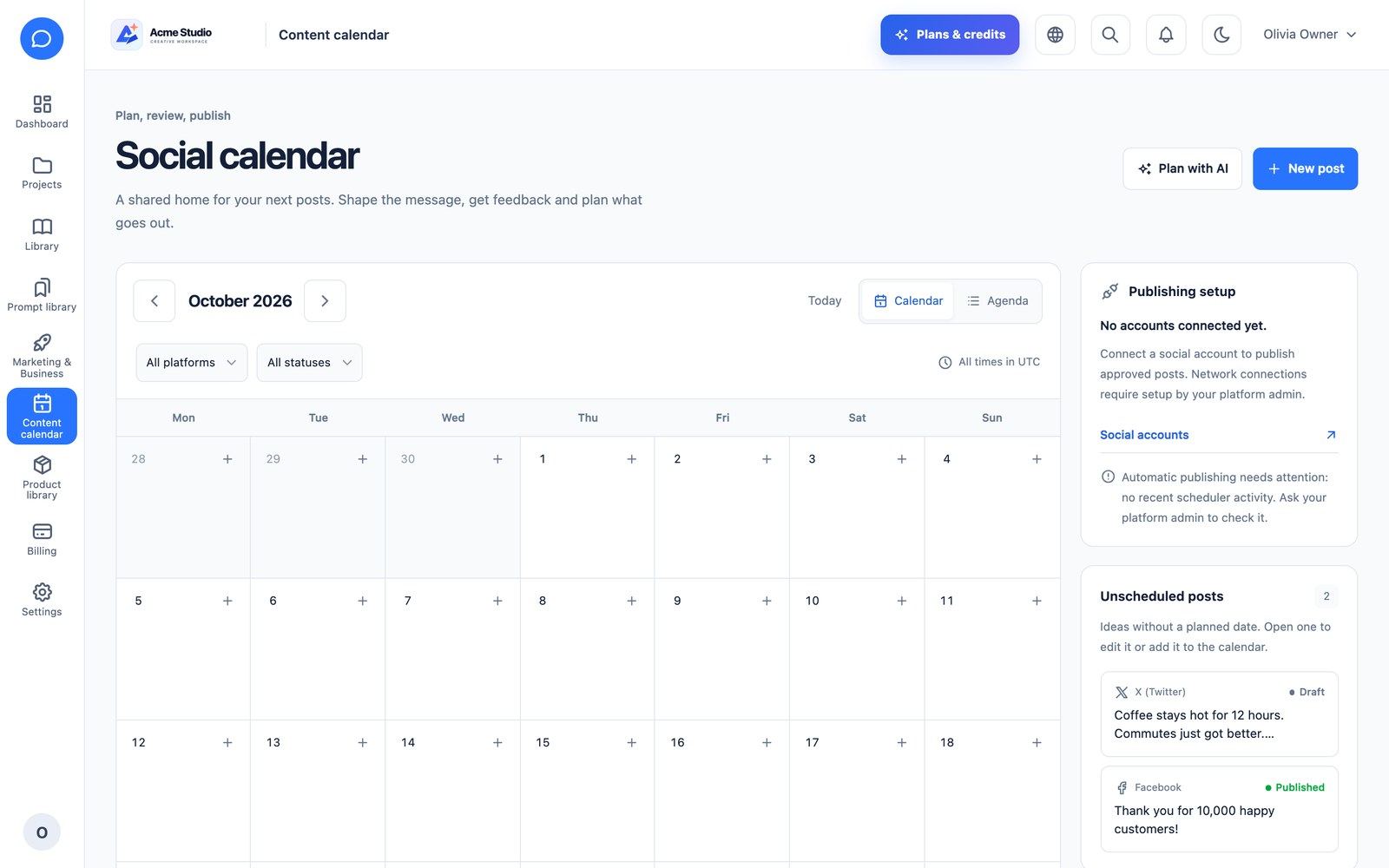
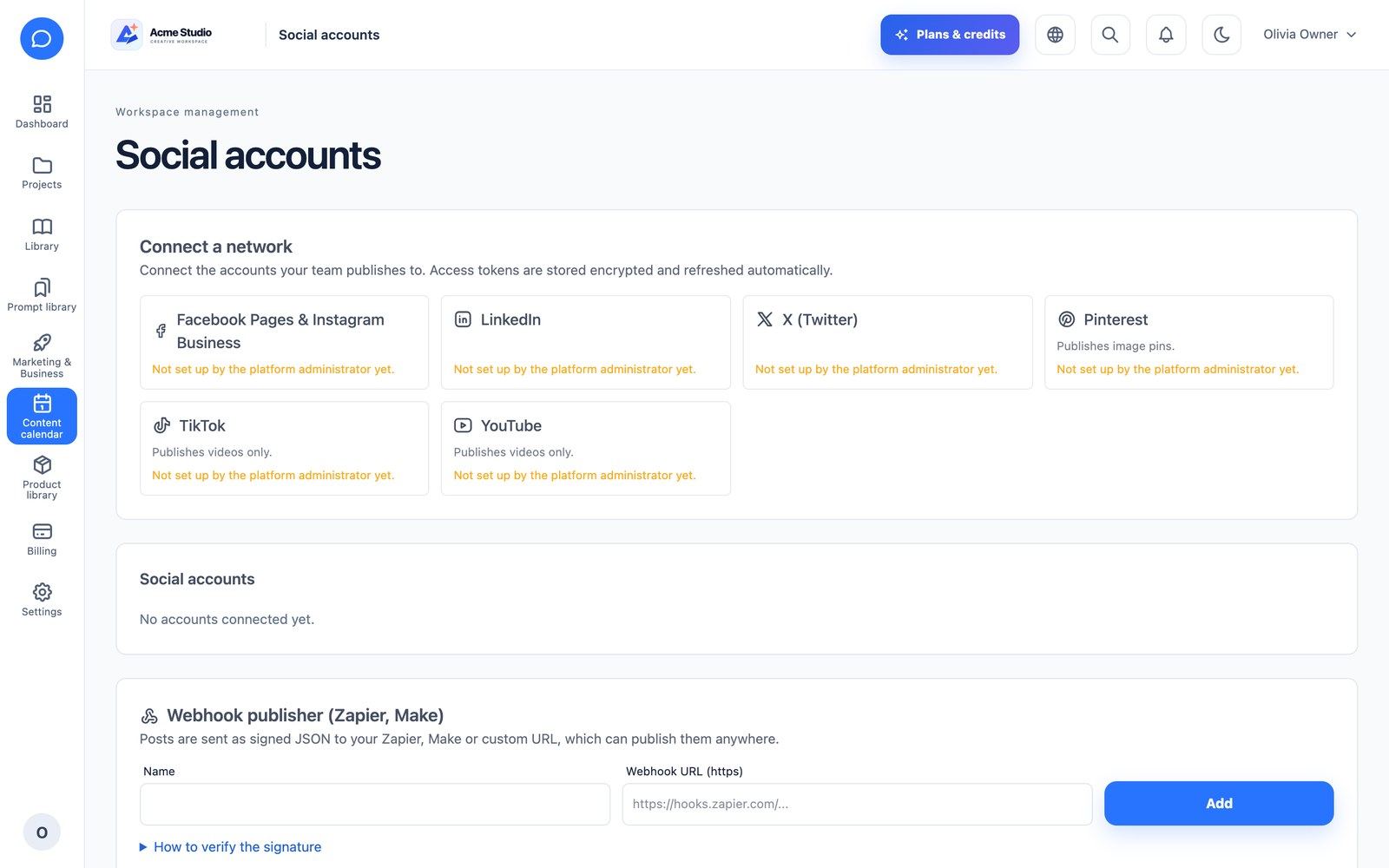
The Content calendar (month view and agenda) holds posts for Facebook & Instagram, LinkedIn, X, Pinterest, TikTok and YouTube, with a live character counter per platform, hashtag limits, media size/ratio rules, team comments and an approval permission. Posts move through draft → review → approved → scheduled → published; social:publish-due publishes scheduled posts every minute. Social accounts connects the networks you configured in the admin, plus a webhook publisher for Zapier or Make. “Plan with AI” turns a social media calendar plan into dated draft posts.
Projects, Library, Products & Brand Kit
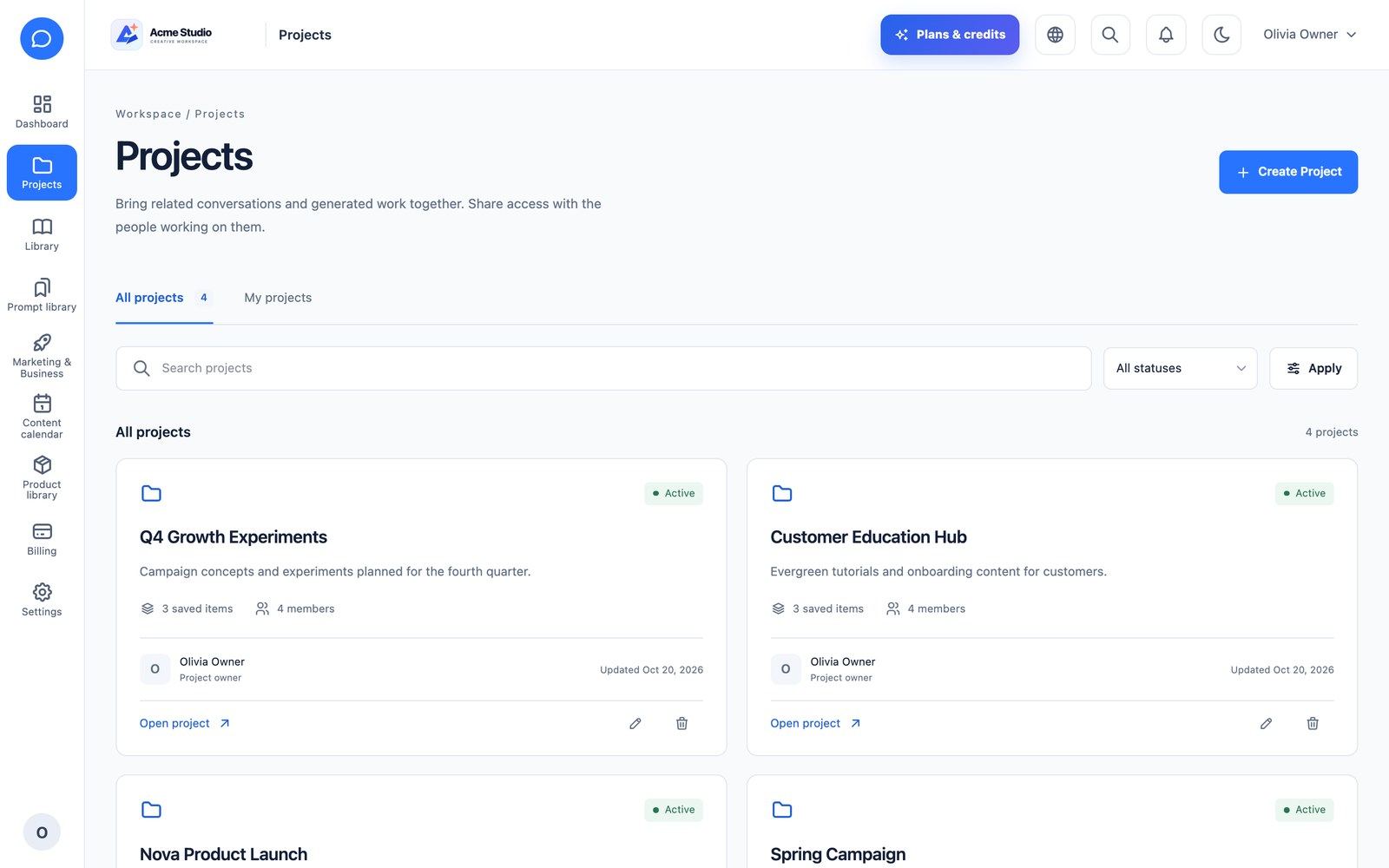
- Projects: group chats and generations, add members, download a project as ZIP.
- Media library (
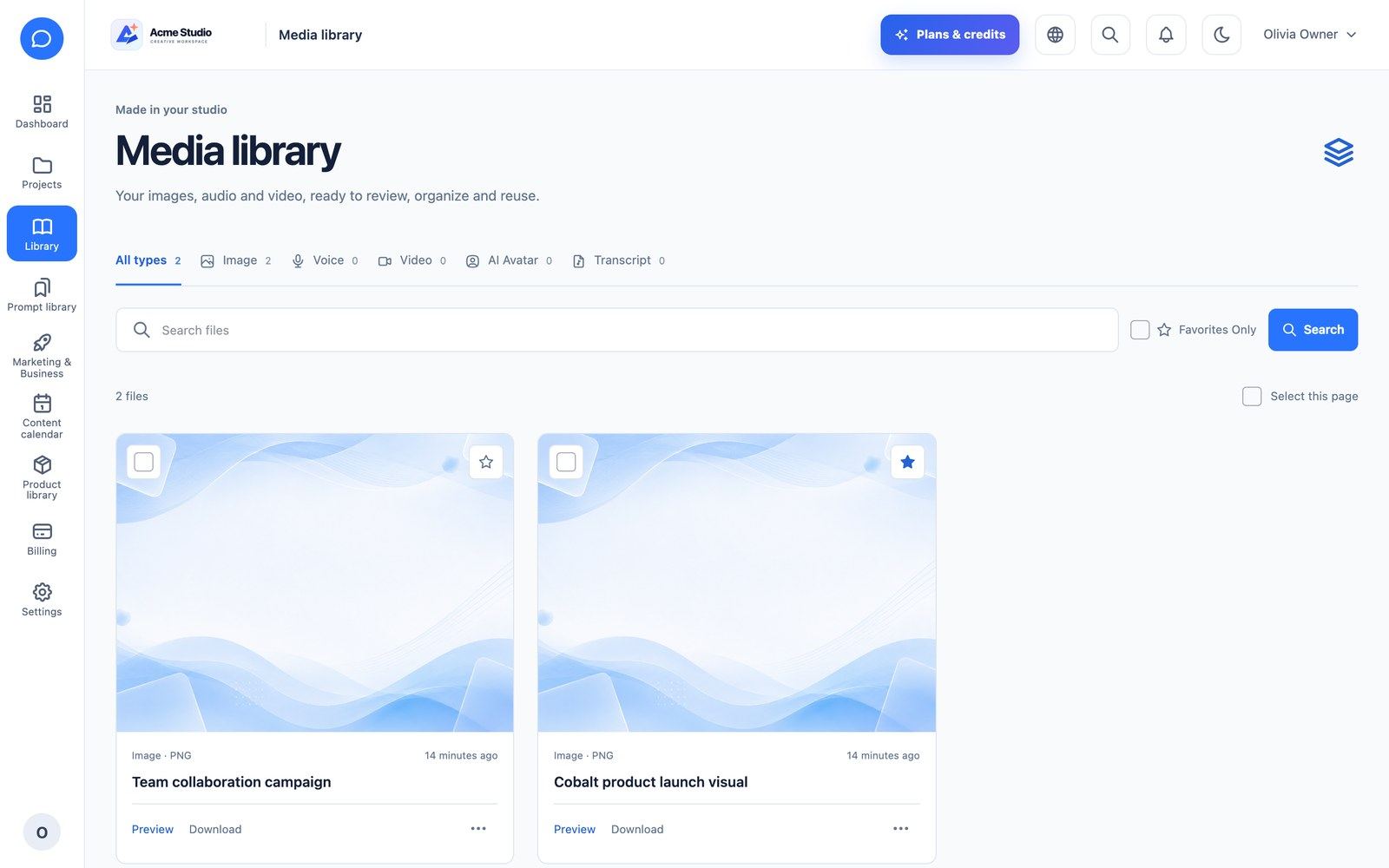
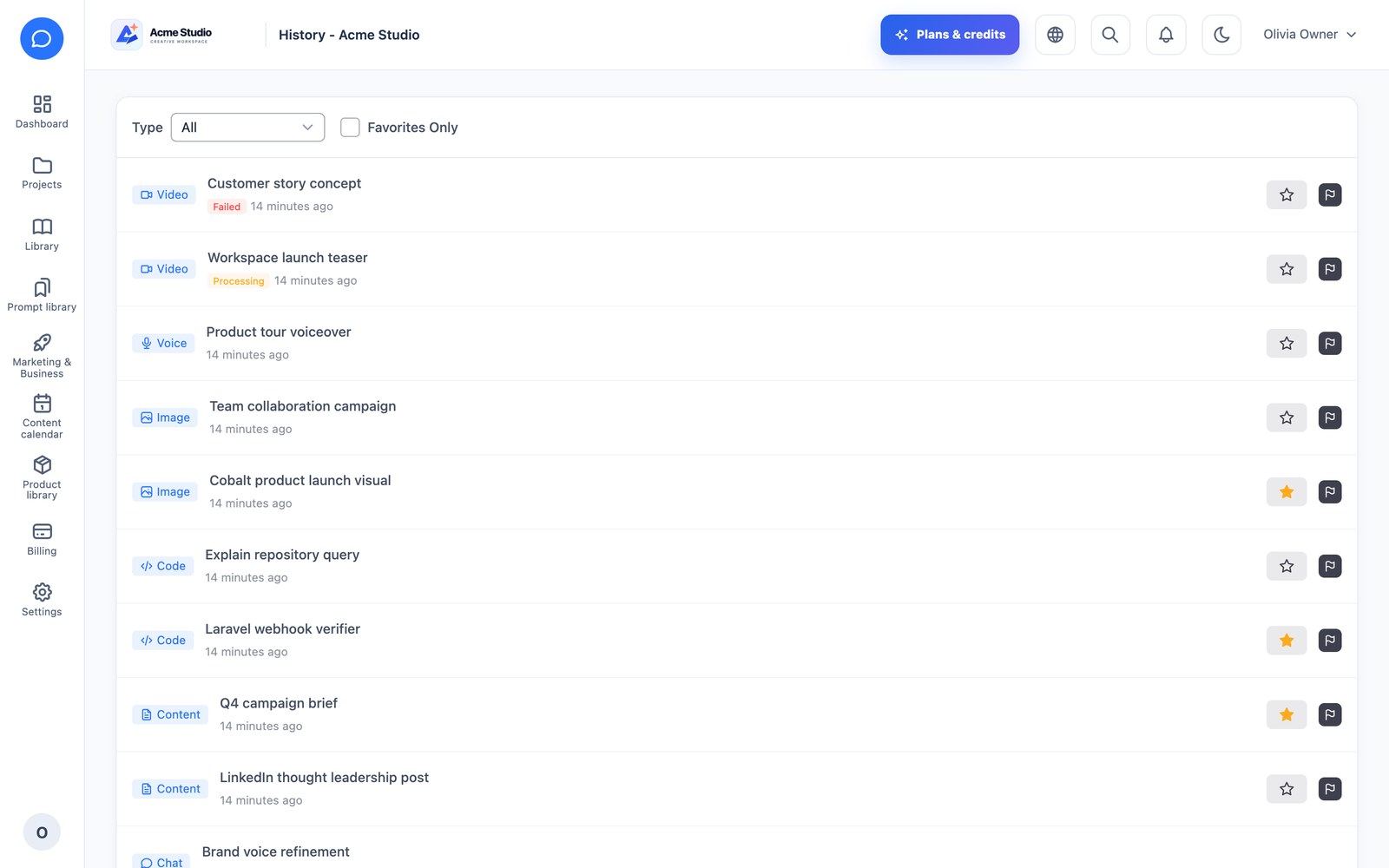
/company/files): every image, video, voice and transcript with preview, download, duplicate, rename, tags, favourites and version restore. - History: one list of every generation with status (completed, pending, failed) and favourites.
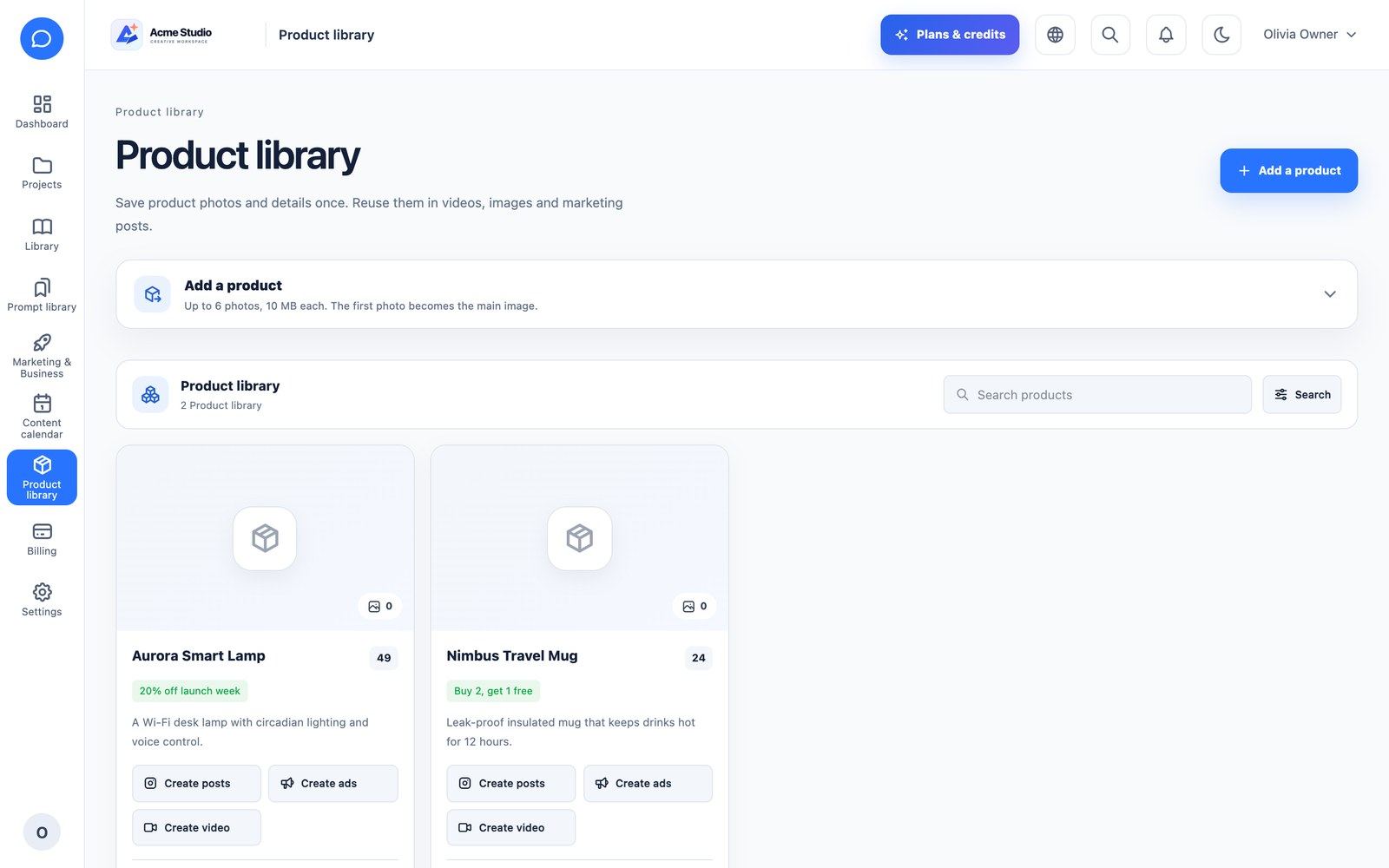
- Product library: products with photos, price, offer and audience; attach a product to copy, image, video and ad generations.
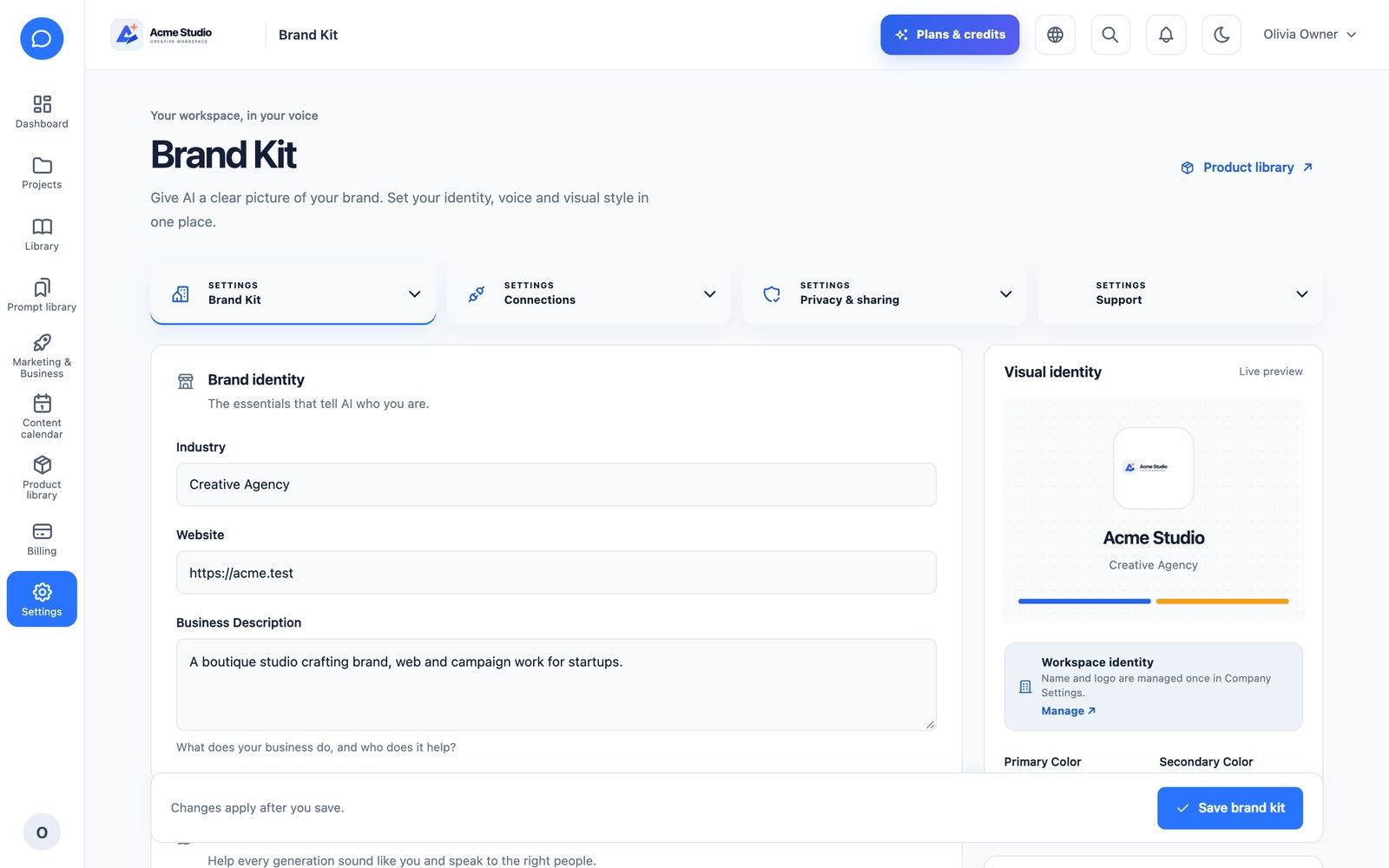
- Brand Kit: industry, website, business description, audience, voice, colours and logo; with auto-apply on, it is added to every generation.
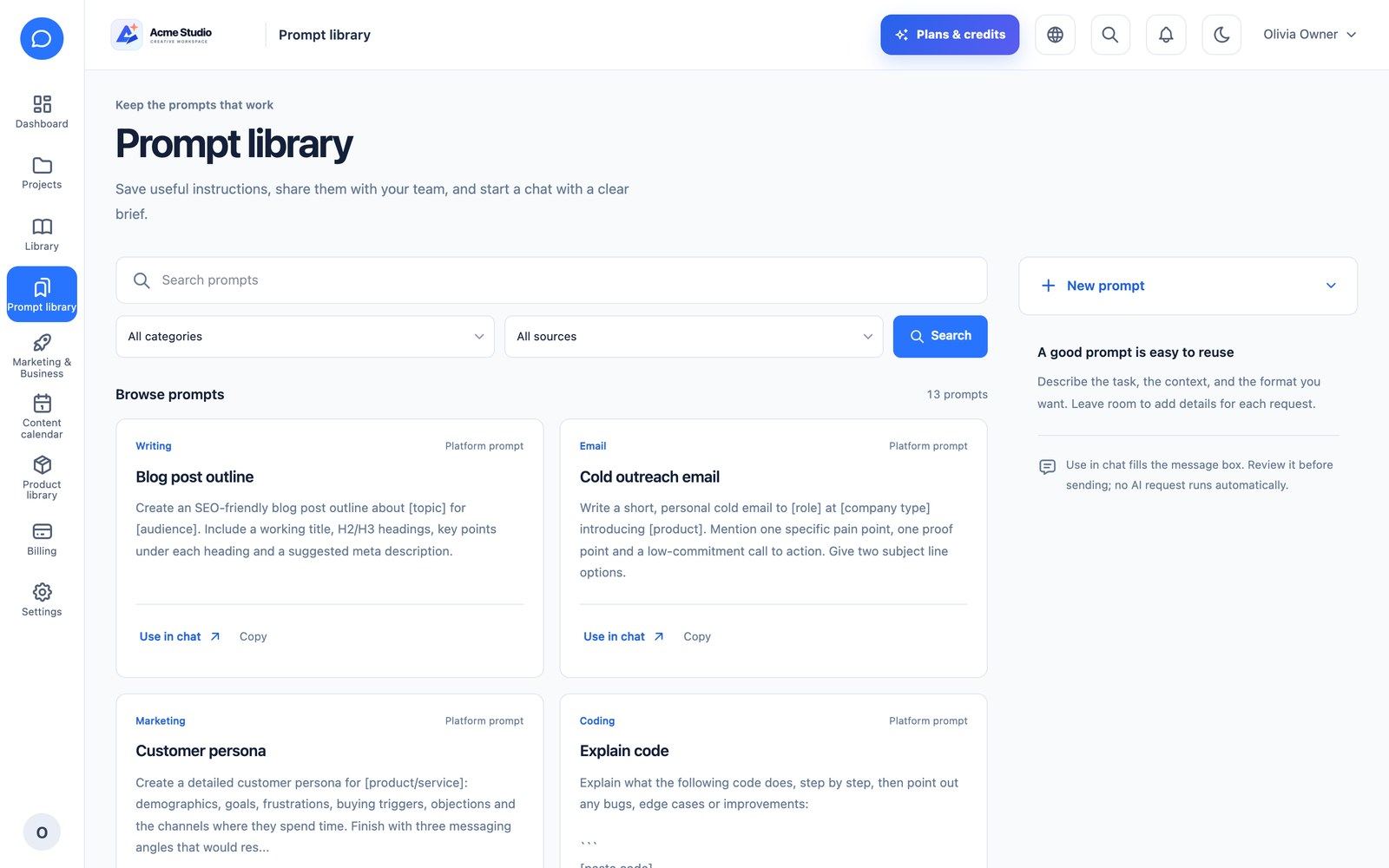
- Prompt library: platform, team-shared and private prompts.
Team & Roles
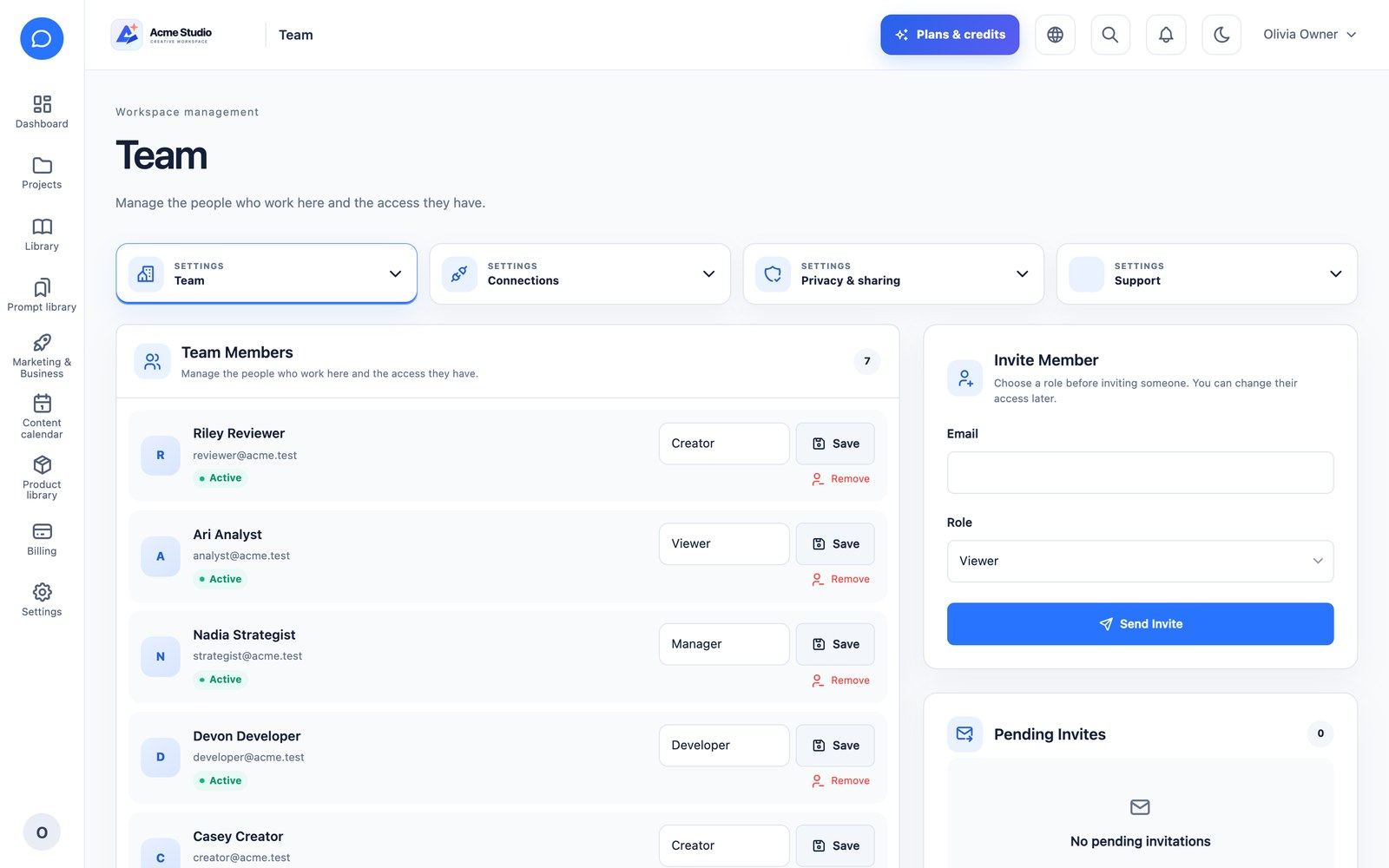
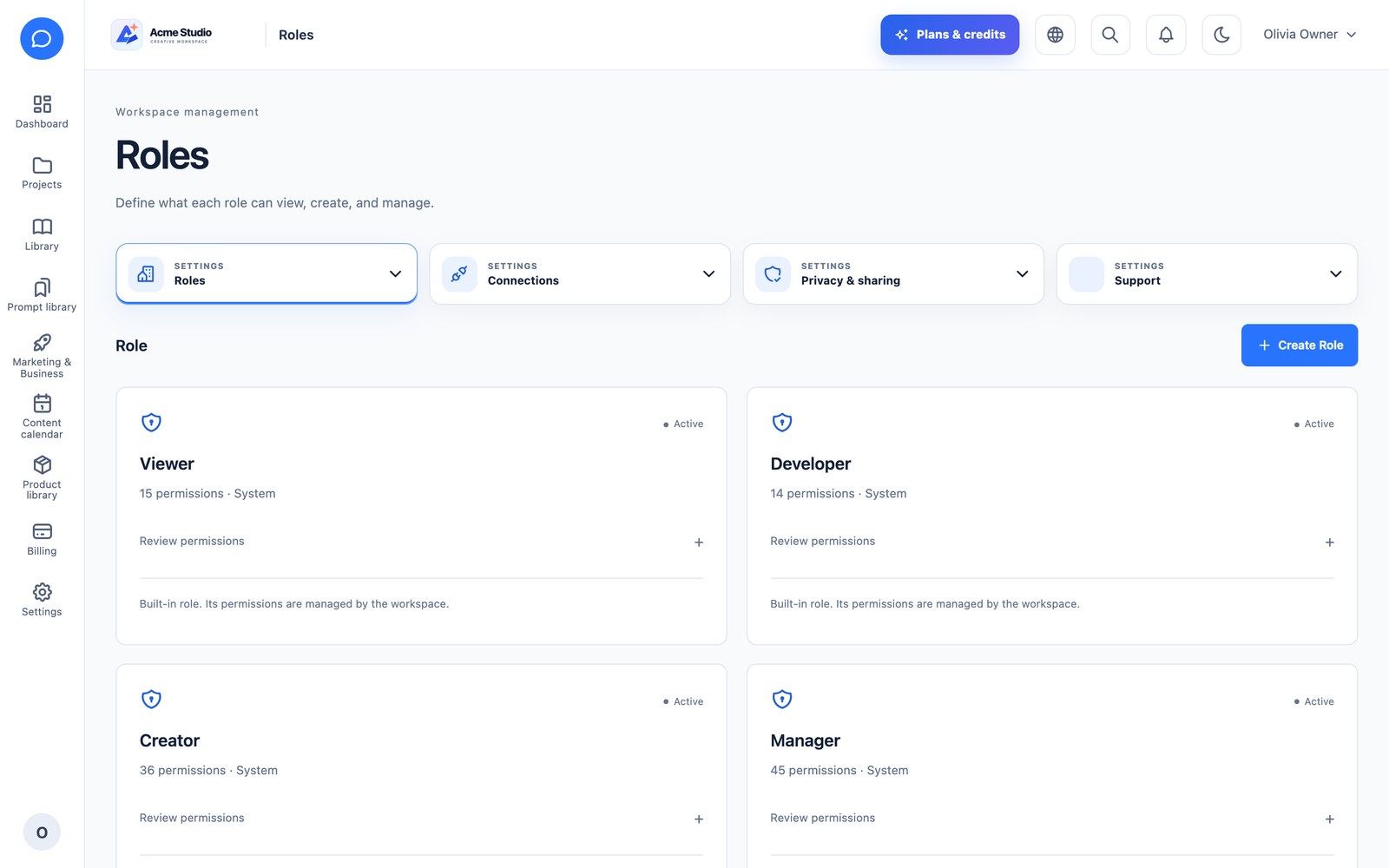
Company roles are Owner, Admin, Manager, Creator, Developer and Viewer, plus custom roles with granular permissions per tool and action. Invite members by e-mail with a role; pending invitations count against the plan’s team limit. The same permissions apply on the web and in the API, so the mobile app shows only what a member may do.
Billing
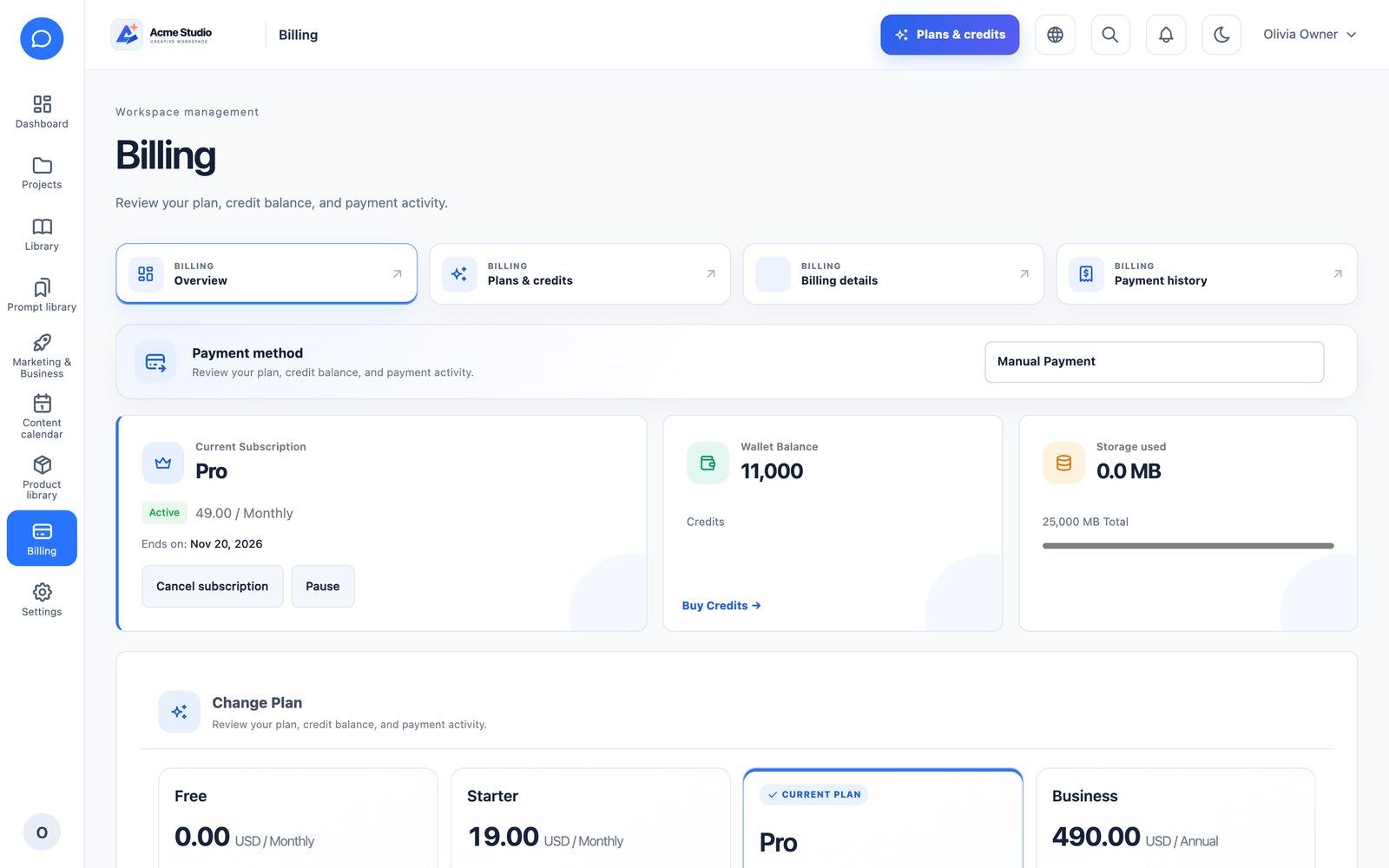
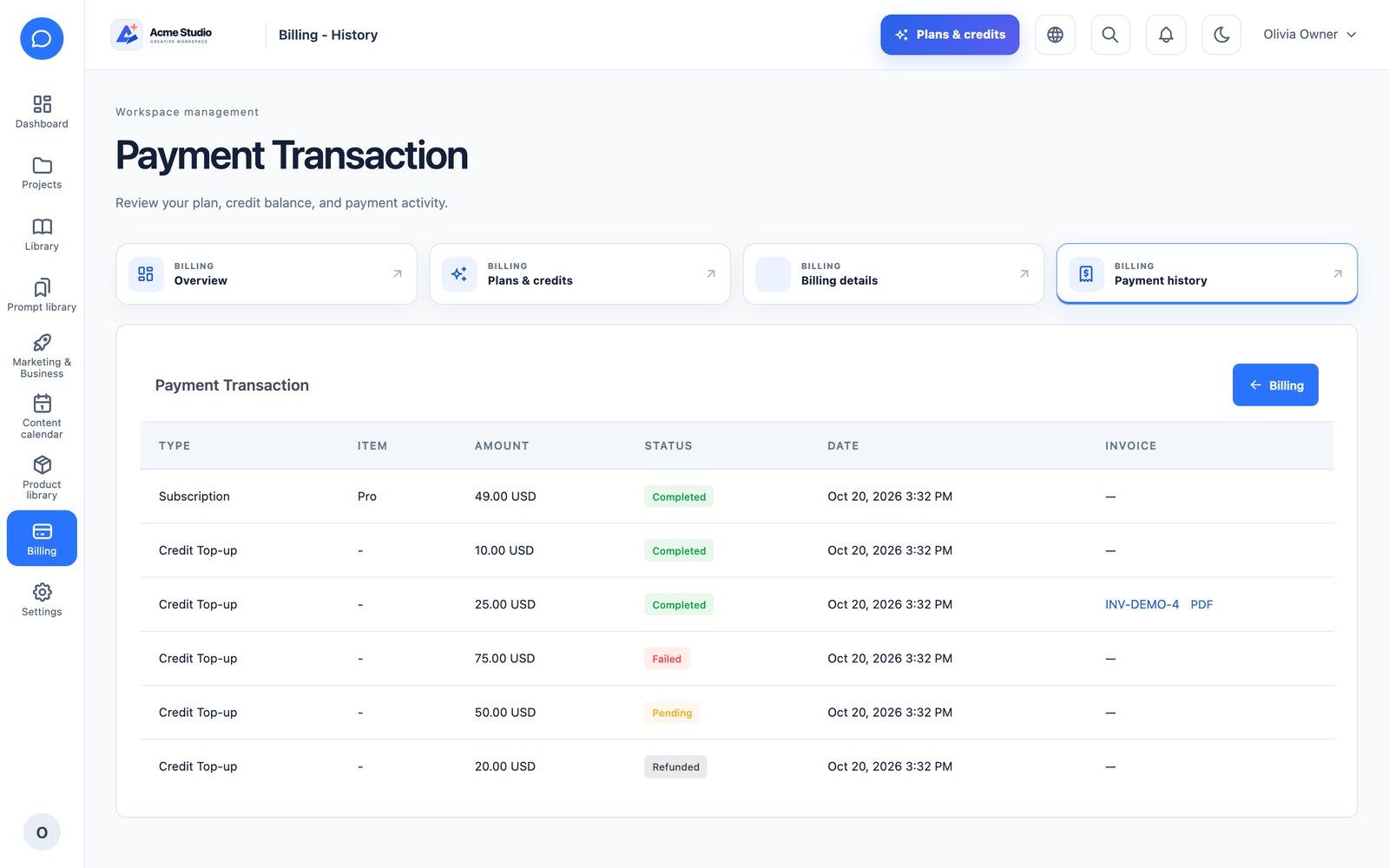
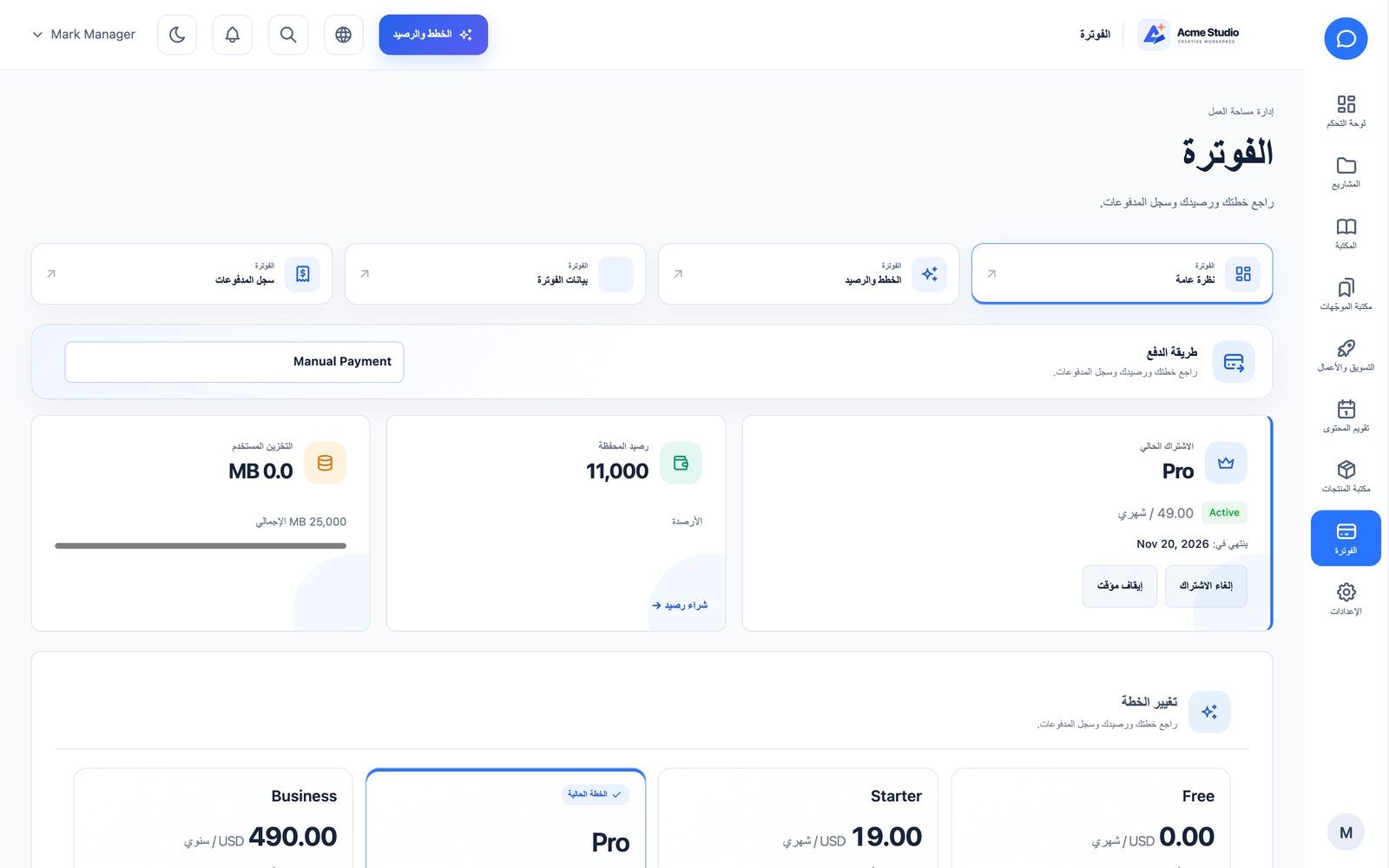
The billing screen shows the current plan and period, the wallet balance and storage used, lets the owner change plan, buy credit top-ups, pause, cancel or resume the subscription, edit billing details and open the Stripe hosted billing portal (when Stripe is used). Payment history lists every transaction with its invoice: invoices are immutable, include tax/VAT and the seller details, and open as a print-ready page whose Save as PDF button uses the browser’s print dialog (choose “Save as PDF”), so Bangla, Arabic and every other script render correctly without a server-side PDF library. Failed payments show Retry payment.
Sharing, Privacy & More
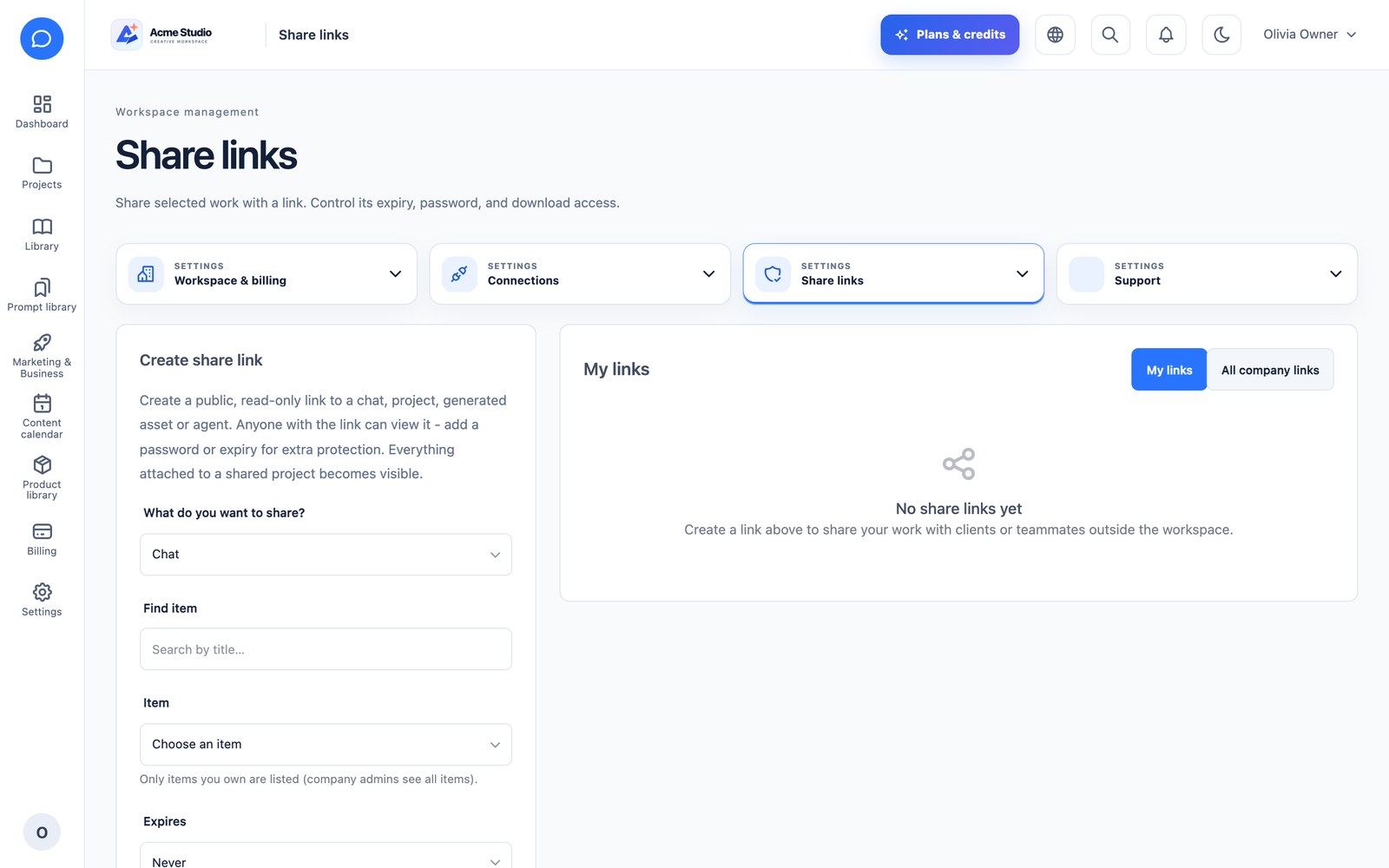
- Share links: public, read-only links to a chat, project, asset or chatbot, with expiry, optional password and revoke. Shared items open at
/s/{token}. - Integrations (
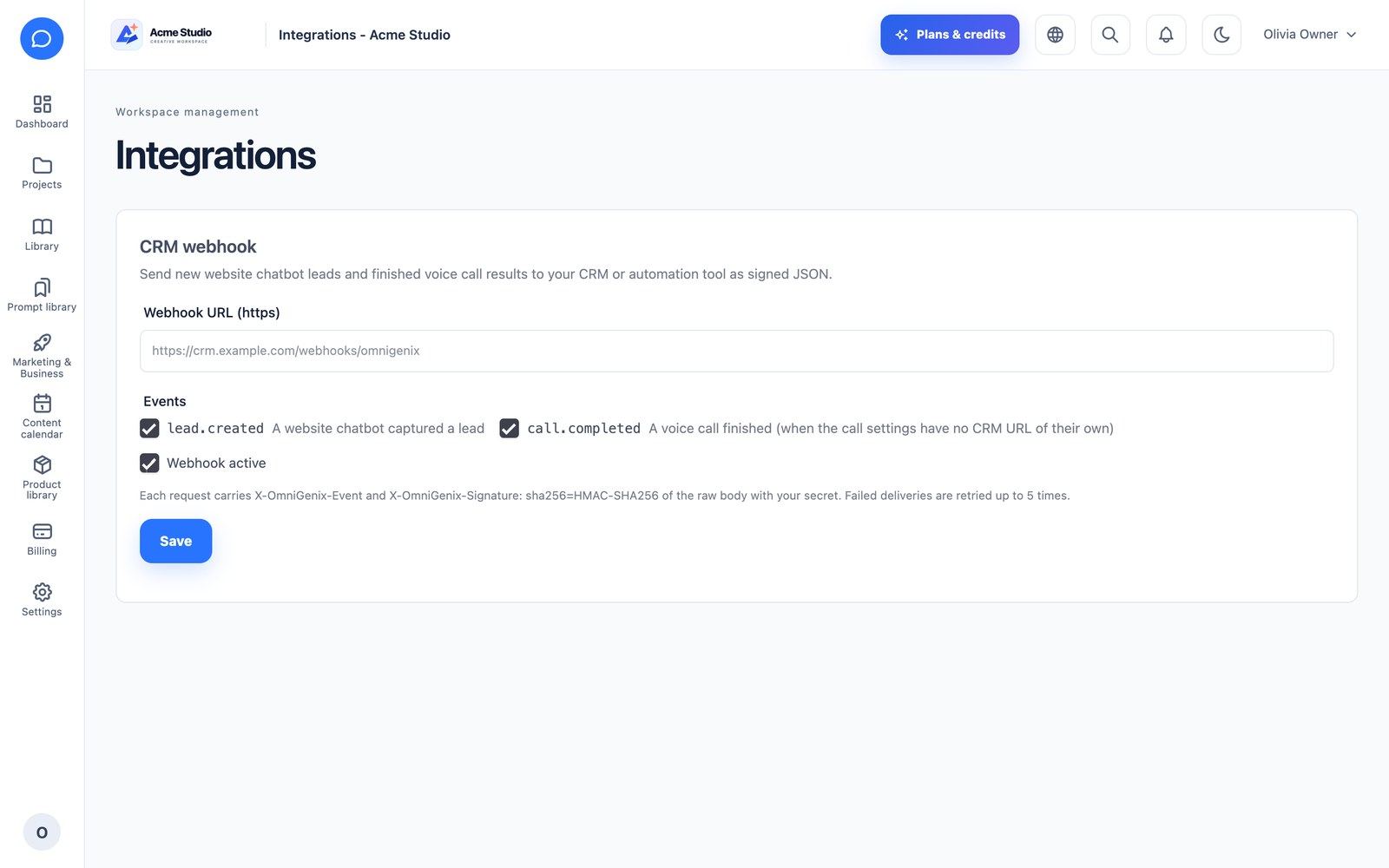
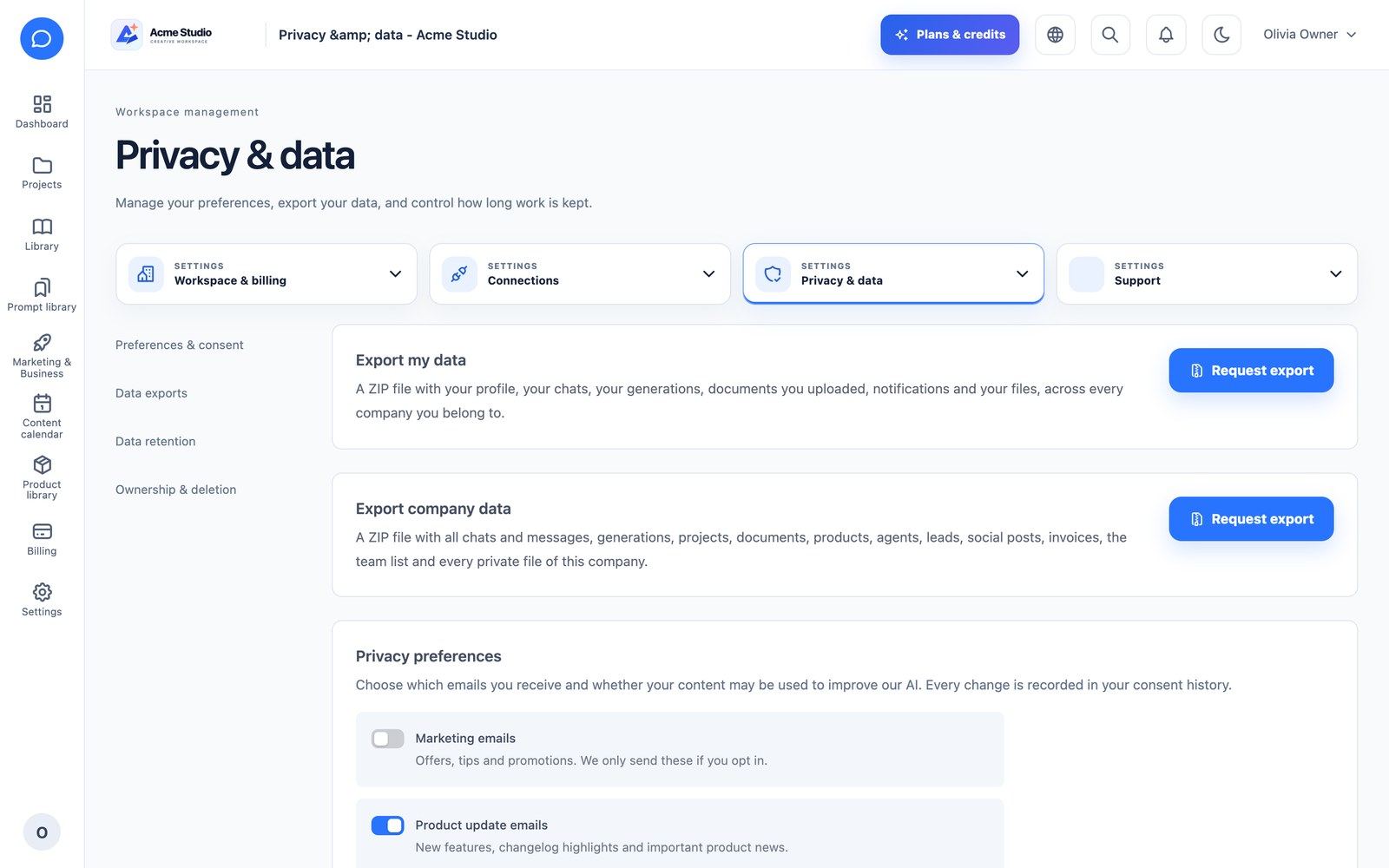
/company/settings/integrations): a CRM webhook that receives signed JSON forlead.createdandcall.completed(headersX-OmniGenix-EventandX-OmniGenix-Signature, HMAC-SHA256 of the raw body); failed deliveries are retried. - Privacy & data: personal and company data export (ZIP), privacy preferences and consent records, retention policy and account deletion. A cookie consent banner is shown on the public site.
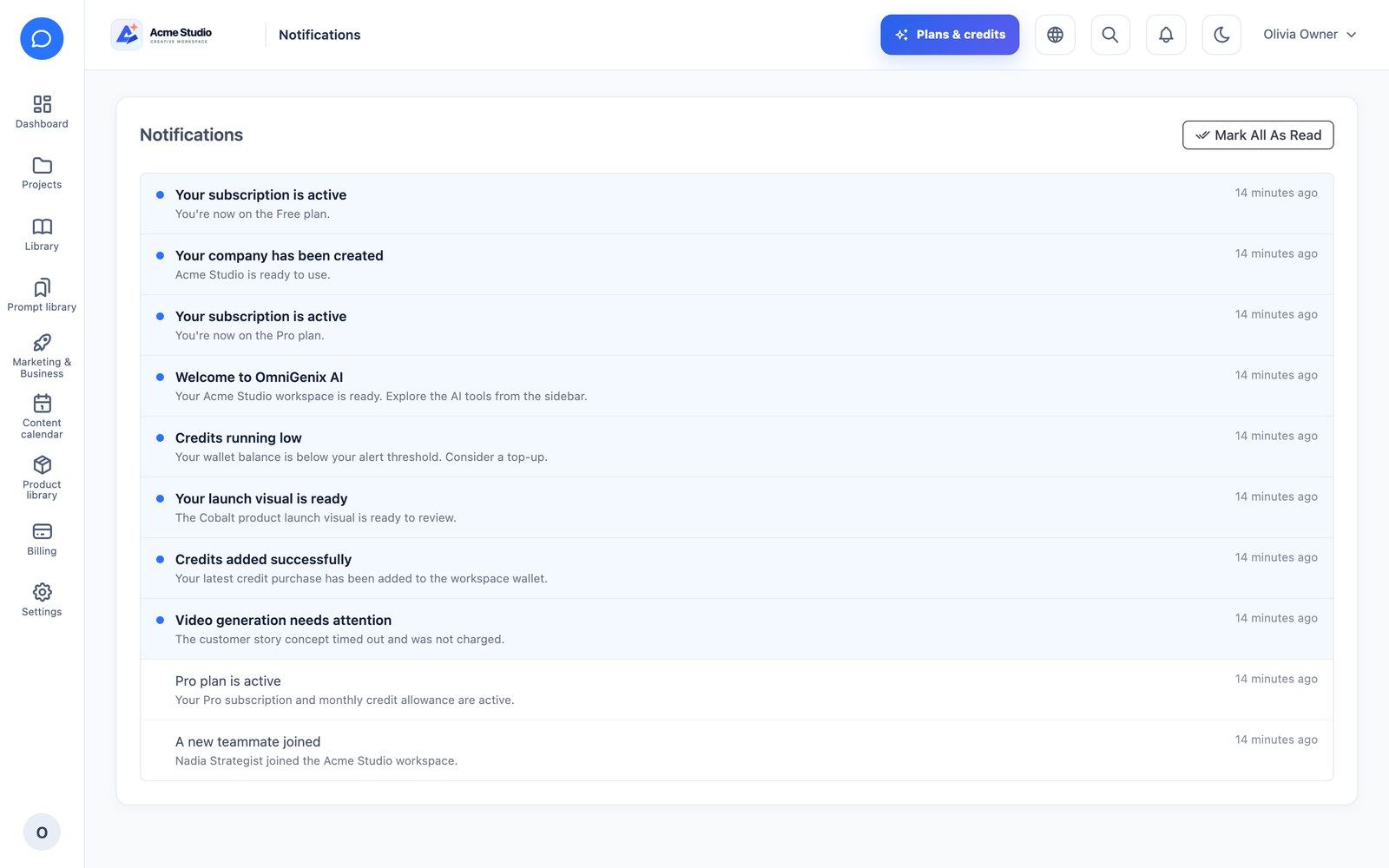
- Notifications: in-app notification centre (also pushed to the app).
- Referrals, Help center, What’s new and Search.
Credits, Plans & Billing
- One wallet per company, shared by all members, with an immutable credit ledger (plan credits, bonus credits, purchased top-ups).
- Cost preview on every tool using the same formula as the real charge.
- Reservation and automatic refund: every AI tool reserves its estimated cost under the wallet lock before the provider is called (so a low balance cannot be overspent by long or parallel requests), charges the actual cost afterwards and returns the rest; failed calls return everything (
generations:reap-stuck,credits:release-stale-holds). - Content-Security-Policy: every page is sent with a nonce-based CSP. If you add your own analytics, chat widget or CDN, add its hosts (comma-separated) to the matching key in
.env, e.g.CSP_SCRIPT_SRC=https://www.googletagmanager.com(alsoCSP_CONNECT_SRC,CSP_IMG_SRC,CSP_FRAME_SRC,CSP_STYLE_SRC,CSP_FONT_SRC);CSP_ENABLED=falseturns it off;CSP_REPORT_ONLY=trueshows in the browser console what would be blocked. - Daily spend limit per company (set by the company, or overridden by a SaaS admin), plus low-credit and abnormal-usage alerts.
- Model fallback: on a timeout, rate limit, 5xx or other transient error the request is retried once on the fallback model; the customer pays the requested model’s price.
- Subscriptions: monthly, annual or lifetime; trials; early renewal extends from the current period end; unused plan credits expire at period end unless the plan has rollover; a reminder is sent 3 days before the end; an expired subscription falls back to the default plan and loses paid features on web and API.
- Payments: Stripe, PayPal, Razorpay, Mollie and manual/bank transfer, with signed webhooks, refunds, dunning reminders, invoices with tax/VAT and the Stripe hosted billing portal.
Multi-language & RTL
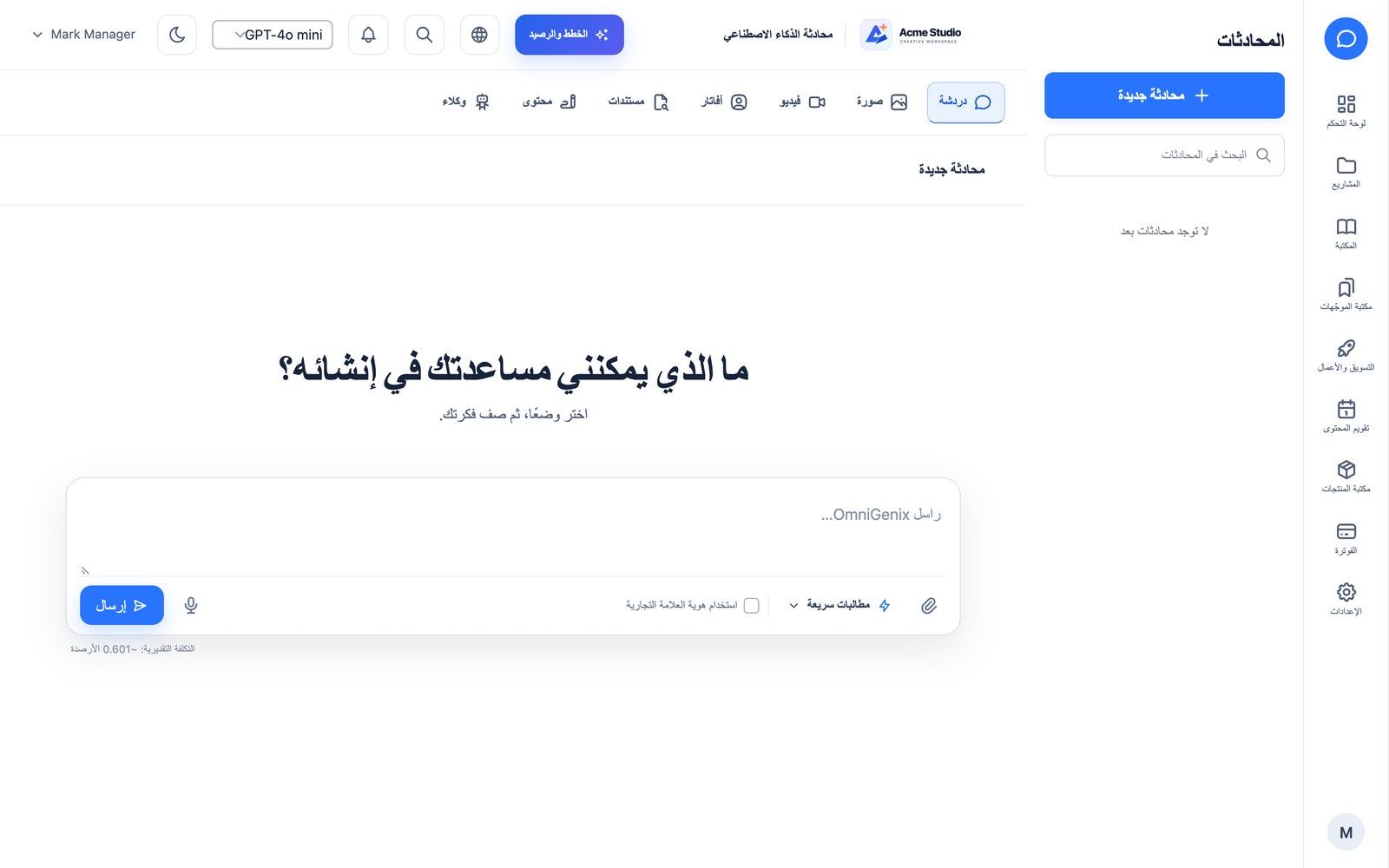
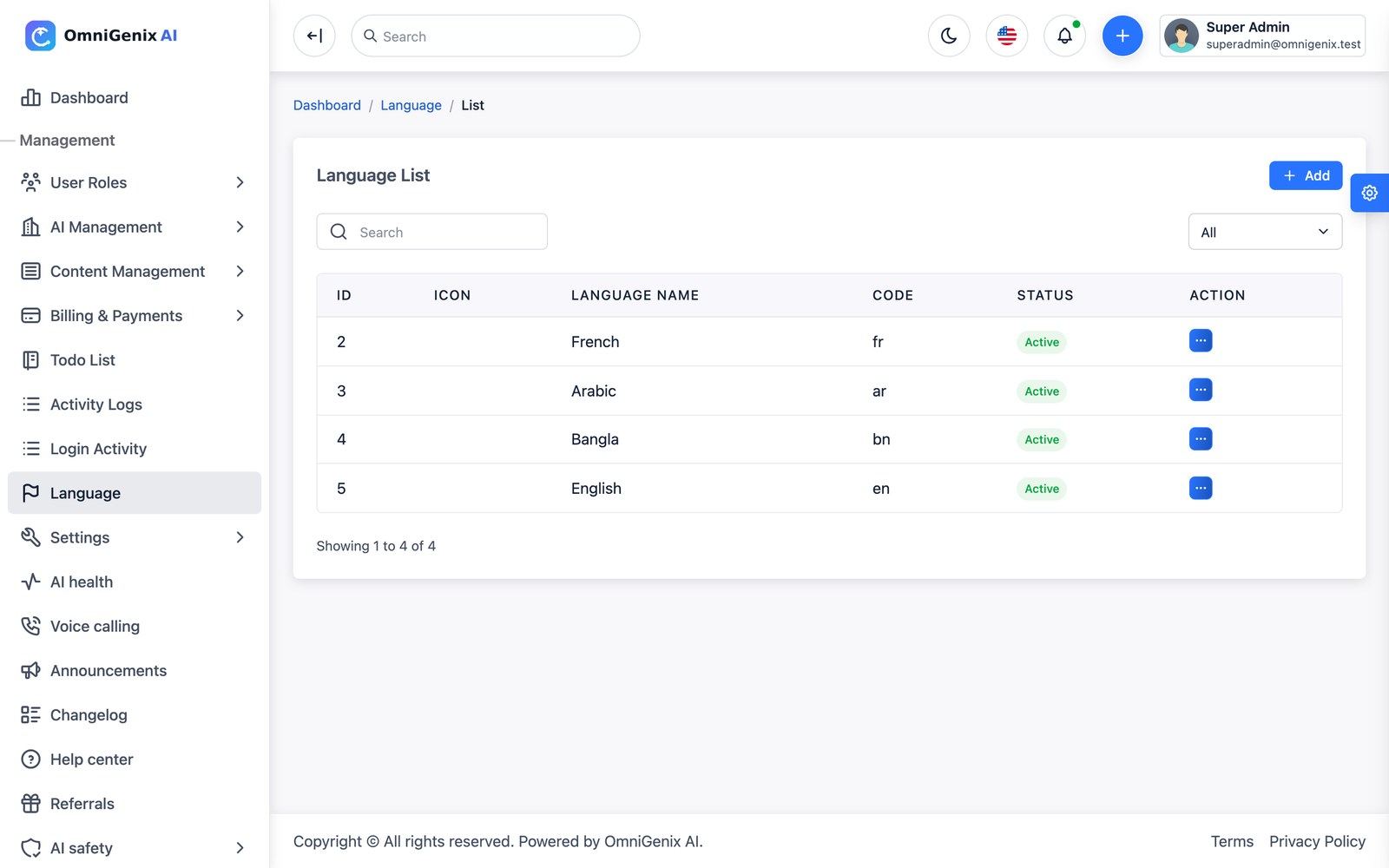
English, Bangla and Arabic ship at full key parity (about 3,660 keys each) across the admin panel, the workspace, authentication, billing and invoices (including the printable invoice), AI tools and validation, e-mails and notifications, CMS/blog/landing page, search, empty states and system alerts. Arabic switches the layout to right-to-left. Dates, numbers and currencies follow the locale and time zone.
The language manager (Language, /app-language/index) adds any language with no code change, edits phrases by module, imports and exports translations as JSON or CSV, and sets the fallback language (used for any phrase missing in the visitor’s language). Each user picks a language; each company has a default language.
⚠ French is an incomplete translation. Only about 160 of the roughly 3,800 phrases are translated (php artisan lang:missing --locale=fr lists the 2,600+ phrases the app uses that are still missing; untranslated text falls back to English). A fresh install therefore adds French as Inactive, so customers never see it in the language switcher and cannot pick it.
Choose one: (a) finish it: Language → French → edit phrases, translate the missing phrases module by module (or export, translate and import the JSON/CSV), then set the row to Active; or (b) keep it hidden: leave the status Inactive (or delete the row) until the translation is done. Do not make an unfinished language the default or fallback language.
The pre-database install wizard and some internal technical messages are English only.
White Label
At platform level, Landing page & white-label sets the public site colours, the admin panel colour and the landing page texts, and General Settings sets the name, logos and favicon. At company level (White label extension, plan permitting), Branding (/company/branding) lets a company use its own logo and colours, a custom From address, a custom domain (verified through a DNS TXT record by omnigenix:verify-domains; statuses and DNS checks in Troubleshooting → White label custom domains)
No wildcard DNS needed. Workspaces are not given sub-domains of your domain, so you do not create a *.your-domain.com record or a wildcard certificate. A company that wants its own address adds two records at its DNS provider (a CNAME to your platform and a TXT record for ownership), and your server issues a certificate for that one domain (Caddy on-demand TLS, Cloudflare for SaaS or certbot per domain). Any DNS provider works (Cloudflare, GoDaddy, Namecheap, Route 53, cPanel Zone Editor …) because only standard CNAME and TXT records are used. and hide the vendor “powered by” branding, including in the website chatbot.
Extensions & Plugins
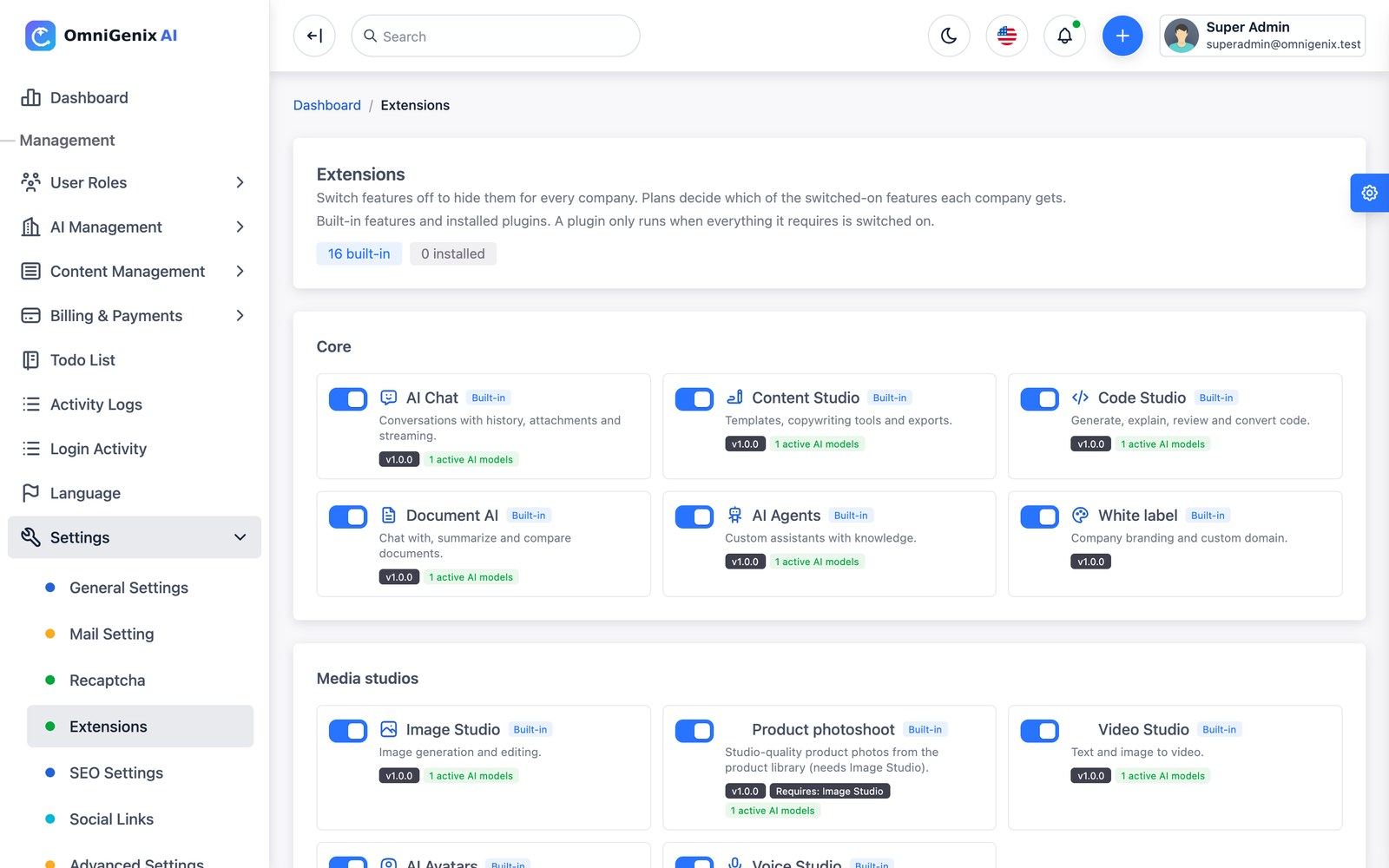
Settings → Extensions switches the 16 built-in extensions on or off platform-wide; plans decide which of the switched-on ones each company gets. Dependencies are respected: switching off Image Studio also switches off Product Photoshoot, AI Avatar is required by UGC Ads, and AI Agents is required by Website Chatbot and Voice Calling.
There is no plugin upload in the admin panel: a plugin is installed by copying its folder onto the server (it runs PHP code, so only a server administrator should do it); the admin panel then only switches installed plugins on or off. Drop-in plugins live in plugins/<slug>/plugin.json (folder configurable with OMNIGENIX_PLUGINS_PATH). They are discovered automatically and stay off until you enable them. Manifest format (from app/Support/Plugins/PluginRegistry.php). The block is valid JSON: copy it as the starting point of your plugin.json; every field is explained in the table below it.
{
  "key": "acme_music",
  "name": "Acme Music",
  "description": "Generate background music.",
  "version": "1.0.0",
  "author": "Acme",
  "category": "media",
  "requires": ["ai_voice"],
  "capability": "voice",
  "provider": "Acme\\Music\\MusicServiceProvider",
  "autoload": {"Acme\\Music\\": "src/"}
}| Field | Required? | Meaning |
|---|---|---|
key | Yes | Unique ID: 2–60 characters of a-z, 0-9 and _. A key that repeats a built-in extension or another plugin is ignored. |
name, description | Recommended | Shown in Settings → Extensions. name defaults to the key. |
version, author | Optional | Display only. version defaults to 1.0.0. |
category | Optional | One of core, media, marketing, integration, provider; any other value becomes integration. |
requires | Optional | Keys of extensions or plugins that must be on for this plugin to be active (for example ai_voice = Voice Studio). Use [] or leave the field out when there are none. |
capability | Optional | Informational: the AI capability the plugin uses (text, image, video or voice). Leave it out if it uses none. |
provider | Optional | Fully-qualified class name of the plugin’s Laravel service provider; registered only while the plugin is enabled. In JSON each backslash of a PHP namespace is written twice (\\). |
autoload | Optional | PSR-4 map from a namespace prefix to a folder inside the plugin folder (here plugins/acme_music/src/); backslashes doubled as above. |
JSON does not allow comments. Keep notes in a separate README.md in the plugin folder: a // or /* */ comment inside plugin.json makes the file invalid and the plugin is skipped.
REST API v1
153 routes under /api/v1 with Sanctum bearer tokens, stable JSON success/error envelopes, pagination metadata, login and generation rate limits and idempotency-key replay protection. The company context is resolved on the server from the token. Areas include auth (login, register with e-mail code, password reset, sessions, logout-all), me, companies and switching, dashboard, chats (with streaming), generations, content templates, prompts, tools, documents, products, projects, files, brand kit, team and roles, billing, notifications and device tokens, social posts and accounts, agents, calls, privacy, referrals, search and support tickets.
| Endpoint | Use |
|---|---|
GET /api/v1/ping | Returns pong; point an uptime monitor here |
GET /api/v1/app/version | Mobile release gate (MOBILE_* keys) |
POST /api/v1/auth/login | Issues a Sanctum token |
Private generated files are served through short-lived signed, owner-scoped links. Within a major version endpoints are only added, never removed or changed incompatibly.
Demo Mode
Set APP_DEMO=true only for a public demo. Then:
- the login page shows one-click demo buttons (Super Admin, Admin, workspace owner) and a demo banner is shown;
- platform settings, credentials, team and account-security changes are read-only;
omnigenix:demo-resetrestores the seeded demo every 6 hours (cron must run);- the installer offers the Sample company option.
To build a demo database by hand on a throwaway server: php artisan migrate:fresh --seed.
With APP_DEMO=true, omnigenix:demo-reset wipes and re-seeds the whole database every 6 hours. Never set APP_DEMO=true on a real site. Never run migrate:fresh or plain db:seed on a database with real customers.
Updating
Releases follow semantic versioning (MAJOR.MINOR.PATCH). Your version is shown on Settings → System Update (code version and database version) and in Settings → System Status. A site with no recorded version is treated as 1.0.0. Read the Changelog before every update.
One package for installing and updating. Every download contains the full, latest WebSourceCode. The same folder installs a new site (web installer) and updates an existing one; there is no separate update package. Updates are cumulative: you can go from any earlier version (for example 1.0.0) straight to the latest one, and one run applies every pending migration.
What an update never touches: .env, storage/ (including the storage/app/installed marker), vendor/, public/uploads/, public/storage and bootstrap/cache. Translations edited in the Language Manager are stored in the database and are kept.
1. Automatic: upload the ZIP (1.2.0 and later)
Open System Update
Settings → System Update (super admin, or the System Update permission) shows the code version, the database version, the saved purchase code and the last update log.
Upload the release ZIP
The whole CodeCanyon download as it is, or only the
WebSourceCodefolder zipped; the updater findsomnigenix-update.jsonnext toartisan. Too big for your PHP upload limit (shown on the screen)? Copy it by FTP tostorage/app/updates/upload.zipand tick Use the file already uploaded.Let it run
It checks the ZIP (safe paths only, newer version, PHP version, required packages, write permissions), backs up the database and the folders it replaces to
storage/app/updates/backups/, turns maintenance mode on, copies only the application folders, runsomnigenix:update, and shows the log.Composer warning
If the release added PHP packages, a warning names them: run
composer install --no-dev --optimize-autoloaderor upload avendor/folder built on your computer.
2. Manual without SSH (cPanel / FTP)
Use this when the server blocks ZIP uploads, and always for the first update from 1.0.0, which has no System Update screen yet.
Back up
The database (phpMyAdmin → Export, or Settings → Database Backup),
.env(withAPP_KEY: without it the encrypted keys cannot be read),storage/appandpublic/uploads.Copy the new files
Extract the download on your computer. In cPanel File Manager (or FTP) upload the contents of
WebSourceCode(not the folder itself) into the site root, includingomnigenix-update.json, and choose Replace all. Do not replace.env,storage/,vendor/orpublic/uploads/.New PHP packages
If the changelog says a release adds a PHP package (1.2.0 adds the Anthropic PHP SDK), run
composer install --no-dev --optimize-autoloaderon your computer insideWebSourceCodeand upload thevendor/folder it creates, or use cPanel Terminal. Until then only the Claude provider is unavailable; the rest of the site works.Finish the update
Sign in as the super admin. Any admin page now opens Settings → System Update, which shows that the files are newer than the database; click Finish update. It runs the database step (migrations, new permissions and templates, caches, storage link) and records the new version. Do this right after copying the files.
3. Manual with SSH
Replace DB_USERNAME and DB_DATABASE with the values of the same keys in your .env; mysqldump then asks for the database password.
mysqldump --single-transaction -u DB_USERNAME -p DB_DATABASE | gzip > ~/omnigenix-db-$(date +%F).sql.gz
tar czf ~/omnigenix-files-$(date +%F).tar.gz .env storage/app public/uploads
# copy the contents of WebSourceCode over the site (keep .env, storage, vendor, public/uploads), then:
composer install --no-dev --optimize-autoloader
php artisan omnigenix:update
php artisan omnigenix:update turns maintenance mode on, runs the new migrations (including new permissions for existing roles), runs optimize:clear, re-creates the storage link if missing, runs queue:restart, records the version and brings the site back online. Add --no-maintenance to keep the site online during the update. Run npm ci && npm run build only if you build the assets yourself.
Afterwards: System Update shows the same code and database version and no warnings; run one AI generation as a workspace user; fill in any new settings named in the changelog.
If something goes wrong
If omnigenix:update fails, the site stays in maintenance mode and the command prints the error. Fix it (usually folder permissions or a database user without ALTER rights) and run it again (or click Finish update again), or reopen the site with php artisan up. The version is recorded only at the end and migrations can resume, so running it twice is safe. To roll back, restore the previous files and both backups (the ZIP flow keeps them in storage/app/updates/backups/), then run php artisan optimize:clear && php artisan queue:restart. Never run migrate:fresh or plain db:seed on a live database.
Without SSH and without the System Update screen, the equivalent commands are:
php artisan down --retry=60
php artisan migrate --force
php artisan optimize:clear
php artisan storage:link        # only if public/storage is missing
php artisan queue:restart
php artisan up
Version-specific notes
| Updating to | Extra steps |
|---|---|
| 1.2.0 | From 1.0.0 use the manual update (1.0.0 has no System Update screen). A new PHP package is required (Anthropic PHP SDK): run composer install --no-dev --optimize-autoloader or upload a vendor/ folder built on your computer. Then Finish update on Settings → System Update, or php artisan omnigenix:update. Later releases can be installed from the System Update screen. New app build 1.2.0: rebuild the app with your server URL and publish it. |
| 1.0.0 | First release: no upgrade steps. Install with the web installer. |
Each future release adds a row here (new .env keys, new settings to fill in, a new PHP requirement or a new app build). The phone app: if a release includes a new app build, publish it to the stores first, then raise MOBILE_ANDROID_LATEST_VERSION / MOBILE_IOS_LATEST_VERSION (and the *_MIN_VERSION keys only for incompatible API changes).
Security
APP_ENV=productionandAPP_DEBUG=false(the installer sets both).- HTTPS everywhere, with
SESSION_SECURE_COOKIE=true; setTRUSTED_PROXIESbehind a proxy. - Document root is
public/;.env,storage/andvendor/are not web-reachable. - Delete or change the demo accounts, or install without the sample company.
- Use strong, unique passwords for every admin account. Turn on two-factor authentication for every admin account.
- Use live payment keys only after a sandbox test, and register each gateway’s webhook signing secret.
- Keep a copy of
.envand especiallyAPP_KEYoff the server; schedule off-site backups. - Never run
php artisan db:seedwithout--class=CoreSeederon a live site.
Two-factor authentication (2FA)
Every account (SaaS admins and workspace members) can protect its sign-in with a 6-digit code from an authenticator app such as Google Authenticator, Microsoft Authenticator or Authy. It is built in and needs no extra setup on your server; users switch it on themselves.
- Open the user menu → Change Password (company workspace: Settings → Password & security; SaaS Admin: Profile → Update password). The Two-factor authentication card shows Off, Setup not finished or On.
- Enter the current password and click Turn on two-factor authentication.
- Scan the QR code with the authenticator app (or type the setup key), enter the 6-digit code and click Confirm and turn on. Until a code is confirmed the account still signs in with the password only, and Cancel setup removes the unfinished setup.
- Save the 8 recovery codes shown once after confirmation. Each code signs in once if the phone is lost. New recovery codes (current password required) replaces them.
- Turn off also asks for the current password.
With 2FA on, the web sign-in (including the SaaS Admin) continues at /two-factor-challenge, and the mobile app shows a code step after the password (POST /api/v1/auth/two-factor; the challenge expires after 5 minutes or 5 wrong codes). Both accept a recovery code instead of the app code. A password reset does not switch 2FA off. In Demo Mode the 2FA settings cannot be changed. Recommended: turn it on for every SaaS Admin account.
Public registration on or off
Visitors can create an account (and a new workspace) on a fresh install. To close public sign-up, open SaaS Admin → Settings → Signup & referrals (/admin/settings/referrals) and switch off Allow new visitors to sign up. The web /register page then shows a “sign-up closed” notice, the app’s auth/register is refused, and people with a valid team invitation can still join. Switch it on again at any time.
Rate limits
Limits count per IP address (and per e-mail where it applies). Behind a proxy or CDN set TRUSTED_PROXIES, otherwise every visitor shares one bucket and gets 429 Too Many Requests.
| Endpoint | Limit |
|---|---|
Web sign-in POST /login; app auth/login and auth/register | 5 per minute per e-mail + IP, 20 per minute per IP |
Two-factor code (web /two-factor-challenge, app auth/two-factor) | 5 per minute per challenge, 10 per minute per IP; an app challenge expires after 5 minutes or 5 wrong codes |
| Web registration | 5 per minute and 20 per hour per IP |
| Forgot / reset password (link and code flows) | 3 per minute per e-mail + IP, 10 per hour per e-mail; an e-mailed code expires after 15 minutes and is burned after 5 wrong tries |
| Code verification, resend, password confirmation | 10 per minute and 60 per hour per IP (resend: 3 per minute) |
| Website chatbot | 20 new conversations and 10 lead saves per minute; 12 messages per minute and 300 per day per visitor IP, plus each agent’s daily limit |
| Password-protected share links | 10 tries per minute per IP; the link locks for 15 minutes after 30 wrong passwords from all visitors |
Built in: encrypted credentials, server-side payment verification with signed webhooks (amount and currency must match; zero- and three-decimal currencies handled), tenant isolation tests for web and API, members can only grant permissions they hold themselves, signed private file links, uploads checked by content (no SVG/HTML/scripts), two-factor authentication, rate limits, SSRF protection for web-page knowledge import, AI moderation and abuse reports, GDPR-style export and deletion, cookie consent.
Artisan Command Reference
All commands you may need in one place. Run them in the project folder (the one with the artisan file), over SSH or in cPanel → Terminal. If your PHP binary is not the default one, use its full path (for example /opt/cpanel/ea-php83/root/usr/bin/php artisan …).
No SSH or Terminal? Run a command once through a temporary cron job, as shown in cPanel Install → Running an artisan command without SSH: cd /home/YOUR_CPANEL_USERNAME/omnigenix && /usr/local/bin/php artisan COMMAND >> storage/logs/artisan.log 2>&1. Replace YOUR_CPANEL_USERNAME with your cPanel user name and COMMAND with the command, wait a minute, read storage/logs/artisan.log and delete the cron job.
Routine maintenance
| Command | What it does | When to run it |
|---|---|---|
php artisan omnigenix:update | Maintenance mode on, new migrations, optimize:clear, storage link if missing, queue:restart, records the version, site back online. --no-maintenance keeps the site online. | After you upload the files of a new release by hand (the System Update screen runs it for you). This one command replaces the manual steps below. |
php artisan omnigenix:license CODE | Verifies the Envato purchase code for APP_URL and saves it encrypted; without CODE it shows the saved one (masked). | After a command-line install, or to change the saved code. |
php artisan optimize:clear | Clears every cache Laravel keeps: configuration, routes, compiled views, events and the application cache. | Something still shows the old value after a change; after moving the site to another server or folder; first thing to try when a page errors after an update. |
php artisan config:clear | Clears only the cached configuration so .env is read again. | After every edit of .env on a server that caches its configuration. |
php artisan optimize | Caches configuration, routes and views for speed. | Optional, on a VPS after an update or .env change. Run it again after each later .env edit (or run optimize:clear). |
php artisan queue:restart | Tells running queue workers to finish their current job and restart with the new code and settings. | After every code update and every .env change while a Supervisor worker runs. omnigenix:update already does it. |
php artisan storage:link | Creates the public/storage link to storage/app/public. | Once after a command-line install; again if logos or avatars return 404 after moving the site (rm -f public/storage first). Skip it on hosts that forbid symlinks. |
Scheduler and queue
| Command | What it does | When to run it |
|---|---|---|
php artisan schedule:run | Runs the tasks that are due this minute. | Never by hand: it is the command of the one-minute cron entry (Cron, Queue & Scheduler). |
php artisan schedule:list | Lists every scheduled task with its next run time. | To confirm that a task (renewals, social publishing, domain checks) is scheduled. |
php artisan queue:work --sleep=3 --tries=3 --timeout=960 --max-time=3600 | Processes queued jobs (videos, avatars, exports, push, social posts). | Kept running by Supervisor on a VPS; not needed with QUEUE_VIA_SCHEDULER=true. |
php artisan queue:retry all | Puts every failed job back on the queue. | After you fixed the cause of failed jobs (the same as Retry in System Status → Failed jobs). |
php artisan reverb:start | Starts the Reverb websocket server. | Only if you use real-time landing-page live chat; keep it running under Supervisor (Common Setup → Reverb). |
Diagnostics
| Command | What it does | When to run it |
|---|---|---|
php artisan about | Prints the PHP and Laravel versions, environment, debug mode and cache/queue/session drivers. | When you open a support ticket, or to confirm APP_ENV=production and APP_DEBUG=false. |
php artisan omnigenix:verify-domains --pending | Re-checks the DNS TXT record of every pending or failed white-label domain now. | After a company added its DNS records, instead of waiting for the hourly check (troubleshooting). |
php artisan lang:missing --locale=fr | Lists the phrases used by the app that are missing in a language. | Before you activate a new or partial language (for example French). |
Manual update and maintenance mode
| Command | What it does | When to run it |
|---|---|---|
php artisan down --retry=60 | Shows the maintenance page to visitors. | Before manual update steps; omnigenix:update does it for you. |
php artisan migrate --force | Runs new database migrations. | Only in a manual update when omnigenix:update cannot be used. Back up the database first. |
php artisan up | Takes the site out of maintenance mode. | After manual update steps, or when a failed update left the site in maintenance mode. |
Installation only
| Command | What it does | When to run it |
|---|---|---|
php artisan key:generate | Creates a new APP_KEY. | Only during a command-line install. Never on a live site: every encrypted credential (gateway, AI, mail, storage keys) becomes unreadable. |
php artisan db:seed --class=CoreSeeder --force | Adds roles, permissions, plans, languages and other base data. | Only during a command-line install. Never run plain db:seed, which adds demo users with a known password. |
Never on a site with real customers: php artisan migrate:fresh, migrate:reset, plain db:seed, key:generate and omnigenix:demo-reset. They delete data, add demo accounts or make the encrypted keys unreadable.
Troubleshooting
Find the symptom, read the likely cause, apply the fix. Start with Settings → System Status and storage/logs/laravel.log.
Installation & server
- Every page redirects to
/install Cause: The installation was never finished: there is no
storage/app/installedmarker,APP_INSTALLEDis nottrueand the database has no Super Admin yet.Fix: Finish the installer. After moving to another server, copy
storage/app/installedtogether withstorage/, or setAPP_INSTALLED=truein.envand runphp artisan config:clear./installanswers “404 Not Found” after installingCause: Expected. The installer locks itself for good once the marker file, the
APP_INSTALLED=trueflag or a Super Admin in the database exists. It does not reopen when one of them goes missing or the database is down, and it never rewrites.envor resets data on a live install.Fix: Nothing to fix. Use
php artisan omnigenix:updatefor updates. To reinstall on purpose: back up, deletestorage/app/installed, removeAPP_INSTALLEDfrom.env, runphp artisan config:clearand point.envat an empty database.- Installer: “Could not connect to the database” or
SQLSTATE[HY000] [1045] Access denied/[2002] Connection refused/[1049] Unknown database Cause: wrong database name, user or password; on cPanel the names are missing the account prefix (
YOUR_CPANEL_USERNAME_omnigenix); the user was never added to the database; or the host is wrong.Fix: in cPanel → MySQL Databases copy the full database and user names, add the user to the database with ALL PRIVILEGES, use host
localhost(try127.0.0.1iflocalhostfails on a VPS) and port3306. A password with#, quotes or spaces must be wrapped in double quotes in.env. After editing.envby hand runphp artisan config:clear.- Blank page, “500 Server Error”, “Permission denied” in the log, or uploads fail
Cause: The web-server user cannot write
storage/,bootstrap/cache/orpublic/uploads/, or a PHP extension is missing.Fix:
chown -R www-data:www-data storage bootstrap/cache public/uploadsandchmod -R 775 storage bootstrap/cache public/uploads(use your PHP user on cPanel), thenphp artisan optimize:clear. Readstorage/logs/laravel.logfor the exact error; System Status → Requirements lists missing extensions.- Images, logos or files return 404
Cause: The
public/storagelink is missing or points to an old path (common after moving the site), or the S3 bucket settings are wrong.Fix:
rm -f public/storage && php artisan storage:link. With S3-compatible storage use Settings → Storage → Test connection and check the public URL.- Pages load without styles, or mixed-content warnings
Cause:
APP_URLdoes not match the address in the browser (http vs https, www vs non-www), a proxy hides HTTPS, or the compiled assets inpublic/assets-compiledare missing.Fix: Set
APP_URLto the exact public URL, setTRUSTED_PROXIESbehind a proxy or load balancer, runphp artisan optimize:clear. Ifpublic/assets-compiledis missing, runnpm ci && npm run build.- Changes to
.envhave no effect Cause: The configuration is cached, or the same value is set in the admin panel (admin settings win over the
MAIL_*fallback).Fix:
php artisan config:clear(orphp artisan optimize). The prebuilt assets do not read any.envvalues, so no rebuild is needed.- Browser shows “Not secure”, or
ERR_TOO_MANY_REDIRECTS(“redirected you too many times”) Cause: “Not secure”: the domain has no valid SSL certificate yet (not issued, expired, or issued for another host name such as
www). Redirect loop: usually Cloudflare (or another proxy) set to Flexible SSL, so it talks plain HTTP to your server while the server redirects to HTTPS; orAPP_URLstill sayshttp://and the proxy is not trusted, so the app does not see the original HTTPS request.Fix: Issue a certificate on the server: cPanel → SSL/TLS Status → Run AutoSSL, or
sudo certbot --nginx -d your-domain.com(--apachefor Apache). Behind Cloudflare set SSL/TLS → Overview to Full (strict), never Flexible (a Cloudflare Origin Certificate on the server works for this). SetAPP_URL=https://your-domain.com,SESSION_SECURE_COOKIE=trueandTRUSTED_PROXIESto the proxy/CDN IP ranges (see HTTPS & Proxies), then runphp artisan optimize:clearand reload the page in a private window.
Queue, scheduler & e-mail
- Videos and avatars stay “Processing”; exports, push or social posts never go out
Cause: No queue worker is running, it crashed, or it still runs old code after an update. System Status shows a growing Pending jobs count or
syncas queue driver.Fix: Set
QUEUE_CONNECTION=databaseand keepqueue:workrunning under Supervisor (Common Setup), or setQUEUE_VIA_SCHEDULER=trueon shared hosting. After updates runphp artisan queue:restart. Generations stuck for more than 2 hours are failed automatically and their credits returned.- “The scheduler has not run in the last 5 minutes”; trials never end, plans do not renew, scheduled posts and calls never start
Cause: The cron entry is missing, runs as another user or uses a different PHP binary.
Fix: Add
* * * * * cd /path/to/omnigenix && php artisan schedule:run >> /dev/null 2>&1for the web-server user, with the full PHP path fromwhich phpif needed. Scheduler last run turns current within a minute.- Jobs fail with “has been attempted too many times” or time out
Cause: The worker
--timeoutis shorter than a video job, or PHP/proxy limits stop it.Fix: Use
--timeout=960(or higher) and keep each video provider’s Video poll timeout (default 600 s) below it. Retry the failed jobs in System Status → Failed jobs.- No e-mails arrive
Cause: Mail is not configured (
MAIL_MAILER=logwrites mails tostorage/logs), wrong SMTP host/port/encryption, or the receiving server rejects you (no SPF/DKIM).Fix: Fill in Settings → Mail Setting and use Send test mail; use TLS on 587 or SSL on 465; publish SPF and DKIM records for the sender domain.
Live chat (Reverb websockets)
- Landing-page live-chat messages do not appear in real time
Cause: Realtime is optional and off by default; or it is on but
reverb:startis not running, was not restarted after the settings were saved, or the proxy does not forward websockets.Fix: Follow Common Setup → Reverb: tick Enable realtime in Settings → Realtime Settings (blank app ID/key/secret are generated on save), keep
php artisan reverb:startrunning under Supervisor and restart it and the queue workers after each change, and proxy/app/and/apps/to the Reverb server port (internal) (default 8080). No asset rebuild is needed. Messages are saved even without Reverb; replies then appear on the next refresh.- Browser console: “WebSocket connection to wss://… failed”
Cause: Public host, Public port or Scheme in Settings → Realtime Settings do not match the public address, the internal port is not reachable from Nginx, or a CDN in front of the site does not pass websockets.
Fix: Use your public domain with port
443andhttps / wssbehind an NginxUpgradeproxy, save, restartreverb:start, and enable websockets at your CDN.
Payments & webhooks
- Paid at the gateway, but the plan is not active / credits not added
Cause: The webhook does not reach
https://your-domain.com/webhooks/{gateway}(not public HTTPS, blocked by a firewall/CDN, wrong URL), or the Stripe session is not paid yet (delayed payment methods).Fix: Register the URL and events from Payment Gateways, check the gateway’s webhook delivery log, and resend the event. A plan is never activated by the browser redirect alone.
- Stripe: webhook deliveries fail with HTTP 400
Cause: The Stripe Webhook Secret belongs to another endpoint or mode (test vs live), or a proxy/CDN changes the request body.
Fix: Copy the
whsec_…signing secret of this endpoint in the same mode as the secret key, save, and press Resend in Stripe. Exclude/webhooks/from CDN caching and body rewriting (CDN bypass paths).- PayPal: webhook returns 400
Cause: The PayPal webhook ID is from another PayPal app, or PayPal mode (Sandbox/Live) does not match the client ID and secret.
Fix: Use the webhook ID of the same app as the client ID/secret and the matching mode. The server must reach PayPal’s API to verify the signature.
- Razorpay: webhook returns 400
Cause: The secret typed when creating the webhook in the Razorpay dashboard is not saved in the Razorpay gateway row (it goes into the field labelled Stripe Webhook Secret).
Fix: Edit the Razorpay row, paste the same webhook secret into that field and save; the API key secret is a different value.
- Mollie: payment stays open/pending after paying
Cause: Mollie cannot reach
https://your-domain.com/webhooks/mollie(local or non-HTTPSAPP_URL), or the API key mode (test_/live_) does not match the payment.Fix: Set
APP_URLto the public HTTPS address and runphp artisan config:clear; use the key of the right mode.- Paid, but the transaction is flagged
payment_rejected Cause: the webhook arrived but the paid amount or currency did not match the transaction (for example a price changed at the gateway). Nothing is granted.
Fix: compare the transaction in Payment Transactions with the payment in the gateway dashboard, then refund the customer or grant the plan/credits manually.
- Manual payment does not activate the plan
Cause: Expected: manual payments wait for your approval.
Fix: Approve it in Billing & Payments → Pending Payments.
AI providers
- “AI request failed. No credits were charged.”
Cause: The provider rejected the call: wrong or revoked key (401/403), no balance or rate limit at the provider (429), a mistyped Model Key, or the server cannot reach the provider (timeout).
Fix: Open the provider’s Logs in AI Management → AI Providers for the raw error, press Test, add billing credit at the provider, check the model ID, allow outbound HTTPS. Set a Fallback model for resilience.
- A studio shows no models or says the feature is unavailable
Cause: No active provider and model for that capability, the extension is switched off, or the company’s plan does not include it.
Fix: Add a model of that capability (AI Providers & Models); check Settings → Extensions and the plan.
- Video generations end with a timeout
Cause: The provider took longer than Video poll timeout, or the queue worker stopped.
Fix: Raise Video poll timeout on the provider (keep it below the worker
--timeout); credits of failed jobs are returned automatically.- “Insufficient credits”
Cause: The company wallet is empty or its daily spend limit is reached.
Fix: Check the company’s wallet and ledger in Companies, grant credits or a top-up, or raise the daily limit.
White label custom domains
A company adds its domain in Workspace → Branding (/company/branding, White label extension). The page lists two DNS records to create at the company’s DNS provider and shows the domain status as a badge:
| Badge | What it means | What the platform does |
|---|---|---|
| Pending verification (yellow) | The domain is saved but its TXT record has not been found yet. A new domain stays Pending however long the record is missing; it never turns into “failed”. Verify now answers “The TXT verification record was not found yet. Please check your DNS settings and try again later.” | Re-checks pending domains every hour (cron must run). The domain does not serve the company’s branding yet. |
| Verified (green) | The TXT record was found. Verify now answers “Domain verified. It is now active.” | Serves the company’s login page, chatbot widget and shared pages on that domain; re-checks it once a day at 03:30. |
| Verification failed (red) | The domain was verified before, and its TXT record was missing on 3 daily checks in a row (one missing check is tolerated so a short DNS outage does not take a portal offline). | Switches the domain off. It goes back to Verified as soon as the record is found again (hourly check or Verify now). |
Below the records, Domain readiness → Check readiness tests three things separately: Ownership (TXT record), CNAME to the platform and HTTPS certificate, each shown as OK, Pending/Not found or Not checked yet.
- Custom domain stays “Pending verification”
Cause: the TXT record is missing, has the wrong name or value, or has not propagated yet. Most often the DNS panel appended the zone name a second time (the record ends up as
_omnigenix-verify.app.yourbrand.com.yourbrand.com), the value was retyped with a typo or extra quotes, or cron is not running so the hourly re-check never happens.Fix: create exactly the TXT record shown on the Branding page: name
_omnigenix-verify.<the custom domain>(forapp.yourbrand.comthat is_omnigenix-verify.app.yourbrand.com; in panels that add the zone automatically enter only_omnigenix-verify.app) and valueomnigenix-verify=<token>, copied from the page. Check it from any computer withdig +short TXT _omnigenix-verify.app.yourbrand.comornslookup -type=TXT _omnigenix-verify.app.yourbrand.com; when the token appears, press Verify now or runphp artisan omnigenix:verify-domains --pending. Timeframe: a new record is usually visible within 5–30 minutes and normally within a few hours; allow up to 48 hours with some providers or when an old record with a long TTL is cached. If it is still Pending after 48 hours, the record is wrong, not slow. Saving a different domain issues a new token, so the TXT value must be updated too.- Status is “Verification failed”
Cause: a previously verified domain lost its TXT record (deleted during a DNS clean-up, a move to another DNS provider, or an expired domain) and three daily checks in a row could not find it.
Fix: add the TXT record again with the value shown on the Branding page, confirm it with
dig, then press Verify now. Keep the TXT record for as long as the domain is used.- Verified, but the domain does not open, shows another site or a certificate warning
Cause: the TXT record only proves ownership. The domain also needs the CNAME record pointing at the platform’s CNAME target (set in Landing page & white-label → Appearance & domain settings; empty = the host of
APP_URL), and your server must accept the domain and hold an HTTPS certificate for it. Behind Cloudflare, a proxied (orange-cloud) CNAME hides the target, so readiness reports the CNAME as Not found.Fix: create the CNAME shown on the Branding page; on the server, accept any host on the OmniGenix site and issue certificates per domain (for example Caddy on-demand TLS, Cloudflare for SaaS, or certbot for each domain); with Cloudflare use DNS-only for the check or SSL mode Full (strict). Keep
SESSION_DOMAINempty in.env, otherwise sign-in does not work on custom domains. Then use Check readiness.
Push, phone app & voice calling
- Push notifications do not arrive
Cause: No service-account JSON saved, the app and the server use different Firebase projects, no APNs key in Firebase for iOS, testing on the iOS simulator, the user disabled notifications, or no queue worker (push is sent from the queue).
Fix: Paste the JSON in Settings → Push Notifications and use Test connection; build the app with the same project’s Firebase files; upload the APNs key; test on a real device; keep the worker running.
- Sign-in answers 429 “Too Many Attempts”
Cause: the login, registration, two-factor and password-reset limits (see Security → Rate limits), or all visitors share one IP because the site is behind a proxy/CDN without
TRUSTED_PROXIES.Fix: wait a minute; set
TRUSTED_PROXIESto the proxy/CDN ranges and runphp artisan config:clear.- App: 401 Unauthenticated / signed out right after login
Cause: The token was revoked (logout on all devices, password reset), the account was deactivated, or the web server strips the
Authorizationheader. Accounts with two-factor authentication get their token only after the code step (auth/two-factor).Fix: Sign in again. On Apache keep the “Handle Authorization Header” rule of
public/.htaccess(orCGIPassAuth On); test withcurl -H "Authorization: Bearer TOKEN" https://your-domain.com/api/v1/me.- App: 404 on login or every request
Cause:
API_BASE_URLpoints to the wrong host or a sub-folder, or URL rewriting is off so/api/v1/…does not reach Laravel.Fix: Build with
--dart-define=API_BASE_URL=https://your-domain.com(the app adds/api/v1itself).https://your-domain.com/api/v1/pingmust returnpong; on Apache enablemod_rewriteandAllowOverride All. More in Mobile App → Troubleshooting.- Twilio/Plivo: calls connect but hang up at once; callbacks get HTTP 403
Cause: Every callback must carry a valid
X-Twilio-Signature/X-Plivo-Signature-V3for the exact URL it hit. The signature fails whenAPP_URLdiffers from the public URL (http vs https, www), a proxy hides HTTPS, or the auth token in Voice calling is outdated.Fix: Set
APP_URLto the public HTTPS URL, setTRUSTED_PROXIESbehind a proxy, re-save the current auth token, and do not let a CDN rewrite/hooks/calls/.- Campaign calls are never placed
Cause: Cron is not running (
calls:dispatchruns every minute), the time is outside the calling window, no phone number is assigned to the company, or it has no credits.Fix: Fix cron, check the campaign window and time zone, assign a number in Voice calling → Sync numbers, add credits.
FAQ
- Can I install it on shared hosting without SSH?
Yes. Follow cPanel Install (No SSH): PHP 8.2+, MySQL, cron and the ability to point the domain at the
public/folder are enough. The queue then runs from cron (QUEUE_VIA_SCHEDULER=true). Heavy video use is smoother on a VPS with a queue worker.- Do I need Node.js or npm on the server?
No. The compiled CSS/JS ship in
public/assets-compiled. Node.js 20+ is only needed if you change the front-end source and rebuild withnpm ci && npm run build.- Does it work without an AI API key?
The platform installs and runs, but the AI studios cannot generate until you add at least one provider (for example OpenAI) in AI Management. Provider usage is billed to your own account; see Third-Party Services & Costs.
- Is the mobile app included? Do I have to publish it?
Yes, the full Flutter source for Android and iOS is in
AppSourceCode. Publishing is optional and needs your own Google Play / Apple developer accounts; your customers can always use the web workspace. See Mobile App.- Is Firebase required?
No. Firebase is only for push notifications in the app. Without it the app works and the in-app notification list still fills; only push banners are off.
- Can I stop public sign-ups?
Yes: Settings → Signup & referrals → Allow new visitors to sign up. Invited team members can still join.
- Can I add my own language?
Yes, in the language manager, without code. English, Bangla and Arabic are complete; French is partial and installed inactive.
- Can I change the name, logo and colours?
Yes, from the admin panel without code: Branding Without Code. Rebranding the phone app is a build step: Mobile App → Rebrand the App.
- Which licence do I need?
OmniGenix AI is a SaaS: your customers pay you to use it. Under Envato’s licence terms an end product that end users are charged for needs the Extended License; the Regular License covers an end product that is not sold. Check Envato’s licence FAQ for your exact case.
- How do I update to a new version?
Back up, then either upload the release ZIP on Settings → System Update (automatic), or copy the new files by FTP and click Finish update on the same screen (or run
php artisan omnigenix:update). The same download installs and updates. Step by step in Updating.
Support Policy
Support is included for the support period shown on the item page (6 months by default, extendable through CodeCanyon). Use the item’s Support tab or the support channel listed there and always include your purchase code, site URL, app version (System Status), PHP/MySQL versions and hosting type, steps to reproduce with screenshots, and the relevant lines of storage/logs/laravel.log with secrets removed.
| Priority | Examples | First response | Target fix |
|---|---|---|---|
| P1: Critical | Site down after an update, payments not activating plans, a security issue | within 1 business day | Hotfix patch release as soon as possible |
| P2: High | A main feature broken for all users (an AI studio, mobile login) | within 1 business day | Next patch release |
| P3: Normal | A bug with a workaround, a configuration question | within 2 business days | Scheduled patch or minor release |
| P4: Request | Feature ideas, customisation questions | within 3 business days | Considered for the roadmap |
Business days are Sunday to Thursday, 10:00–18:00 (GMT+6), excluding public holidays. Included: installation and configuration help, the documented features, bugs in unmodified code, and help with gateway, AI provider, Firebase and mobile build configuration as documented. Not included: customisation and new features, problems caused by modified core files, server administration, and third-party services’ outages, pricing or approvals. Report security issues privately with “SECURITY” in the subject.
Update plan: patch releases (1.0.x) for bug and security fixes as needed; minor releases (1.x.0) with new features about every 6–8 weeks, backward-compatible; major releases only when a breaking change cannot be avoided, announced in advance.
Honest Notes
- Third-party services were tested with simulated HTTP only. Stripe, PayPal, Razorpay, Mollie, OpenAI, Replicate, ElevenLabs, Runway, Luma, Kling, Twilio, Plivo, the social networks and FCM were exercised in automated tests with faked HTTP responses. Test each one with your own sandbox or live credentials before going live.
- Your own accounts and costs. AI provider usage, payment gateway fees, telephony minutes, Firebase, social developer apps, hosting, e-mail delivery and Apple/Google developer accounts are paid by you to those providers and are not included in the item price.
- No working AI out of the box. Demo/stub models are hidden outside the automated tests; add a real provider first.
- Plan features list is display-only text; plan extensions, team, project and storage limits are what is enforced.
- reCAPTCHA keys are stored but not enforced on any form in 1.0.0.
- Public registration is open on a fresh install. Turn it off with Settings → Signup & referrals → Allow new visitors to sign up: the web
/registerpage then shows a “sign-up closed” notice and the app’sauth/registeris refused; people with a valid team invitation can still join. - Storefront live chat: visitor messages from the landing-page chat are stored; real-time delivery needs a Reverb server (see Common Setup), and 1.0.0 has no admin inbox screen for these messages.
- French is only partly translated (about 160 of 3,800 phrases) and is installed Inactive; finish it in the language manager before you activate it (see Multi-language). English, Bangla and Arabic are complete.
- Social networks need your own approved developer apps; approval rules are set by each network.
- Production-only checks still to do on your server: a live purchase and refund per gateway, one generation per capability with production AI keys, a real Twilio/Plivo call, one publish per social network, push on real devices, and the app-store release.
Changelog
Version 1.2.0 — 18 November 2026
Upgrade notes: from 1.0.0, update by hand this time (1.0.0 has no System Update screen): upload the files, run composer install --no-dev --optimize-autoloader (a new PHP package, the Anthropic PHP SDK, is required), then php artisan omnigenix:update. The 11 new content templates are added by the migrations; your existing templates are not changed.
- Added: Anthropic Claude as a text provider (
anthropicdriver) with streaming, image input, effort from the model’s reasoning setting and server-side retry on a substitute model when Claude declines a request (checkbox on the provider form). - Added: provider Quick setup for Claude, OpenAI, DeepSeek, Google Gemini, xAI Grok, Mistral, Groq, OpenRouter and Together AI.
- Added: Content Studio streaming, 1–3 versions per request and Use my documents.
- Added: per-template writing instructions and default AI model.
- Added: 11 content templates (Facebook & Instagram ad, Google search ad, SEO meta tags, blog outline, YouTube script, Reels/TikTok script, newsletter, landing page, product FAQ, review reply, press release).
- Added:
variantsonPOST /api/v1/generations/contentand a Versions option in the mobile app. - Added: System Update screen (Settings → System Update): update from the browser with a release ZIP, with safety checks, database and file backup, maintenance mode, migrations and an update log. See Updating.
- Added: purchase code verification in the web installer and
php artisan omnigenix:license. - Changed: content requests send built-in copywriting rules; the Brand Kit is sent with them as instructions.
- Fixed: OpenAI-compatible services that report no token usage are charged from an estimate instead of 0 credits.
Version 1.0.0 — initial release
- Multi-company SaaS with company roles and permissions, team invites, a SaaS admin panel, a web installer and a one-command updater (
omnigenix:update). - Plans, trials, subscriptions, credits and top-ups, per-company daily spend limits, plan feature gating and an expiry fallback to the default plan.
- Stripe, PayPal, Razorpay, Mollie and manual payments with signed webhooks, invoices, tax/VAT, refunds, dunning and payment retry.
- Usage, cost and margin analytics, AI health monitoring and model fallback.
- AI chat, content, code and document studios; image, video, avatar, voice and transcription studios with consent records for real-person media.
- Brand kit, product library, projects, share links, media library with versions, and history.
- Marketing, SEO and business tools, social publishing with a content calendar, AI agents, an embeddable website chatbot and AI voice calling.
- Referral program, white label with custom domains, announcements, changelog and help center.
- Moderation and abuse reports, data export and deletion, retention policies.
- Two-factor authentication (authenticator app and recovery codes) for web and app sign-in, and a setting to close public registration.
- English, Bangla and Arabic (RTL) with a language manager.
- Flutter Android/iOS app on REST API v1 with Sanctum tokens, FCM push and a version gate.
Future releases are listed here with their version number and upgrade notes; update with php artisan omnigenix:update.
AI Disclosure
Were AI tools used to create this item? Yes. AI tools assisted in creating parts of:
- Code: the Laravel web platform and the Flutter mobile app source code.
- Documentation: this HTML documentation and the README files.
- Graphics: the listing graphics (thumbnail, preview and description images). They are built from real screenshots of the running application; no AI-generated image is shown as a product screen.
All code and content were reviewed and tested by the author, and the item ships with its automated test suites.
Separately, OmniGenix AI is an AI product: its AI features send the prompts, files and text your users submit to the AI providers you configure with your own API keys (see AI Providers & Models). No provider key is included.
Credits & Licences
OmniGenix AI is built on open-source software. Each third-party package keeps its own licence; the item licence covers OmniGenix AI’s own code. The full list with versions, sources and licence notices is in LICENSES.md in the root of the download.
| Component | Licence |
|---|---|
| Laravel 12, Fortify, Sanctum, Reverb, Tinker | MIT |
| Guzzle, Intervention Image, Flysystem AWS S3, Spatie Laravel Activitylog, PhpSpreadsheet | MIT |
| PHPPresentation 1.2 (.pptx export) with its dependencies PHPOffice Common (LGPL-3.0-only) and PclZip (LGPL-2.1); smalot/pdfparser (PDF text extraction) | LGPL-3.0 / LGPL-2.1 (see the notice below) |
| Tailwind CSS 4, Vite | MIT |
FlyonUI 2.4.1 — free community edition from the public npm package flyonui, (c) ThemeSelection; no FlyonUI Pro (paid) files are included | MIT |
| DataTables, jQuery, Lodash, pdfmake (with Roboto fonts, Apache-2.0), Flatpickr, Summernote Lite, SweetAlert2, marked, Laravel Echo, Pusher JS | MIT |
Dropzone 6.3.5 (file uploads, npm package dropzone, compiled into public/assets-compiled) | MIT |
| JSZip | MIT or GPL-3.0, used under MIT |
| ApexCharts 4.7 (admin and dashboard charts) | MIT |
| DOMPurify | MPL-2.0 or Apache-2.0, used under Apache-2.0 |
| highlight.js | BSD-3-Clause |
Tabler Icons, Lucide, Circle Flags, Flagpack (via Iconify); country-code list of flag-icons in FlagIconSeeder (attributed in the file) | MIT / ISC |
Flutter app: Flutter, GetX, Dio, Firebase Core/Messaging, flutter_secure_storage, local_auth, app_links, receive_sharing_intent, image_picker, file_picker, share_plus, video_player, audioplayers, record, speech_to_text, flutter_tts, pdf and other pub.dev packages listed in pubspec.yaml | BSD-3 / MIT / Apache-2.0 |
Flutter app, Linux desktop only: dbus and nm (transitive dependencies of connectivity_plus; dbus also of the Linux implementations of file_picker and flutter_local_notifications). Not used in Android or iOS builds; used unmodified | MPL-2.0 |
LGPL notice. PHPPresentation, PHPOffice Common, PclZip and smalot/pdfparser are licensed under the GNU Lesser General Public License (LGPL-3.0 / LGPL-2.1). They are not modified and not included in the download: composer install fetches them from Packagist into vendor/, OmniGenix AI calls them only through their public API, and you can replace or upgrade them independently (composer update phpoffice/phppresentation). Their source code is at github.com/PHPOffice/PHPPresentation, github.com/PHPOffice/Common, github.com/ivanlanin/pclzip and github.com/smalot/pdfparser, and each package’s licence text is in its folder under vendor/.
No GPL code. Invoices are turned into PDF by the browser’s print dialog, so no GPL-licensed PDF library (such as mPDF) is used or required.

Social Publishing Apps
Companies connect their own social accounts, but the OAuth apps belong to you. Create a developer app at each network, then enter its client ID and client secret in Settings → Social publishing (
/admin/social-publishing). Secrets are stored encrypted and never shown again (blank means “keep”). Networks without credentials cannot be connected by companies.https://YOUR-DOMAIN/company/social/accounts/callback/facebook…/company/social/accounts/callback/linkedin…/company/social/accounts/callback/x…/company/social/accounts/callback/pinterest…/company/social/accounts/callback/tiktok…/company/social/accounts/callback/youtubeThe settings page prints the exact callback URL for your
APP_URL. The mobile app uses/api/v1/social-oauth/{network}/callback. Companies can also add a Webhook publisher (Zapier, Make or any URL) that receives each post as signed JSON. Network approval of your app (app review, scopes) is your responsibility and depends on each network’s rules.